
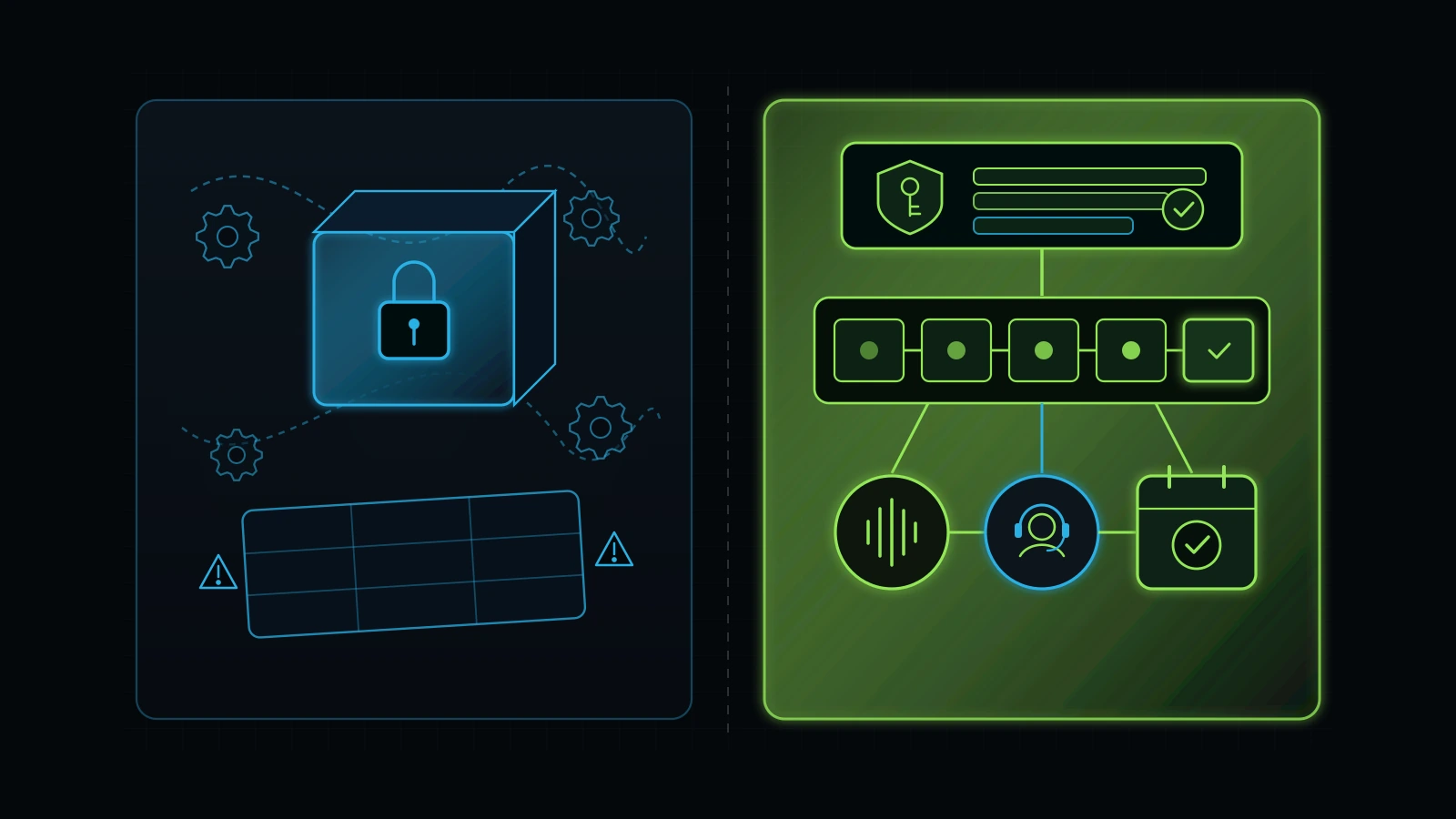
Most broken GoHighLevel accounts fail from locked sub-accounts and tangled workflows, not bad software.
Use these four operator checkpoints before hiring a GoHighLevel consultant, specialist, or agency.
A qualified GoHighLevel consultant is a CRM systems architect who audits how leads enter your business, maps your sales stages, connects compliant phone and text follow-up, and trains your staff before building a single automation workflow. Unlike a task freelancer who blindly wires up triggers from a ticket list, or a traditional marketing agency that locks your business inside a proprietary sub-account, an effective go high level consultant prioritizes three things in the first 30 days: owner admin control, five-minute speed to lead, and a clean handoff between automated AI triage and real human staff.
If you are searching for a gohighlevel consultant or a gohighlevel expert today, where advertiser bids reach $42.75 to $82.58 per click (DataForSEO, 2026), there is a high chance you are not starting from a blank slate. Most service business owners I speak with already pay for HighLevel, either directly at $97 to $297 per month (HighLevel, 2026) or bundled inside a $3,000 to $5,000 monthly marketing agency retainer (Illustrative Model, 2026). Their problem is not that they lack software. Their problem is that somebody built a complicated maze inside their account twelve months ago, nobody on the front desk understands how it works, and paid leads are slipping through the cracks.
Over a decade of practical experience inside digital agencies and service business operations, including four years progressing from WordPress Developer to Pakistan Operations Lead at Dr. J Anti-Aging Clinic (working closely with my mentor Dr. Junaid Syed to connect websites, phone systems, paid ads, and CRM follow-up into one operating engine) and later building OmniFlow and Integral Technologists, I have seen HighLevel from both sides of the desk. We sold HighLevel automations before the current AI wave, and we still use it as our primary CRM backbone today because I consider it one of the strongest value-for-money platforms for small and mid-sized service businesses that sell through phone calls, texts, and booked appointments.
At the same time, I have audited enough broken accounts to know that buying a $97 monthly software subscription (HighLevel, 2026) or importing a flashy “snapshot” template solves nothing on its own. This guide breaks down when you actually need to hire a GoHighLevel consultant, how to tell an operations architect apart from a template seller, the exact 7-point gohighlevel crm audit we run on Day 1, how to layer AI voice and text onto your existing CRM without losing the human touch, and what a clean 30-day implementation costs.
The 60-Second Verdict: Do You Need a GoHighLevel Consultant, a Specialist, or a Process Fix First?
Hire a GoHighLevel consultant only when you need someone to diagnose your lead-to-booking workflow, untangle a messy account, or design a system architecture tied to revenue. If you already have a written process map and simply need someone to build three landing pages or copy an email sequence into your account, save your budget and hire a vetted gohighlevel specialist or developer by the hour instead. And if nobody in your company is assigned to call leads back or update pipeline cards, do not hire either one until you fix internal ownership first.
Here is the fast diagnostic filter I walk founders through during advisory calls:
- Scenario A: You have a working process on paper, clean admin access, and a specific technical build list. You do not need a high-priced consultant. Hire a technical gohighlevel developer or specialist (or assign your trained internal champion) with a clear task card and acceptance checklist.
- Scenario B: You are paying an agency $2,500 to $5,000 per month (Illustrative Model, 2026), your leads live inside their HighLevel sub-account, and your team treats the CRM like a messy spreadsheet. You need an independent gohighlevel crm audit and a migration/cleanup plan before you spend another dollar on ads or software add-ons.
- Scenario C: You want to consolidate five or six disconnected tools ($1,000+ per month in scattered SaaS bills) and add AI phone answering plus automated lead follow-up (Illustrative Model, 2026). Hire an operations-minded gohighlevel consultant for a scoped 30-day architecture build, paired with human backup and team training.
- Scenario D: You think hiring a GHL expert will magically fix a business where staff ignore the phone for six hours. Pause immediately. Software repeats whatever process you feed it, including neglect.
Why “Systems ke baghair kaam hawa mein hota hai” applies doubly to CRM software
When founders ask me how I learned to view a CRM as an operational backbone rather than a contact list, I point back to two phases of my career. Early on, I knew individual digital trades: building WordPress sites, designing graphics, running ads, and managing phone dispatch boards. Later, during my years leading Pakistan operations for Dr. J Anti-Aging Clinic alongside Dr. Junaid Syed, I learned how all of those separate pieces actually lock together into one business-development system: how a search query lands on a page, triggers a tracked call or form, enters the CRM, alerts a human within minutes, and converts into a repeat patient.
Once you see that full chain from end to end, one truth becomes impossible to ignore. In Urdu, I state it plainly: “Systems ke baghair kaam hawa mein hota hai” (without systems, work happens in thin air). If your business does not have a written rule for who owns a new inquiry in the first five minutes, what happens when the front desk misses a call, and when a lead moves from New Inquiry to Booked Appointment, buying GoHighLevel just gives you a faster way to lose track of people. Once you get a good outcome once, turn it into a documented system first, and only then lock it into your CRM workflows.
GoHighLevel Consultant vs GHL Specialist vs Marketing Agency: Who Actually Fixes What?
The search results for gohighlevel consultant, go high level expert, and gohighlevel agency blur three completely different roles together (DataForSEO SERP report, 2026). In live search data pulled in November 2026, gohighlevel agency draws 260 US searches per month ($22.27 CPC), gohighlevel expert draws 210 searches per month ($82.58 CPC, with top-of-page bids reaching $1,000.00), gohighlevel developer draws 210 searches per month ($49.90 CPC), and gohighlevel consultant draws 50 searches per month ($42.75 CPC) (DataForSEO, 2026).
Advertisers bid up to $82.58 per click on those terms because hiring the wrong profile for your stage is an expensive mistake. If you hire a $15-per-hour task builder when you need system architecture, you get forty workflows that conflict with each other. If you sign a $4,000-per-month agency retainer when you only needed a 30-day setup, you overpay by tens of thousands of dollars a year (Illustrative Model, 2026).
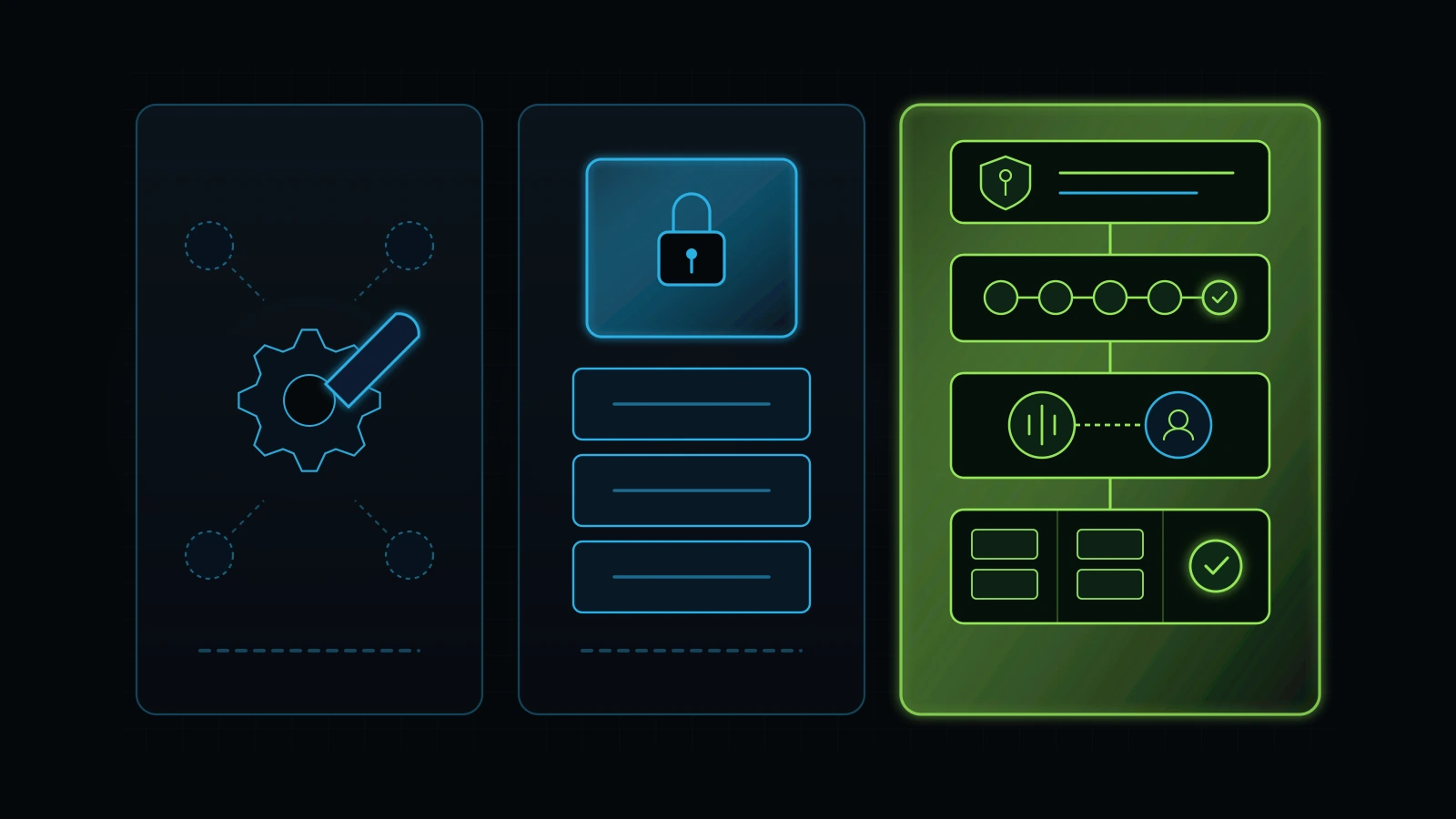
Use the comparison matrix below to separate the four common hiring options before you book an interview (all rate ranges below are illustrative market models rather than fixed universal quotes, as pricing varies by scope, geography, and seniority, Illustrative Model, 2026):
| Evaluation Criteria | Task Freelancer / GHL Virtual Assistant | Technical GHL Developer / Specialist | Traditional “GHL Snapshot” Marketing Agency | Independent GoHighLevel Consultant / Systems Architect |
|---|---|---|---|---|
| Primary Job They Do | Executes routine daily tasks inside existing workflows (updating contacts, scheduling broadcasts, basic page edits) | Builds specific technical workflows, custom webhooks, API integrations, calendars, and funnel templates from a brief | Bundles a pre-built HighLevel sub-account (“snapshot”) with monthly ad management or SEO retainers | Audits business leaks, designs pipeline and AI + human call architecture, enforces ownership, and oversees build |
| Diagnostic & Strategy Depth | Low: follows instructions literally; will not tell you if your sales process is backwards | Moderate on technical mechanics; usually waits for the owner to define the business logic | Often low: forces your business to fit their generic industry template | High: starts by tracing your real customer journey, unit economics, and front-desk capacity before touching settings |
| Account & Asset Ownership | Works inside your account as an assigned user | Works inside your account or staging environment | Often locks your business inside their master agency account; leaving means losing workflows | Strictly owner-controlled or transparent managed sub-account with portable snapshot export rights |
| Illustrative Cost Structure | ~$300 to $800/mo full-time remote offshore or $15 to $35/hr domestic part-time (Illustrative Model, 2026) | ~$500 to $1,200/mo dedicated remote specialist or $50 to $120/hr project rate (Illustrative Model, 2026) | $2,500 to $5,000+/mo ongoing retainer plus ad spend and usage markups (Illustrative Model, 2026) | Free initial discovery; ~$499 advisory/audit model plus transparent scoped build or managed pod (Illustrative Model, 2026) |
| Biggest Operational Trap | Building without a blueprint (“Agar banda hire karke bhi uske sar pe kharay rehna paray…”) | Over-engineering clever webhook chains that break silently when a form field changes | The “Hostage Sub-Account” and paying $5,000/mo for a messy spreadsheet | Hiring a “consultant” who only talks theory on Zoom and cannot inspect live workflow logs |
| When to Hire This Role | After your pipelines, SOPs, and task board are already built and documented | When you have a clear architect or internal champion writing exact technical specs | Only if the agency proves transparent asset portability and separates media from management fees | When your CRM is leaking leads, you are consolidating tools, or you want an AI + human follow-up engine built right |
How the “Department Champion Cascade” bridges the consultant and the daily operator
In my own companies, we never rely on a lone consultant floating above the business, and we never dump an unguided junior VA into a client’s CRM. We connect the two using what I call the department champion cascade.
When I restructured our operations from a three-floor office with roughly 20 to 25 employees down to a focused eight-person core supported by specialist teams, I stopped trying to review every CRM workflow and ad campaign myself. Instead, I selected one sharp, motivated department lead, Talha (whom our US clients know as Jason), and personally trained him side by side on how GoHighLevel, AI workflows, and paid acquisition fit together. Once Jason mastered the architecture and quality gates, he took over designing the workflows, training the specialists beneath him, and posting verified task updates on our iT-Kanban board.
Think of the difference between an accountant who understands Excel formulas deeply versus someone adding numbers by hand on a calculator. A strong GoHighLevel consultant sets up the spreadsheet formulas once and trains your internal champion (or provides a managed specialist pod led by a champion like Jason) so your daily operation runs smoothly without you living inside the workflow builder.
The 7-Point GoHighLevel CRM Audit: What a Qualified Consultant Inspects on Day 1
Before a consultant proposes rebuilding your pipelines or selling you an AI voice bot, they should run a forensic gohighlevel crm audit on what you already have. Searches for crm audit carry a $24.25 average CPC and have grown 33 percent year over year (DataForSEO, 2026) because business owners are tired of paying for CRM licenses that produce zero visibility into booked revenue.
The Frankenstein GHL + 43 broken Zapier automations pattern (Illustrative Composite)
Why is a Day 1 audit so critical? Consider a recurring pattern I see when founders call me in to inspect an existing agency setup (the dollar figures and automation counts below are an illustrative composite pattern from our field observations across service businesses, not a single named client’s confidential record):
The business owner hired an agency at $5,000 per month to build a modern, automated growth engine (Illustrative Model, 2026). When we log into their stack to see why the front desk is still overwhelmed and leads are going cold, we uncover a Frankenstein tech stack:
- A GoHighLevel setup that nobody on the owner’s team actually understands: Eight different pipelines created by three different former account managers, with 60 custom fields named
test_field_2orfb_lead_new_final. - 43 broken Zapier automations firing into the void (Illustrative Model, 2026): Instead of using HighLevel’s native workflow builder and webhooks cleanly, somebody duct-taped external Zaps between web forms, Google Sheets, Calendly, and HighLevel. One renamed form field broke the chain four months ago, silently dropping paid leads on the floor.
- A CRM functioning as a very expensive, messy spreadsheet: Leads land in a list, nobody moves the opportunity cards, and the owner still asks on Friday afternoon, “How many people actually booked from Google Ads this week?”
- An extra $1,500 to $2,500 per month in redundant SaaS bills (Illustrative Model, 2026): Standalone call-tracking software, separate landing page builders, third-party calendar tools, and chat widgets that duplicate features already included inside their $97 or $297 HighLevel plan (HighLevel, 2026).
When we built the OmniFlow model account for our own demonstrations, our very first step was not inventing flashy new prompts. Our starting point was inspecting the primary onboarding and lead form and tracing, step by step, every single automation, pipeline update, tag, and internal team notification that fires the second a human clicks submit.
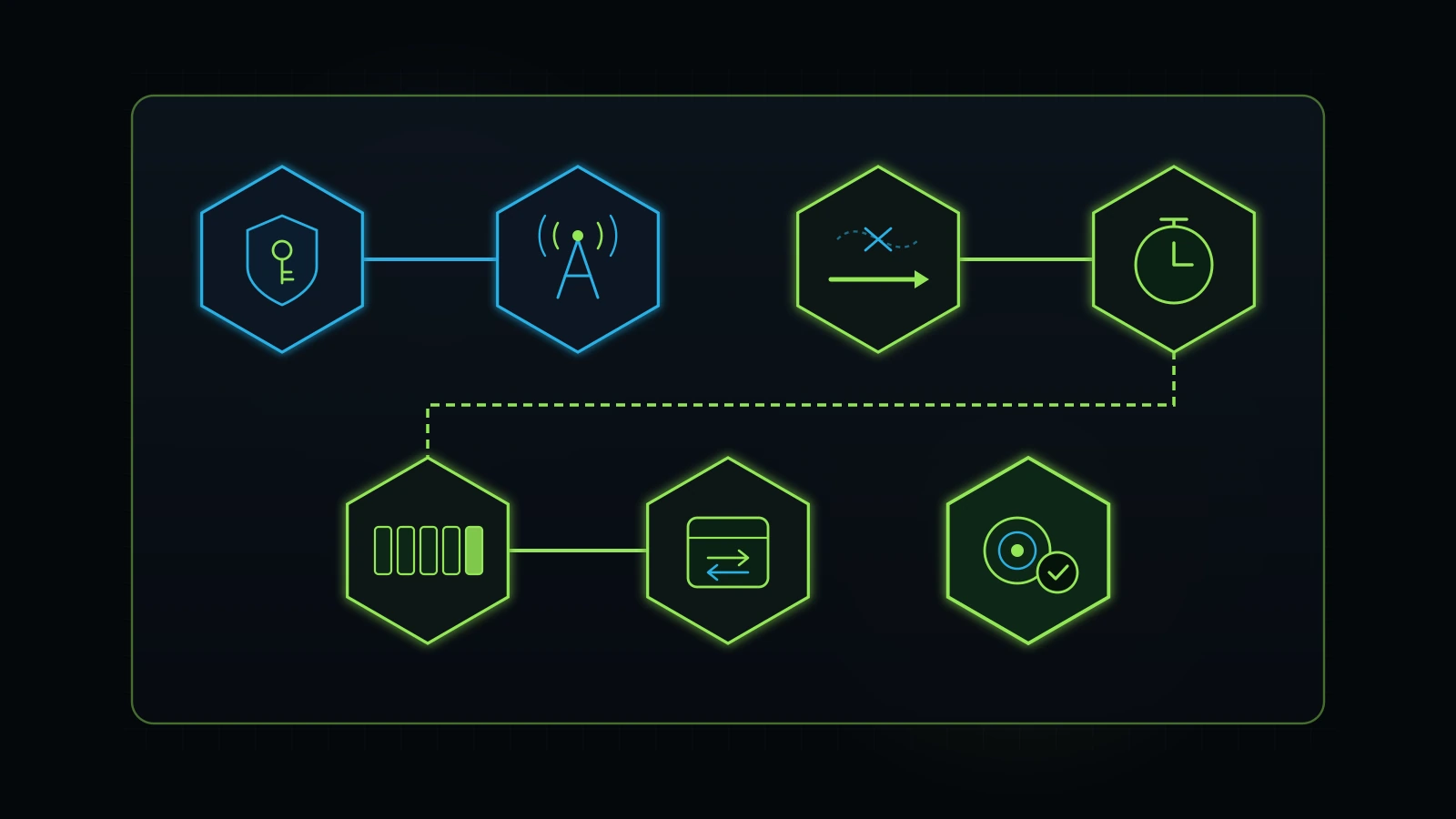
Whether you hire an external gohighlevel consultant or run this inspection yourself this afternoon, walk through these seven checkpoints in order:
Checkpoint 1: Sub-account ownership, portability, and SaaS rebilling markups
Open Settings -> Business Profile and Settings -> Billing. Does your company own this HighLevel account directly, or are you sitting inside an agency’s master account? If you sit inside an agency’s master account (which is fine only if the relationship is transparent, such as a managed $99/month OmniFlow seat where we handle the technical maintenance for you), verify two things in writing:
- Can you export a complete Snapshot of your pipelines, workflows, funnels, and custom values plus a full CSV export of your contacts, opportunities, and conversation history within 24 hours if you ever leave?
- What is the markup on LC Phone (Twilio) and LC Email (Mailgun) usage? HighLevel’s Unlimited ($297/mo) and Agency Pro ($497/mo) plans allow agencies to rebill phone and SMS usage with a custom multiplier (HighLevel, 2026). Make sure you are not unknowingly paying a 5x markup on every text message.
Checkpoint 2: A2P 10DLC SMS compliance and email subdomain DNS hygiene
Half of the “broken automation” complaints I inspect are actually deliverability blackouts. Open Settings -> Phone Numbers -> Trust Center and Settings -> Email Services:
- A2P 10DLC Registration: Under US telecom carrier rules enforced across Twilio and LeadConnector, any business sending application-to-person SMS in the United States must have an approved Sole Proprietor or Low-Volume Standard Brand and Campaign registration (FCC report, 2026; HighLevel, 2026). If your campaign status shows
FailedorUnregistered, your automated missed-call text-backs are being blocked by AT&T, T-Mobile, and Verizon before the customer ever sees them. - Dedicated Sending Subdomain: Never send CRM emails from your root domain without authentication, and never share a generic agency sending pool if you care about inbox placement. Verify that a dedicated subdomain (such as
mail.yourbusiness.comorcrm.yourbusiness.com) has validSPF,DKIM, andDMARCrecords verified in green.
Checkpoint 3: Form-to-workflow trace and Zapier spaghetti elimination
Pick your highest-traffic lead form, calendar widget, and inbound phone number. Submit a real test lead using a secondary cell phone number right now, and open Automation -> Workflows -> Execution Logs:
- How many separate workflows did that single submission trigger? In messy accounts, one form fill accidentally triggers three competing welcome sequences that text the prospect twice in ten seconds.
- Open
Settings -> Integrationsand your Zapier or Make account. List every external webhook pushing data into or out of HighLevel. If an external Zap is paying $50 a month just to move a Facebook Lead Ad or a website form into HighLevel, replace it with HighLevel’s native integration or a direct webhook so there is one less point of failure.
Checkpoint 4: Five-minute speed-to-lead and missed-call text-back verification
According to the classic Harvard Business Review study “The Short Life of Online Sales Leads” (an audit of 2,241 US companies by Oldroyd, McElheran, and Elkington), firms that attempted to contact an online lead within one hour were nearly seven times as likely to qualify the lead as firms that waited even one hour longer, yet only 37 percent of audited companies responded within that first hour and 23 percent never responded at all (HBR study, 2011). Even more striking, contacting a lead within five minutes versus thirty minutes changes contact and qualification odds dramatically.
- Call your main business tracking number from a cell phone and hang up after three rings without leaving a voicemail.
- Does HighLevel immediately fire a natural, helpful SMS within 30 to 60 seconds asking how you can help, while simultaneously creating a high-priority task and notifying your live backup person? Or does the missed call vanish into an unmonitored call log?
Checkpoint 5: Pipeline stage discipline (killing the 14-stage graveyard)
Open Opportunities -> Pipelines. When a novice sets up GoHighLevel, they create twelve to fifteen stages for every possible micro-event (Lead In, Text Sent 1, Text Sent 2, Voicemail Left, Email Opened, Maybe Later, Follow Up Next Month). Front-desk staff hate moving cards across fourteen columns, so within two weeks they stop touching the pipeline board altogether.
- A clean service-business pipeline has five to six stages maximum, each tied to a verifiable real-world state change:
New Inbound Inquiry(arrived via call, form, chat, or ad; untouched)Contacted / In Triage(two-way conversation active via AI or human)Appointment Booked(confirmed slot on calendar)Completed / Proposal Sent(showed up for consultation or estimate delivered)Won / Active Client(paid invoice or signed agreement)Lost / Nurture / Not Qualified(tagged with reason for loss)
Checkpoint 6: Calendar round-robin, time-zone locks, and no-show protection
Open Calendars -> Calendar Settings. Check whether your booking widgets actually respect two-way Google Calendar or Outlook sync (so staff personal conflicts block booking slots automatically), verify whether appointment confirmation and 24-hour / 2-hour SMS reminders include a one-tap reschedule link, and confirm that booked appointments automatically halt any “still trying to reach you” sales sequences. Nothing screams amateur automation louder than texting a prospect “Hey, still looking to book?” twenty minutes after they already booked an appointment.
Checkpoint 7: Ad conversion attribution (tying GHL to real booked revenue)
If you run Google Ads or Meta Ads, check how HighLevel reports conversions back to the ad platforms. As we detailed in our Google Ads audit checklist, counting every page view or raw spam form fill as a “conversion” trains Google’s bidding algorithm to buy junk traffic. A qualified GoHighLevel consultant configures workflow triggers so conversion events fire back to Google Ads (gclid) and Meta (fbclid / Conversions API) when a lead reaches Appointment Booked or Qualified Lead, giving you honest return-on-ad-spend math.
How to Add AI to Your Existing GoHighLevel Account Without Breaking What Works
You can add AI voice and text triage directly to your existing GoHighLevel CRM without replacing your software or rebuilding your pipelines. Many business owners in 2026 mistakenly assume they have to rip out their existing GoHighLevel setup and start over from scratch just to use modern AI tools. When ChatGPT and Claude voice and agent workflows started trending, several of our existing HighLevel clients came to us asking whether they should abandon their CRM altogether and run their business out of standalone AI chat tools.
Our answer was an emphatic no. Never throw away a working CRM foundation just because a new AI tool is fashionable; integrate AI directly into the infrastructure your team already knows.
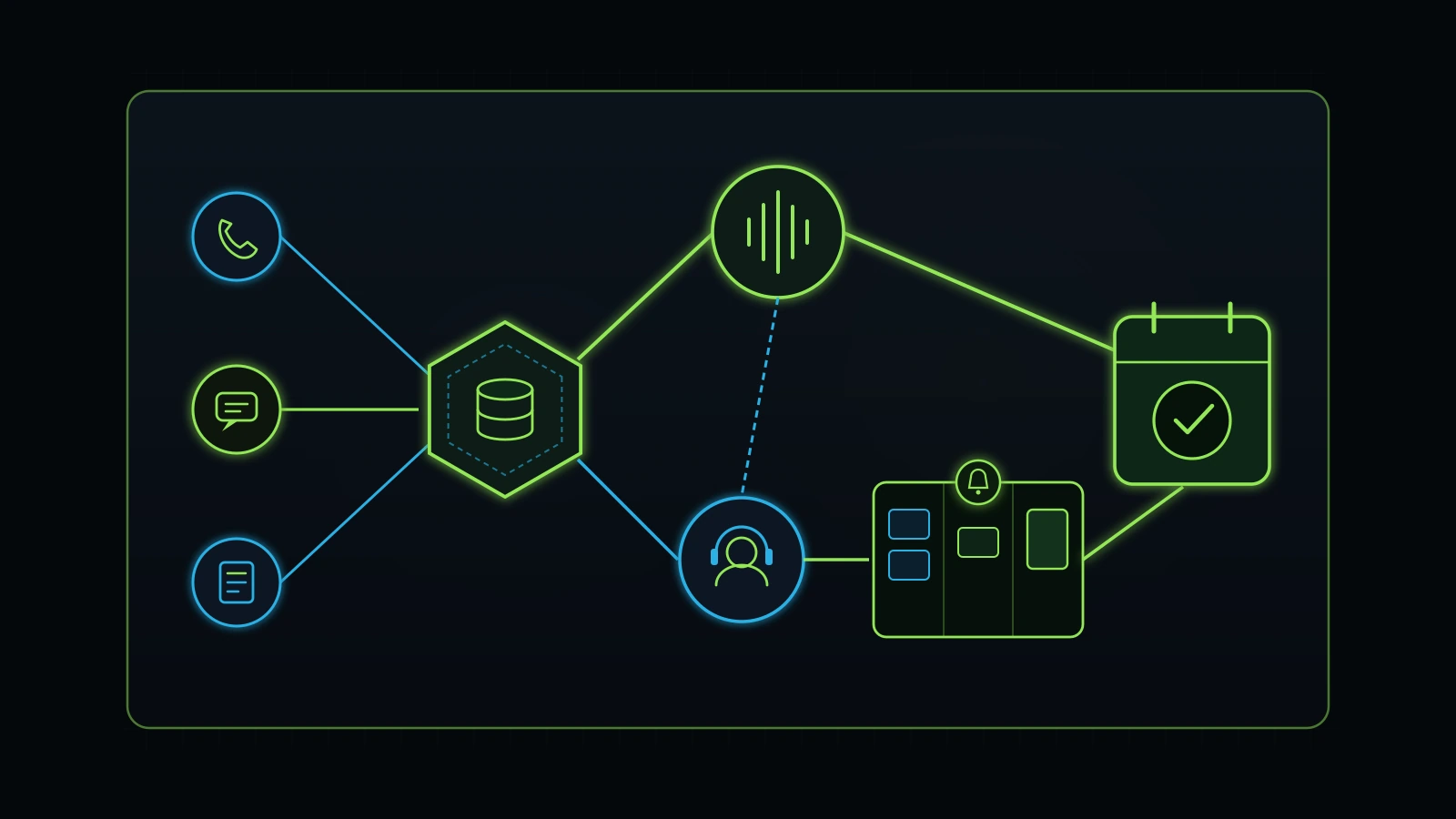
The AI-first, human-backup architecture (Checkpoint 18)
In our own agency operations across Integral Technologists and OmniFlow, we already sold and managed GoHighLevel automations before the latest wave of voice AI. Rather than replacing HighLevel, we enhanced our established GHL workflows by adding AI voice and conversation frameworks on top of the CRM, backed by trained human staff.
Here is how that three-layer architecture works in practice for a local clinic, med spa, or home-service company:
- Layer 1: AI-First Instant Capture and Routine Booking. When an ad-driven phone call, web chat, or SMS arrives (especially during lunch rushes, evenings, or weekends), the AI layer connected to GoHighLevel answers immediately. It handles repeatable questions from a strict, owner-approved knowledge base (hours, parking, location, standard service descriptions, and published price ranges) and books standard appointments directly onto the HighLevel calendar.
- Layer 2: Immediate Human Backup and Clinical/Complex Escalation. No AI should ever be left alone with your company’s promises. If a caller asks a clinical or medical question at a med spa, expresses frustration over a billing issue, requests custom commercial pricing, or hesitates on the line, the workflow transfers the call or flags a trained human backup receptionist immediately. When we staff a remote inbound receptionist for a clinic or med spa (typically around $500 per month in our illustrative remote staffing model, 2026), their role is strictly scheduling, triage, and warm customer service, never independent clinical consultation.
- Layer 3: Task-Board Escalation (
iT-KanbanGovernance). What happens if both the AI and the primary frontline person miss a step? In my decade of running agency teams, I learned the hard way that a single frontline staff member unexpectedly absent without notifying the team can cost a client relationship if inbound ad calls go unanswered. Delegation transfers tasks, never your accountability to the customer. That is why every critical follow-up and CRM maintenance job is tied to our task board: if a task or lead follow-up goes overdue, an automated notifier alerts the person who assigned it, and if it remains untouched, it escalates to management so a cross-trained backup teammate steps in.
Why we never promise “zero missed calls” or “100% autonomous AI”
When you interview a GoHighLevel consultant or an AI agency, listen carefully to how they talk about reliability. In our own internal operations combining GoHighLevel, AI call handling, and human backup staff, our founder-reported combined rate of missed or poor-quality call outcomes has dropped to a very low level (under 1 percent in our internal tracking, which we treat strictly as a founder-reported operational benchmark rather than an independently audited guarantee).
Even with that system running daily, I forbid our team from ever writing “never misses a call” or promising 100 percent error-free automation. Why? Because in the real world, telecom carriers have outages, webhooks time out, callers mumble in noisy traffic, and human employees make mistakes. Anyone who promises you a “100% hands-off, zero-error AI GoHighLevel machine” is lying to get your credit card. The goal of good CRM architecture is not perfection; it is resilience, where AI catches the 80 percent of routine speed-to-lead work and a clear human escalation loop catches the 20 percent that requires judgment (Illustrative Model, 2026). For the full setup behind these two layers, read our guides on building an AI receptionist for small business and a lead follow up system.
What Does a GoHighLevel Consultant Cost in 2026? (Honest Pricing Breakdown)
Let us put real numbers on the table. First, remember the baseline software cost you pay HighLevel directly (or through a white-label provider) before any consulting labor (HighLevel, 2026):
- HighLevel Starter Plan ($97/month): Covers up to three sub-accounts with unlimited contacts, unlimited users, pipelines, calendars, two-way SMS/email, funnels, and the visual workflow builder (HighLevel, 2026). For 90 percent of single-location small service businesses, Starter (or a managed ~$99/month white-label seat like OmniFlow) is all the core software license you need.
- HighLevel Unlimited Plan ($297/month): Adds unlimited sub-accounts and branded desktop domain features, built primarily for agencies or multi-entity operators (HighLevel, 2026).
- HighLevel Agency Pro / SaaS Mode ($497/month): Built for software resellers who want automated SaaS billing and custom usage markups (HighLevel, 2026).
- Usage Wallet Costs (Twilio / Mailgun / AI): Expect roughly $15 to $75 per month for a typical local service business in phone numbers, SMS segments, A2P registration fees, and email volume (Illustrative Model, 2026).
Comparing 4 ways to hire GoHighLevel help (Illustrative Cost Model)
Once the $97 to $99 monthly software license is covered, how much should you pay a human to audit, build, or run it? Compare the four common market models below (every dollar figure in this table is an illustrative market model for planning purposes, not a universal price quote or private financial disclosure, Illustrative Model, 2026):
| Engagement Model | Illustrative Price Range | What You Actually Get for the Money | Best Fit | Hidden Risk to Watch For |
|---|---|---|---|---|
| 1. One-Time Diagnostic / CRM Audit + Advisory | Free discovery call, then ~$499 personal advisory / diagnostic model (Illustrative Model, 2026) | Full 7-point inspection of your current GHL account, Zapier/webhook cleanup map, pipeline redesign, and a budget-proportional build plan | Owners who want an honest roadmap before committing to a build or firing their agency | Does not include hands-on code/funnel building unless a separate build scope is agreed |
| 2. Scoped 30-Day Setup / Turnaround Project | $1,000 to $3,500 one-time (depending on pipelines, migrations, and AI voice scope, Illustrative Model, 2026) | Clean sub-account setup, A2P/DNS compliance, 5-stage pipeline, speed-to-lead workflows, calendar sync, AI + human routing, and staff training | Businesses setting up HighLevel properly the first time or migrating off a messy stack | Make sure 30 days of post-launch bug testing and written SOPs are included in the scope |
| 3. Dedicated Remote GHL Specialist / Pod | ~$500 to $800/mo for 1 dedicated remote CRM/ads specialist, or ~$1,500 to $2,000/mo full growth pod (Illustrative Model, 2026) | Ongoing workflow maintenance, funnel updates, campaign launches, inbound call handling, and SEO/ads coordination under a trained champion | Growing firms that want weekly execution without $7,500/mo US local payroll | Requires a clear task board (iT-Kanban) and written acceptance criteria |
| 4. Traditional US Agency “All-In-One” Retainer | $3,000 to $6,000+/mo recurring retainer (Illustrative Model, 2026) | Bundled sub-account rental, basic ad management, and a monthly PDF check-in call with a junior account coordinator | Rarely optimal for sub-$5M firms unless the agency brings deep niche creative/media proof | High risk of sub-account lock-in and paying $50,000/yr to rent a static template |
Real-world tool consolidation math: cutting $1,200/month in bloat down to $99/month
When a GoHighLevel consultant does their job ethically, their work often pays for itself purely through software consolidation before counting a single new customer.
Look at our published first-party case study for A Younger You Wellness & MedSpa on the Integral Technologists blog (https://www.integraltechnologists.com/blog/a-younger-you-medspa-90-day-case-study.html, which we cite transparently as our own published first-party project record rather than an independent third-party audit). Before we stepped in, the practice was paying over $1,200 per month across fragmented, overlapping software subscriptions that barely spoke to each other (Integral Technologists report, 2026). By consolidating that scattered stack into a $99-per-month OmniFlow (GoHighLevel) backbone and pairing it with structured iT-SEO execution, the business eliminated over $1,100 per month in wasted software bills while moving its average Google Search Console position from 19.1 to 13.7 across 82 ranking search queries, with roughly 20 queries reaching position 1 (Integral Technologists report, 2026). We applied the same integrated brand, website, GoHighLevel CRM, and Meta Ads workflow principles documented on our public blog for TOCC Aesthetics (https://www.integraltechnologists.com/blog/).
If you suspect your company is paying for five tools that HighLevel already handles natively, run our step-by-step tech stack audit before your first consulting call.
The First 30 Days: What a Clean GoHighLevel Setup and Turnaround Looks Like
Whether you bring in our team at OmniFlow and Integral Technologists, hire an independent gohighlevel expert, or assign an internal project lead, refuse any vague timeline that drags on for four months. A clean HighLevel implementation or account turnaround for a small service business fits into a disciplined four-week sprint.
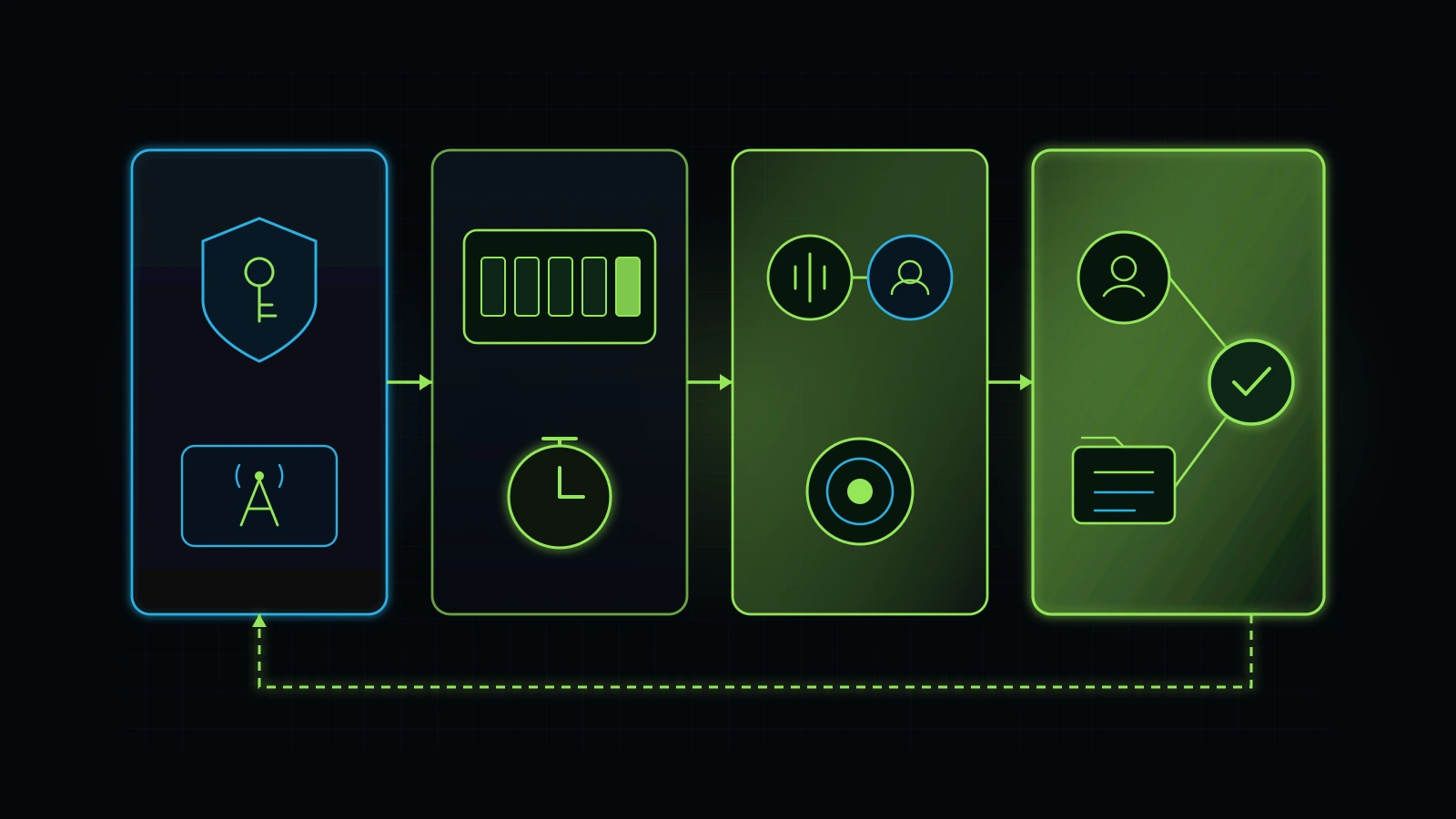
Week 1: Perimeter Lock, Compliance, and the Onboarding Form Trace
- Admin & Asset Verification: Secure Primary Owner admin access (or written snapshot export rights), connect your Stripe invoice integration, and verify clean LC Phone / LC Email billing without hidden markups.
- A2P 10DLC & Email DNS Submission: Submit your business EIN, official business name, and opt-in compliant website forms to the A2P 10DLC Trust Center on Day 1 (since carrier approval takes several days), and authenticate
SPF,DKIM, andDMARCon your dedicated sending subdomain. - The Onboarding & Lead Form Trace: Audit your primary website contact form, client intake form (see our client onboarding checklist), and main phone lines. Map every existing Zapier or webhook connection on a single one-page diagram and turn off duplicate or broken triggers.
Week 2: The Single Source-of-Truth Pipeline and Five-Minute Speed to Lead
- Consolidate to One Core Sales Pipeline: Archive the graveyard of unused pipelines and build one clean five-to-six-stage pipeline (
New Inbound Inquiry->Contacted / In Triage->Appointment Booked->Completed / Proposal Sent->Won / Active Client->Lost / Nurture). - Standardize Custom Fields and Tags: Delete duplicate fields and reduce tags to a clean naming convention (
source:google-ads,source:organic-seo,service:medspa-consult,status:booked). - Deploy Core Speed-to-Lead Workflows: Build three rock-solid native workflows: (a) Instant web-form acknowledgment via SMS and email within 60 seconds, (b) Missed-call text-back with instant staff alert, and (c) Two-way calendar booking with automatic confirmation, reminders, and sequence stop-rules.
Week 3: AI Triage, Human Backup Routing, and Ad Attribution
- Connect AI-First Call & Text Triage: Load your verified business knowledge base (hours, services, pricing boundaries, and explicit “never diagnose or guess” guardrails) into your voice and conversation AI layer.
- Wire the Human Backup Escalation Loop: Connect live call transfer and overdue task alerts so any complex caller or unreturned inquiry escalates to your human backup receptionist and posts a tracked card on your task board.
- Verify Ad Platform Offline Conversions: Test end-to-end
gclidandfbclidcapture from landing page toAppointment Bookedstage so Google Ads and Meta Ads optimize for real appointments rather than spam clicks.
Week 4: The Internal Champion Handoff and 28-Day Review Gate
- Record Loom / Video SOPs and Written Checklists: Never accept a finished GoHighLevel build without written documentation (see our guide to business process documentation for small business). Every custom workflow should have a two-sentence note explaining what triggers it, what it sends, and how to pause it safely.
- Train Your Internal Champion: Spend two live sessions training one designated person on your staff to read the Opportunities board, check the Conversation inbox, and verify weekly call outcomes.
- Set the 28-Day Performance Check: Schedule a mandatory check 28 days after launch to review SMS delivery rates, average speed-to-lead, missed-call recovery percentage, and booked appointments.
10 Questions to Ask Before You Hire a GoHighLevel Consultant
Before you sign an agreement with any gohighlevel consultant, go high level expert, or CRM agency, ask these ten questions on your discovery call. An honest operator will answer all ten in plain English in under ten minutes:
- “If we stop working together in twelve months, who owns the GoHighLevel sub-account, phone numbers, and workflows?”
- What you want to hear: Either they build directly inside your own $97/month HighLevel account, or if you use their managed white-label platform (like our $99/month OmniFlow setup), they guarantee in writing that your phone numbers, contact CSVs, and a full exportable Snapshot of your workflows belong to you at any time with zero hostage fees.
- “Show me the last broken GoHighLevel account you audited. What were the first three things you deleted or simplified?”
- What you want to hear: Real stories about deleting 30 redundant Zapier zaps, collapsing eight unused pipelines into one, or fixing broken A2P 10DLC campaign registrations. If they only brag about building complicated 90-step workflow trees, be careful.
- “How do you prevent AI voice or text bots from hallucinating prices or giving medical, legal, or financial advice on our phone line?”
- What you want to hear: Strict prompt boundaries, a closed knowledge base, and an immediate transfer rule that routes clinical, sensitive, or complex calls to a trained human backup person.
- “Do you build integrations inside HighLevel’s native workflows first, or do you rely on third-party Zapier/Make chains?”
- What you want to hear: Native workflows and direct webhooks first whenever possible, using external middleware only when a third-party legacy tool has no native integration.
- “How do you structure your fee: a one-time diagnostic and build scope, or a mandatory long-term agency retainer?”
- What you want to hear: A free initial discovery call, an affordable diagnostic/advisory step (like our $499 model), and a clearly scoped build or month-to-month support option without a 12-month lock-in contract.
- “Who actually builds and tests the workflows inside our account, and how do we track their tasks each week?”
- What you want to hear: You meet the actual CRM lead or champion (such as Jason/Talha on our team), and every task lives on a transparent task board with due dates and verification checks.
- “How will you test every form, calendar, and phone number before turning live traffic onto the new workflows?”
- What you want to hear: A documented end-to-end test protocol using real phone numbers and test contacts, verifying execution logs, stop-on-response rules, and time-zone settings before launch.
- “How do you connect GoHighLevel pipeline stages back to Google Ads and Meta Ads so we stop optimizing for spam leads?”
- What you want to hear: Passing
gclidandfbclidparameters into contact records and firing conversion events only when an opportunity moves toAppointment BookedorQualified.
- What you want to hear: Passing
- “What written documentation and team training do we receive at the end of the 30-day build?”
- What you want to hear: A clean architecture map, naming conventions for tags/workflows, and live training for your front desk or internal champion.
- “What do you need from our team internally so this CRM does not turn into an ignored spreadsheet?”
- What you want to hear: Honest candor that someone on your side must own daily pipeline hygiene and answer escalated calls. Anyone who claims “You don’t have to do anything, the CRM runs your whole company on autopilot” is selling a fairy tale.
How to get an honest second opinion on your GoHighLevel setup
There is a guiding rule I come back to across all of my work: “Kam kaam karo, achha kaam karo, sukoon ka kaam karo” (do less work, do good work, and do work that brings peace of mind). Your CRM should exist to give you peace of mind that every lead you paid for is being answered, tracked, and booked cleanly, not to give you a second full-time job debugging broken webhooks at midnight.
If you already have a GoHighLevel account that feels like a tangled maze, or if you want to consolidate $1,000+ per month in scattered software bills into a clean CRM + AI + human backup system (Illustrative Model, 2026), book a free initial discovery call on my advisory page or reach out through our contact page. Our first discovery conversation is always free across The Retired Consultant, OmniFlow, and Integral Technologists. We will open your current setup together, trace where leads are leaking, and tell you plainly whether you need a simple internal cleanup, a $499 advisory roadmap, or a done-for-you implementation pod through our services team.
Next Steps and Related Operational Guides
- Advisory Services: Book a free initial discovery call with Faiz Ahmed to audit your current GoHighLevel account, untangle broken automations, or scope a 30-day CRM turnaround.
- GoHighLevel vs HubSpot: An Operator’s Honest View: Compare HighLevel and HubSpot side by side on pricing, SMS/call handling, reporting, and why fixing the CRM you already own usually beats switching.
- Lead Follow Up System: A Small Business Playbook: Copy our five-part lead follow-up architecture, 14-day cadence, and five-minute speed-to-lead rules built on top of GoHighLevel.
- AI Receptionist for Small Business: What Actually Works: See how we pair GoHighLevel with AI-first inbound call answering and trained human backup staff so paid ad calls do not go to voicemail.
- Hiring a Business Process Automation Consultant: Learn how broader cross-department workflow automation fits together once your core CRM pipeline is clean.
- Small Business AI Consultant: An Owner’s Guide: Evaluate where AI genuinely removes repetitive work in a service business versus where vendors are selling expensive hype.
- Tech Stack Audit: A Guide for Small Business: Run a line-by-line audit of your monthly software bills to cut $1,000+ in overlapping SaaS subscriptions that GoHighLevel replaces natively (Illustrative Model, 2026).
- In-House Marketing vs Agency: An Owner’s Breakdown: Understand the department champion cascade and why an owner-controlled hybrid pod beats both solo generalist hires and $5,000/month agency retainers (Illustrative Model, 2026).
- Google Ads Audit Checklist: A Small Business Guide: Connect your GoHighLevel booked-appointment stages back to Google Ads so your bidding algorithm optimizes for real revenue instead of junk clicks.
- Facebook Ads Audit: The 7-Step Meta Ad Account Checklist: Wire Meta Pixel and server-side Conversions API deduplication into GoHighLevel while replacing low-intent Instant Forms with sub-60-second CRM speed to lead.
- Client Onboarding Checklist for Service Firms: Trace what happens immediately after a new client submits your onboarding form and automate the handoff cleanly.
- Business Process Documentation for Small Business: Write the plain-language SOPs and mirror-brain docs your team needs before building CRM automations.
- Services Overview: Explore done-for-you GoHighLevel implementation, AI call handling, SEO, and dedicated remote specialist pods through Integral Technologists and OmniFlow.
- Contact Faiz Ahmed: Send a direct message to discuss a GoHighLevel audit or custom CRM architecture for your business.
References
- Google Search Status Dashboard. “History for Ranking.” Accessed 2026-11-04. https://status.search.google.com/products/rGHU1u87FJnkP6W2GwMi/history
- HighLevel (GoHighLevel). “HighLevel Pricing and Plans ($97 Starter, $297 Unlimited, $497 Agency Pro).” Accessed 2026-11-04. https://www.gohighlevel.com/pricing
- Oldroyd, James B., Kristina McElheran, and David Elkington. “The Short Life of Online Sales Leads.” Harvard Business Review, March 2011. https://hbr.org/2011/03/the-short-life-of-online-sales-leads
- Federal Communications Commission (FCC). “Stop Unwanted Robocalls and Texts (TCPA and Carrier Messaging Compliance).” Accessed 2026-11-04. https://www.fcc.gov/consumers/guides/stop-unwanted-robocalls-and-texts
- Integral Technologists. “A Younger You Wellness & MedSpa 90-Day Case Study (Published First-Party Case Study).” Accessed 2026-11-04. https://www.integraltechnologists.com/blog/a-younger-you-medspa-90-day-case-study.html
- Integral Technologists. “Blog and Client Case Studies (TOCC Aesthetics & Service Systems).” Accessed 2026-11-04. https://www.integraltechnologists.com/blog/
Disclaimer: This article reflects the author’s personal opinions and a decade of practical experience building and auditing CRM systems, GoHighLevel workflows, AI call handling, and digital agency operations for service businesses. Firsthand operational examples (including enhancing established GoHighLevel workflows with AI inbound call handling and human backup, implementing the department champion cascade with Jason/Talha, and referencing published first-party case studies on the Integral Technologists blog) describe the author’s own company history, while all consulting fees, agency retainer figures, and remote specialist cost tables are illustrative hypothetical models rather than guaranteed quotes or private financial records. The author advises service founders through The Retired Consultant and operates OmniFlow (built on HighLevel’s white-label engine) and Integral Technologists, as disclosed under the byline.
