
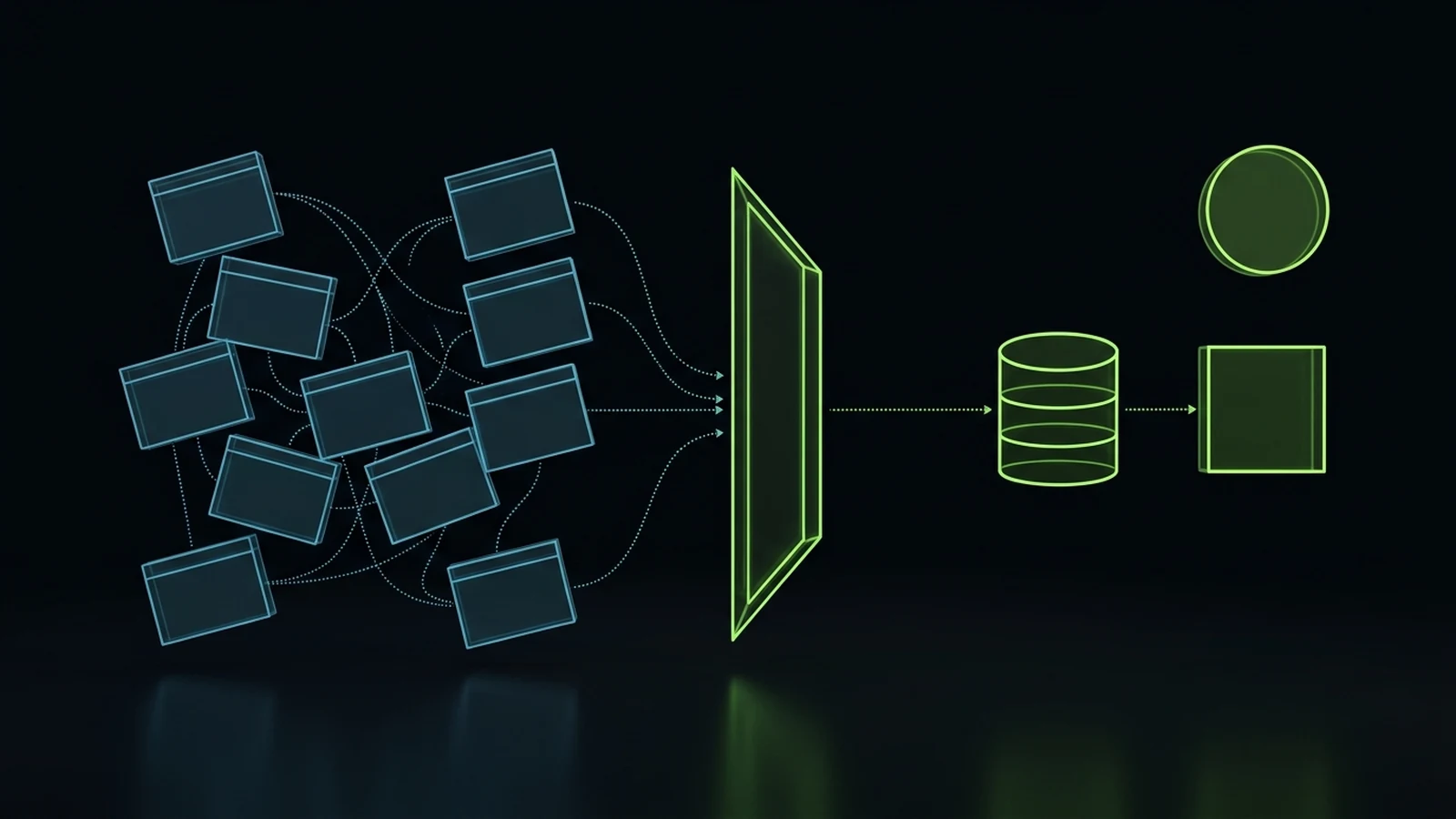
Do not purchase software to solve disorganization; audit handoffs, eliminate SaaS bloat, and consolidate workflows into your CRM.
Use these four operational realities to audit your software portfolio, eliminate Zombie subscriptions, and cut technology costs without operational disruption.
A tech stack audit is a systematic operational review of every software subscription, integration, user license, and automated workflow inside an organization to eliminate wasted spending, close security gaps, and align technology with actual day-to-day business delivery. Rather than treating software purchases as permanent operational fixtures, an effective audit investigates whether each tool solves a documented business problem, whether your frontline team actively uses its core features, and whether data moves cleanly across your operational pipeline without manual intervention.
Most service business owners do not suffer from a lack of technology. They suffer from software sprawl. Over five to ten years of operating agencies, clinics, and service companies, I have watched founders accumulate dozens of specialized web applications, standalone form builders, third-party schedulers, niche communication portals, and experimental AI wrappers. Each tool was adopted with high hopes during a weekend productivity sprint or recommended by an outside agency. Six months later, the business ends up paying thousands of dollars each month for digital assets that nobody understands, while frontline employees still maintain shadow spreadsheets on their desktops just to get daily work completed.
Conducting a rigorous technology audit allows an owner to reclaim 20 to 30 percent of their monthly recurring software budget, remove fragile automation handoffs, and give their staff a simple, unified platform that makes execution dependable and calm.
Why Small Businesses End Up With Frankenstein Tech Stacks
Small businesses accumulate unmanageable collections of software because buying a new subscription is always emotionally easier than defining a clear operational process. When a customer inquiry slips through the cracks, an agency misses a project deadline, or a sales lead slips past a 5-minute lead follow-up system, leadership naturally seeks an immediate remedy. Software companies capitalize on this anxiety with targeted marketing campaigns promising that their specific platform will solve disorganization with three clicks.
Typical Software Accumulation Cycle:
Operational Friction -> Purchase Single-Point App -> Partial Team Adoption -> Integration Failure -> Retain Subscription -> Next Problem Appears -> Purchase Another Tool
The cycle repeats continuously throughout the life of a growing company:
- A communication breakdown occurs between sales and operations.
- The business owner searches online and purchases a dedicated project management tool or client portal.
- The team receives an invitation link with zero documented standard operating procedures and no structured employee AI and workflow training.
- Two employees use the new tool while four continue emailing attachments and updating local spreadsheets.
- Critical data becomes fragmented across two separate databases.
- To connect the systems, someone builds an improvised multi-step automation using Zapier or Make.
- Three months later, an API endpoint updates, a webhook fails silently, and the owner purchases yet another tool to monitor the broken automation.
This pattern produces what I call the Frankenstein tech stack. In my field notes from working with agency owners and service operators, this represents one of the most widespread operational traps in B2B commerce. You hire an external agency or technical consultant to install a clean delivery engine. Instead of establishing foundational clarity, they assemble a brittle patchwork: a complex customer relationship management system that nobody on your payroll understands, dozens of disconnected webhook automations firing into the void, a database that functions as an expensive and disorganized Google Sheet, and a recurring monthly software invoice that produces more manual friction than it removes.
When components inside this patchwork inevitably fail, the vendor or agency rarely offers to simplify your architecture. Their reflexive recommendation is almost always to purchase another subscription, upgrade to an enterprise tier, or install an experimental artificial intelligence wrapper on top of the confusion.
The financial damage extends far beyond the direct monthly subscription charges. According to research published by Gartner, companies waste approximately 25 to 30 percent of their total software expenditure on completely unused or underutilized software licenses (source: Gartner, 2024). Data from the SaaS Management Index compiled by Zylo demonstrates that the average organization maintains over 40 distinct cloud applications, with 51 percent of purchased user licenses remaining completely dormant across an operating quarter (source: Zylo, 2024).
The operational penalty is even steeper. When your customer data is scattered across five separate web portals, your staff spends thirty minutes every morning copying contact details, cross-checking payment status, and hunting down message histories. That represents pure capacity drag. Every dollar spent on an unmanaged tool is a dollar taken away from hiring skilled operators, rewarding high-performing department champions, or investing in qualified client acquisition.
The Four Quadrant Stack Classification Framework
To audit a cluttered software portfolio without creating operational paralysis, you must separate your tools into distinct functional categories based on two specific variables: business criticality and active utilization rate.

Every application currently charged to your business credit cards belongs in one of four operational quadrants:
Quadrant 1: Core Infrastructure (High Criticality, High Utilization)
Core Infrastructure comprises the non-negotiable operational backbone of your enterprise. These are the central systems that store your primary customer records, process payments, host your production digital presence, and manage official client communications. If a Core Infrastructure platform goes offline, your business stops operating immediately.
Examples include your primary customer relationship management (CRM) database, your core business email and calendar suite, your merchant processing gateway, and your primary accounting ledger. These platforms require ongoing investment, security hardening, and rigorous data backup procedures. You do not eliminate Quadrant 1 tools; you optimize their configuration and ensure they serve as the single source of truth for your entire company.
Quadrant 2: Operational Workhorses (Moderate Criticality, High Utilization)
Operational Workhorses are the functional tools your team uses daily to produce client deliverables, coordinate project milestones, and execute routine administrative workflows. While the business could theoretically survive a temporary disruption to an individual Workhorse tool by shifting to manual alternatives, these applications drive your day-to-day productivity and delivery velocity.
Examples include your primary task coordination board (such as iT-Kanban), professional graphic production suites for your designers, internal instant messaging channels, and client scheduling calendars. These tools should be protected and standardized. However, you must enforce strict licensing governance: every paid user seat must be tied to an active, trained employee who logs in at least three times per week.
Quadrant 3: Redundant Wrappers (Low Criticality, Low to Moderate Utilization)
Redundant Wrappers are point solutions that perform narrow tasks that your Core Infrastructure or Operational Workhorses can already handle natively. These applications frequently enter your organization through well-intentioned employees who wanted a specific visual template, or through agencies that preferred charging you for an external subscription rather than configuring your existing platform.
Examples include standalone form building software when your CRM already includes a native form engine, third-party email tracking plugins when your core inbox suite offers identical logging, and single-purpose artificial intelligence text tools that charge $30 per seat for features already accessible inside your standard office software. Redundant Wrappers are primary targets for immediate consolidation. Migrating their functions into your Core Infrastructure instantly cuts monthly overhead and reduces the number of fragile API bridges your team must maintain.
Quadrant 4: Zombie Subscriptions (Zero Criticality, Zero to Low Utilization)
Zombie Subscriptions are digital ghosts. These are recurring charges for software products that your company stopped actively using months ago, licenses assigned to former contractors or terminated employees, forgotten trial accounts that automatically converted into annual contracts, and software purchased for a single project that concluded last year.
According to findings in the Productiv State of SaaS report, more than 53 percent of software licenses in modern businesses exhibit zero user engagement over a rolling 90-day window (source: Productiv, 2024). Zombie Subscriptions provide zero commercial value while quietly draining your operational cash reserves. They represent low-hanging fruit: terminating these subscriptions yields instant cash recovery with zero disruption to client delivery.
Operational Classification Matrix
The following decision matrix provides the exact evaluation criteria used to classify applications during a professional technology audit:
| Quadrant Name | Criticality Level | Utilization Standard | Primary Action Required | Target Timeline | Financial Impact |
|---|---|---|---|---|---|
| 1. Core Infrastructure | Critical to business survival | Daily company-wide use | Harden security, optimize fields, centralize records | Continuous review | Baseline essential operational expense |
| 2. Operational Workhorses | High delivery impact | Weekly active use by delivery team | Prune unassigned seats, establish SOP documentation | 14 to 30 days | Moderate savings through seat hygiene |
| 3. Redundant Wrappers | Low (replicates core platform features) | Sporadic or isolated department use | Consolidate workflows into Core Infrastructure | 30 to 45 days | High margin recovery, eliminates point solutions |
| 4. Zombie Subscriptions | Zero operational necessity | Inactive (>60 days without login) | Terminate licenses and cancel recurring billing | Immediate (1 to 7 days) | Pure margin recovery with zero delivery risk |
A Step-by-Step 5-Phase Small Business Tech Stack Audit Process
Executing a thorough technology audit does not require shutting down your company or hiring a team of enterprise IT specialists. It requires a disciplined, step-by-step examination of where your money goes, how your information travels, and which tools actually assist your human team in finishing work.
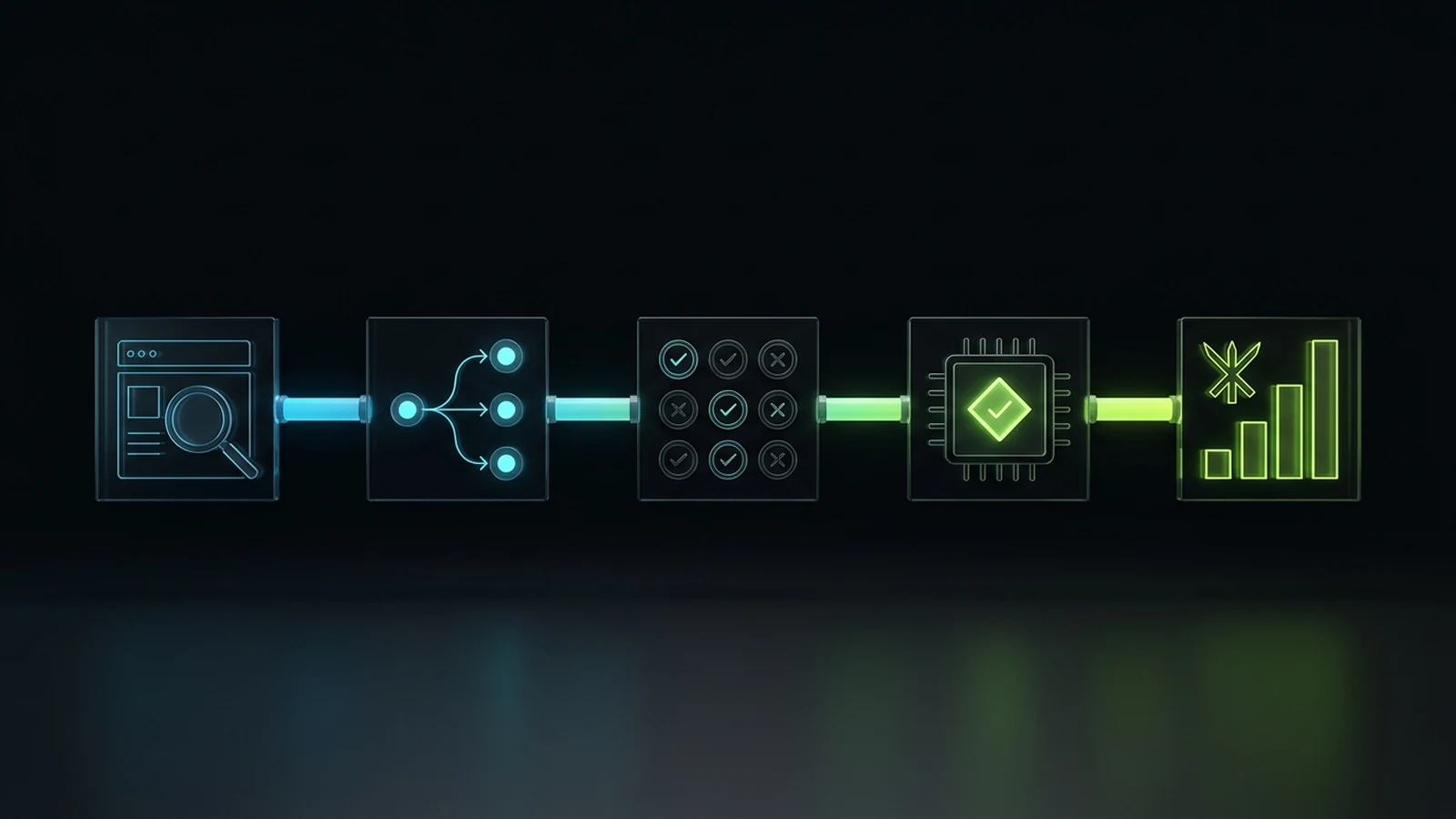
Follow this proven five-phase operational sequence over a thirty-day cycle:
Phase 1: Credit Card and Invoice Discovery
You cannot audit what you cannot see. The most dangerous software expenses in a small business do not appear on major vendor purchase orders; they hide as recurring monthly micro-charges across three different company credit cards, PayPal accounts, and employee expense reports.
To begin Phase 1, collect the last ninety days of statements from every business bank account, credit card, and digital payment processor:
- Export every transaction into a single spreadsheet and filter exclusively for recurring charges under categories like software, technology, online services, and cloud computing.
- Create an exhaustive master inventory listing the application name, current monthly charge, billing cadence (monthly versus annual auto-renew), administrator email address, and the original business reason for the purchase.
- Identify unmanaged “shadow IT.” This occurs when a department head or project manager uses a personal or company card to purchase a local project tool without notifying executive leadership. In our auditing practice, uncovering shadow IT regularly reveals two or three teams paying for separate, competing subscriptions to tools that perform identical tasks (such as two different video recording tools or three conflicting cloud storage drives).
Phase 2: Workflow and Handoff Mapping
Once you have compiled your complete financial inventory, shift your focus from accounting to operations. Trace the real journey of a client relationship from initial marketing discovery to service delivery and invoicing.
Ask your frontline operators how work actually moves:
- When a prospect submits an inquiry on your website, which platform receives the data first?
- Does that lead transfer into your primary CRM automatically, or does an administrative employee manually copy and paste contact details from an email notification?
- How does the sales team schedule a discovery consultation? Are they using a third-party calendar tool that fails to log the appointment in your main pipeline?
- When a proposal is accepted, does a structured client onboarding checklist govern how the delivery team receives the client files and scope instructions?
- Which platform generates the monthly billing invoice, and does payment status reflect back inside your client communication portal?
Documenting this live operational journey highlights every handoff gap. A handoff gap occurs wherever a team member must export a CSV file, manually re-enter client information, or jump between three browser tabs just to complete a single task. Wherever you find an operational gap, you will almost always find an unmanaged point solution purchased to bridge the confusion.
Phase 3: Utilization and Seat Audit
Phase 3 inspects user activity inside each software platform. Log into the administrative dashboard of every service identified in Phase 1 and open the user management and billing settings.
Examine the following specific metrics:
- Total Purchased Seats versus Assigned Seats: Many SaaS providers automatically bundle licenses in tiers (such as 10-seat or 25-seat packs) or allow managers to add seats that remain completely unassigned. You are often paying monthly fees for empty virtual desks.
- Last Login Timestamps: Filter your user directory by the
Last ActiveorLast Logindate. Flag any account that has not accessed the platform within the preceding 45 days. In service agencies with regular staff turnover, it is common to find active paid subscriptions assigned to employees who left the business six months prior. - Feature Adoption Depth: Determine whether your staff is utilizing the premium features that justify your current pricing tier. For example, if you pay for an enterprise tier of an email marketing platform specifically for its advanced predictive lead scoring, but your team only sends standard text newsletters, you are overpaying by hundreds of dollars each month. Downgrading to a standard tier preserves your core delivery while immediately cutting the bill.
Phase 4: Integration Integrity and Automation Health Check
An audit must examine the invisible bridges holding your tech stack together. When businesses connect multiple point solutions using Zapier, Make, or custom webhooks, those automations accumulate technical debt over time.
Execute a structured automation health check:
Automation Health Checklist:
[ ] Review every active Zap or scenario in your automation accounts.
[ ] Check the historical error logs for the past 30 days. Identify triggers that repeatedly fail or halt execution.
[ ] Locate "dead automations" that reference discontinued forms, old marketing campaigns, or former client pipelines.
[ ] Verify that API keys and authentication tokens are actively valid and not tied to individual employee personal inboxes.
[ ] Confirm that webhook payload failures trigger an automatic notification to a dedicated management task board (such as an admin column in iT-Kanban) rather than failing invisibly.
If an automated pipeline requires more than four sequential hops to move client information from a web form to your project management board, it is overly fragile. Every additional third-party step introduces a failure point where data can be corrupted or dropped. The goal of a tech stack audit is to shorten these pathways, preferring native CRM actions over brittle multi-app daisy chains.
Phase 5: Consolidation, Elimination, and Contract Renegotiation
Phase 5 turns your analytical findings into tangible cash savings and operational clarity:
- Immediate Cancellation of Quadrant 4 Tools: Immediately cancel every Zombie Subscription identified during Phase 1 and Phase 3. Before terminating billing, ensure an administrative manager exports historical data, client records, and essential project archives to secure, centralized cloud storage.
- Consolidation of Quadrant 3 Redundant Wrappers: Select your Core Infrastructure platforms and schedule migration windows to absorb the functions of redundant tools. If your primary CRM supports calendar scheduling and contact forms, build those assets inside the CRM and terminate your third-party booking and form software subscriptions.
- Seat Pruning and Tier Downgrades: Contact the support or account management teams for your Quadrant 1 and Quadrant 2 Workhorses. Request an immediate reduction in your total seat count to match active operators, and downgrade plans where premium enterprise add-ons are not actively utilized.
- Contract Renegotiation: For software tools that remain essential to your business, review the renewal terms. Many enterprise software vendors will offer discounts ranging from 15 to 25 percent if you transition from monthly invoicing to an annual agreement, or if you request pricing matching competitive market rates before your auto-renewal window closes.
The Truth About All-in-One CRMs Versus Specialized Point Solutions
Choosing between an all-in-one platform and a collection of specialized point tools requires balancing data integrity against deep domain execution. Software vendors frequently push extreme positions on this debate: marketing automation companies claim their platform can replace every piece of software in your office, while specialized point solution vendors argue that all-in-one systems are clumsy compromises that do nothing exceptionally well.

In my operational experience over the last decade, neither extreme produces a calm, profitable business:
- The Danger of Tool Sprawl: If you choose separate point solutions for contact management, email newsletters, SMS reminders, appointment scheduling, proposal generation, contract e-signatures, client onboarding surveys, and pipeline tracking, you end up managing eight separate software vendors, eight recurring invoices, and seven fragile integration bridges. When a client reports that they never received an onboarding document, your team must spend forty-five minutes investigating which of the seven bridges dropped the webhook.
- The Danger of Forced Centralization: Conversely, attempting to force every single operational activity into a single CRM often degrades work quality. A generic CRM cannot effectively replace dedicated accounting software, high-end motion graphic production tools, or specialized developer code repositories. Forcing creative or technical staff into ill-fitted CRM modules creates immense frustration and resistance.
The practical solution is what I call the Hub-and-Spoke Operational Architecture:
Hub-and-Spoke Operational Architecture:
Central Hub: Unified CRM (Contact Records, Pipelines, Scheduling, Client Messaging, Inbound Calls)
Spoke 1: Accounting and Payroll (Dedicated financial ledger)
Spoke 2: Deep Production Tools (Code repositories, animation/video design suites)
Spoke 3: Task Management and Review (Standardized task board like iT-Kanban)
Your central hub must be a capable, modern customer relationship management platform (such as GoHighLevel or HubSpot) that serves as the indisputable single source of truth for customer identity, communication logs, pipeline status, and appointment booking. You then connect a minimal number of specialized spokes directly to that hub for deep domain execution.
Case Evidence: Consolidating Tool Bloat in Practice
We applied this exact architectural model to a clinical service client, A Younger You Wellness and MedSpa (documented on the Integral Technologists public case study portfolio). Prior to our audit, the practice maintained a tangled collection of disconnected software: a standalone appointment reminder system, a separate mass email service, a third-party SMS marketing tool, a form builder, and a basic electronic records database. These subscriptions exceeded $1,200 per month in software overhead, yet staff frequently complained about double-booked consultations and lost patient follow-ups.
By conducting a rigorous stack audit, we eliminated the redundant third-party subscriptions and consolidated appointment reminders, patient lead capture, two-way SMS messaging, and nurture workflows directly into a single OmniFlow CRM environment running at $99 per month. The operational outcome was immediate: the business slashed over $1,100 per month in recurring software fees while simultaneously driving average Google Search Console ranking position from 19.1 to 13.7 across local search queries and capturing dozens of first-page keyword positions (source: Integral Technologists, 2026).
Centralizing your core customer data does not mean settling for inferior tools; it means removing the artificial complexity that prevents your team from serving clients rapidly and reliably.
The Budget-Proportional Stack Architecture for Lean Operators
The primary objective of a tech stack audit is not merely to save fifty dollars on a credit card statement. The true objective is to liberate capital so you can fund working business systems, competent human operators, and accountable execution.

In Checkpoint 20 of my operational notes, I outline the principle of Budget-Proportional System Design. When a business owner has an operational or marketing budget, an inexperienced consultant immediately allocates thousands of dollars toward enterprise software licenses, custom API development, and expensive third-party tools.
This is backward. A tool produces zero revenue on its own. An enterprise software subscription sitting on your dashboard does not answer client telephone calls, does not edit video assets, and does not conduct thorough search optimization audits. Human expertise, governed by documented standard operating procedures and supported by focused automation, produces client satisfaction and retained margins.
Across my own operating companies (Integral Technologists, OmniFlow, and The Retired Consultant), we adhere strictly to this lean framework:
- Total expenditure on artificial intelligence subscriptions, developer credits, and specialized data plugins (including live DataForSEO APIs) is kept under approximately $100 per month across three distinct operating brands.
- Rather than maintaining bloated software seats, we train dedicated Department Champions (such as our team leads who oversee CRM automations, technical reviews, and creative delivery, as detailed in Checkpoint 6).
- Each champion masters their specific workflow, encodes operational standards into clean task instructions inside our
iT-Kanbansystem (Checkpoint 24), and uses automation to multiply their productivity rather than replace human judgment.
When you audit your technology, evaluate your spending against this budget-proportional benchmark:
Budget Allocation Benchmark for Lean Service Firms:
Software and SaaS Tools: 5 to 10 percent of operational budget
Infrastructure and Cloud Hosting: 5 percent of operational budget
Execution Labor and Human Quality Gates: 75 to 80 percent of operational budget
Discretionary Testing and Innovation: 5 to 10 percent of operational budget
If your monthly software invoices exceed 20 or 30 percent of your operating overhead while your delivery staff is underpaid, overworked, or lacking basic support, your business is subsidizing software companies at the expense of your own enterprise health. Pruning the stack restores operational balance.
The 30-Day Tech Stack Pruning Action Plan
To execute this transition without disrupting active client delivery, follow this week-by-week implementation schedule:
Week 1: Financial Discovery and Master Inventory
- Export ninety days of statements from all business credit cards, bank accounts, and payment gateways.
- Log every software subscription in a centralized spreadsheet: vendor name, monthly fee, renewal date, administrator credentials, and current business purpose.
- Circulate the inventory to department managers to uncover unauthorized shadow IT tools.
Week 2: Utilization Mapping and Quadrant Tagging
- Log into every administrative dashboard and export active user lists with last-login timestamps.
- Flag all user accounts dormant for more than 45 days.
- Tag each application as Quadrant 1 (Core Infrastructure), Quadrant 2 (Operational Workhorse), Quadrant 3 (Redundant Wrapper), or Quadrant 4 (Zombie Subscription).
- Map your customer delivery journey to identify where employees perform manual data entry across disconnected tools.
Week 3: Migration and Workflow Consolidation
- Build missing forms, booking calendars, and contact nurture sequences inside your Core Infrastructure CRM to replace Quadrant 3 tools.
- Test data pass-through thoroughly using dummy contact submissions before disconnecting legacy tools.
- Export all historical client contacts, communication records, and project files from Quadrant 3 and Quadrant 4 applications to secure company archives.
Week 4: Termination, Seat Pruning, and Governance Lock
- Submit immediate cancellation requests for all Quadrant 4 Zombie Subscriptions.
- Contact vendors of Quadrant 1 and Quadrant 2 tools to downgrade unused license tiers and prune vacant seats.
- Establish a company-wide Software Purchasing Policy: no employee or external agency may connect a new paid subscription to company funds without a documented business case, verified integration compatibility with your CRM backbone, and executive approval.
Next Steps and Related Operational Guides
Before investing in additional software subscriptions or signing new agency retainers, explore our operational frameworks for structuring lean, accountable business systems:
- Advisory Services: Learn how our fractional operational advisory helps service business founders eliminate tech stack confusion and structure profitable client delivery.
- Complete Services Overview: Explore our end-to-end operational systems, automated SEO frameworks, and CRM architecture offerings.
- Service Business Revenue Leaks: Discover the hidden operational leaks, unbilled scope creep, and software overhead quietly eroding your agency profit margins.
- Google Ads Audit Checklist: Run an eight-layer paid search audit inside Google Ads and your CRM before buying another third-party PPC audit subscription.
- Business Process Automation Consultant Guide: Read our practical guide on how to hire an automation specialist who builds durable systems rather than fragile software wrappers.
- GoHighLevel vs HubSpot Comparison: An operator-level breakdown of all-in-one CRM architecture versus enterprise point solution ecosystems for growing service businesses.
- Business Process Documentation for Small Business: Step-by-step instructions on documenting standard operating procedures before introducing new technology.
- Small Business AI Consultant Guide: How to evaluate AI consulting engagements, avoid wrapper scams, and integrate artificial intelligence cleanly into existing CRM workflows.
- Is ChatGPT Plus Worth It for Business Owners?: Run a seven-day timing test before renewing individual operator AI seats.
- Is Claude Pro Worth It for Business?: Evaluate long-context drafting and audit seats against measurable weekly hours saved.
- Is ChatGPT Pro Worth It for Small Business?: Understand why $100 to $200 compute tiers rarely justify the jump over Plus for service owners.
- Schedule an Operations Audit Consultation: Connect directly with our team to audit your current technology stack and design a clean, unified operational system.
References
- Gartner. “Gartner Forecasts Worldwide IT Spending to Grow 8 Percent in 2024: SaaS Waste and Optimization Benchmarks.” April 2024. Accessed 2026-10-29. https://www.gartner.com/en/newsroom/press-releases/2024-04-16-gartner-forecasts-worldwide-it-spending-to-grow-8-percent-in-2024
- Zylo. “2024 SaaS Management Index: Application Sprawl, Utilization Gaps, and Software Waste Across the Enterprise.” March 2024. Accessed 2026-10-29. https://zylo.com/reports/saas-management-index/
- Productiv. “The State of SaaS Governance 2024: Benchmark Data on Inactive User Licenses and Operational Redundancy.” January 2024. Accessed 2026-10-29. https://productiv.com/state-of-saas/
- Flexera. “2024 State of the Cloud Report: Cloud Spend Management and SaaS Wastage Analysis.” February 2024. Accessed 2026-10-29. https://info.flexera.com/CM-REPORT-State-of-the-Cloud
- Integral Technologists. “A Younger You Wellness and MedSpa 90-Day Operational and SEO Case Study.” Public Case Study Repository. Accessed 2026-10-29. https://www.integraltechnologists.com/blog/a-younger-you-medspa-90-day-case-study.html
- Google Search Status Dashboard. “Incident History and Search Algorithm Rollout Status Tracking.” October 2026. Accessed 2026-10-29. https://status.search.google.com/
Disclaimer: This article reflects the author’s personal opinion and decade of practical experience building and operating service businesses. Firsthand operational examples (including consolidating software subscriptions across three operating companies to under ~$100/month, the A Younger You MedSpa case study consolidating >$1,200/month in tool bloat into a $99/month CRM backbone, and budget-proportional allocation benchmarks) describe the author’s own company history and published first-party records, and are not a guarantee of specific financial, ranking, or operational outcomes for your business. The author has a commercial interest in advisory and systems implementation through The Retired Consultant, Integral Technologists, and OmniFlow, as disclosed under the byline.
