

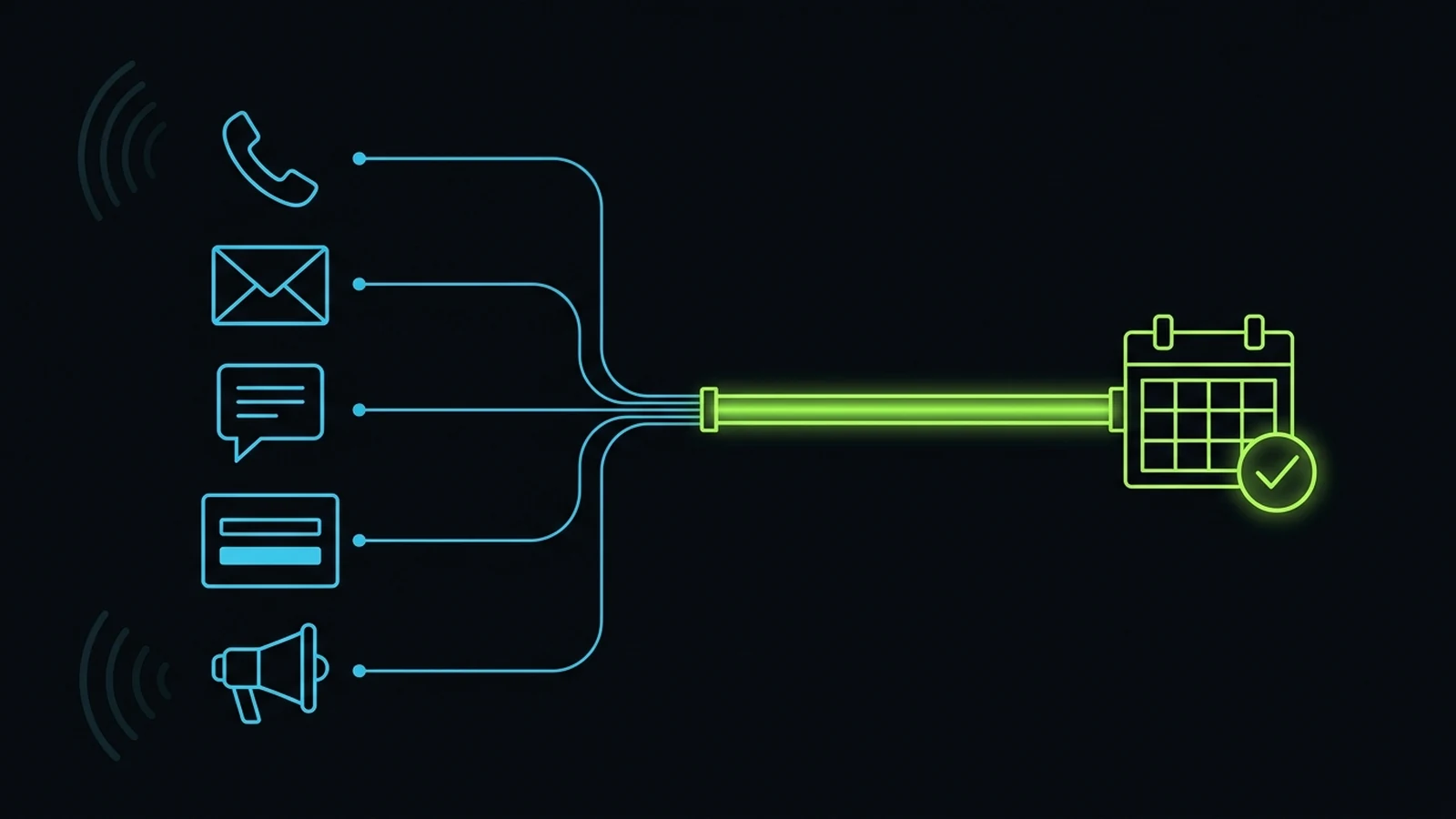
Most paid leads are lost to silence, not competitors; pull every inquiry into one CRM, respond within minutes, and enforce a named backup with automatic escalation.
Use these four operational pillars to turn ad clicks, calls, and web forms into booked work without buying another software subscription.
Lead follow up is the process of contacting every new inquiry quickly, on a set schedule, through the channels the person used, until they book, buy or clearly say no. For a small service business, a working system has five parts: capture every lead in one place, respond within minutes, give each lead a named owner, follow a written cadence for about two weeks, and review the numbers every week. Speed wins the first conversation. Persistence and ownership win the job.
Most owners I talk to believe they have a lead problem. When we open the CRM together, the picture is different. The leads came in. Some got a call back the next afternoon. Some got one text and nothing else. Some were never touched because the person who “handles leads” was off that day and nobody else knew to step in. That is an operations problem, and it is cheaper to fix than buying more traffic.
This is how I set up lead follow up after a decade of practical experience running service operations, with a remote team handling phone, form and ad leads that arrive at all hours.
Why Lead Follow Up Breaks in Small Businesses
Lead follow up breaks because nobody owns it end to end. Marketing owns getting the inquiry. The front desk owns “calling people back.” The owner owns everything else. The gap between those three is where paid leads disappear.
I worked in sales and prospecting before I ever ran a team, and later sat on the delivery side of ad campaigns for clinics and service brands. The same lesson showed up from both sides. Lead generation and lead conversion are two different jobs. An ad can do its job perfectly and still produce zero revenue if the landing page has no clear contact option, the phone rings out, or the form sits in an inbox nobody checks on weekends. When an owner tells me “the ads are not working,” I first check what happened to the last twenty leads those ads produced.
The four places leads go to die
The split inbox. Calls go to one phone, web forms to an email address, Facebook lead forms sit inside Meta, and Instagram messages live on someone’s personal phone. Nobody sees everything in one view, so nobody can tell what was missed.
The slow first touch. The lead is captured but the first response comes hours or days later. By then the person has called two competitors and booked with whoever picked up.
The one and done. Someone calls once, gets voicemail, and marks the lead “contacted.” No second attempt, no text, no email. A busy person who meant to call back simply forgot, and the business treated that silence as a no.
The orphan lead. The lead is assigned to a person who is off sick, on leave or has left. The CRM still shows their name, so everybody assumes it is handled.
Each of these is a process gap, not a people gap. Good staff fall into all four when the system leaves room for them.
How Fast Should You Follow Up With Leads?
Follow up with new leads within five minutes during business hours, and within one hour at the outside. After hours, send an automatic acknowledgment right away and make the first human contact at the start of the next working day.
The best known research on this is the Harvard Business Review study “The Short Life of Online Sales Leads” by Oldroyd, McElheran and Elkington. In an audit of 2,241 US companies, the researchers found that only 37% responded to a web lead within an hour, and 23% never responded at all. In a separate analysis of lead records, the study reported that firms that tried to contact a lead within an hour were nearly seven times as likely to have a meaningful conversation with a decision maker as firms that waited even one hour longer.
The study is old, and people now expect instant replies from every app they use, so the direction has only become sharper. A person filling in your form is often filling in two or three others at the same time. Whoever answers first usually gets the first real conversation.
I see this most clearly with inbound calls from ads. That caller has their phone in hand and the next search result one tap away. In my own operations, a single shift where the assigned person was absent without telling anyone, and calls went unanswered, cost us real trust with a client. Speed is the first gate. Persistence, a planned sequence after the first touch, catches everyone who could not talk the first time. You need both, built into a system so neither depends on memory.
The Five Part Lead Follow Up System
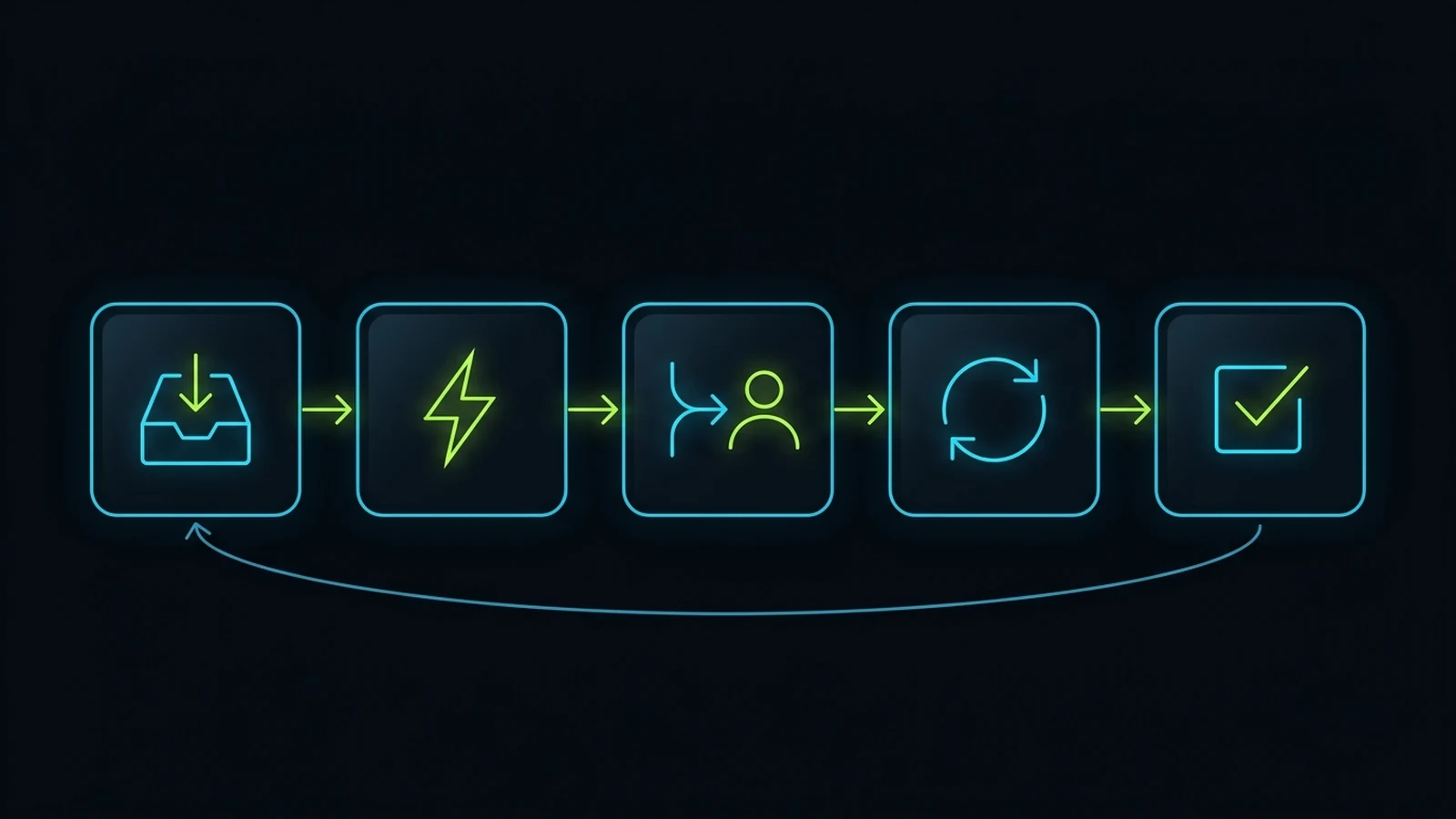
A lead follow up system has five parts: capture, respond, route, nurture and close the loop. Every lead passes through all five, in that order, and each part has a rule and an owner. If any part depends on someone’s memory, it will fail on the busiest week of the year.
Part 1: Capture every lead in one place
Every inquiry from every channel lands in one CRM pipeline: calls, web forms, Facebook and Google lead forms, chat, Instagram and WhatsApp messages, and walk ins written down by the front desk. If it does not live in the CRM, it does not exist. Connect what can be connected automatically. For anything that cannot, write a simple rule: whoever receives it creates the CRM record within fifteen minutes.
Part 2: Respond within minutes
The first response has two layers. The automatic layer fires instantly: a text and email that confirm you received the inquiry and say what happens next. The human layer follows within minutes: a real call from a person, or an AI voice agent that can answer questions and book, with a human ready behind it. The automatic message is not follow up. It buys you a few minutes of patience.
Part 3: Route every lead to a named owner
Every lead gets one named owner the moment it is created. Not “the sales team.” One person, chosen automatically by service line, location, language or rotation. Every owner also has a named backup who sees the lead immediately when the owner is off.
Part 4: Nurture on a written cadence
If the first call does not reach the person, they enter a written cadence: a fixed sequence of calls, texts and emails over about two weeks. It is the same for every lead of that type, and most of it runs automatically, with call tasks created for humans at the right moments.
Part 5: Close the loop with an outcome
Every lead ends with one of a small set of outcomes: booked, sold, not a fit, chose someone else, no response after the full cadence, or asked us to stop. No lead stays “open” forever. Outcomes feed the weekly review and tell marketing which campaigns produce jobs and which only produce clicks.
A Lead Follow Up Cadence You Can Copy
A good default cadence for a service business is eight to ten touches over fourteen days, mixing calls, texts and email, with the heaviest effort in the first 48 hours. The schedule below is an illustrative starting point. Compress it for emergency services and stretch it for high value services where people compare options for weeks.
| When | Channel | Action |
|---|---|---|
| Minute 0 | Text and email (automatic) | Confirm the inquiry, set expectations, offer a booking link |
| Within 5 minutes | Phone | First call. If no answer, leave a short voicemail |
| Within 10 minutes | Text | “Just tried to call you” message with a booking link |
| Day 1, later | Phone | Second call at a different time of day |
| Day 2 | Answer the most common question for this service, invite a reply | |
| Day 3 | Phone and text | Third call, then a short text that asks one simple question |
| Day 5 | Useful detail: what to expect, pricing range or a short guide | |
| Day 7 | Text | Gentle check in: “Still looking for help with this?” |
| Day 10 | Phone | Final call attempt |
| Day 14 | Email or text | Close the file politely and leave the door open |
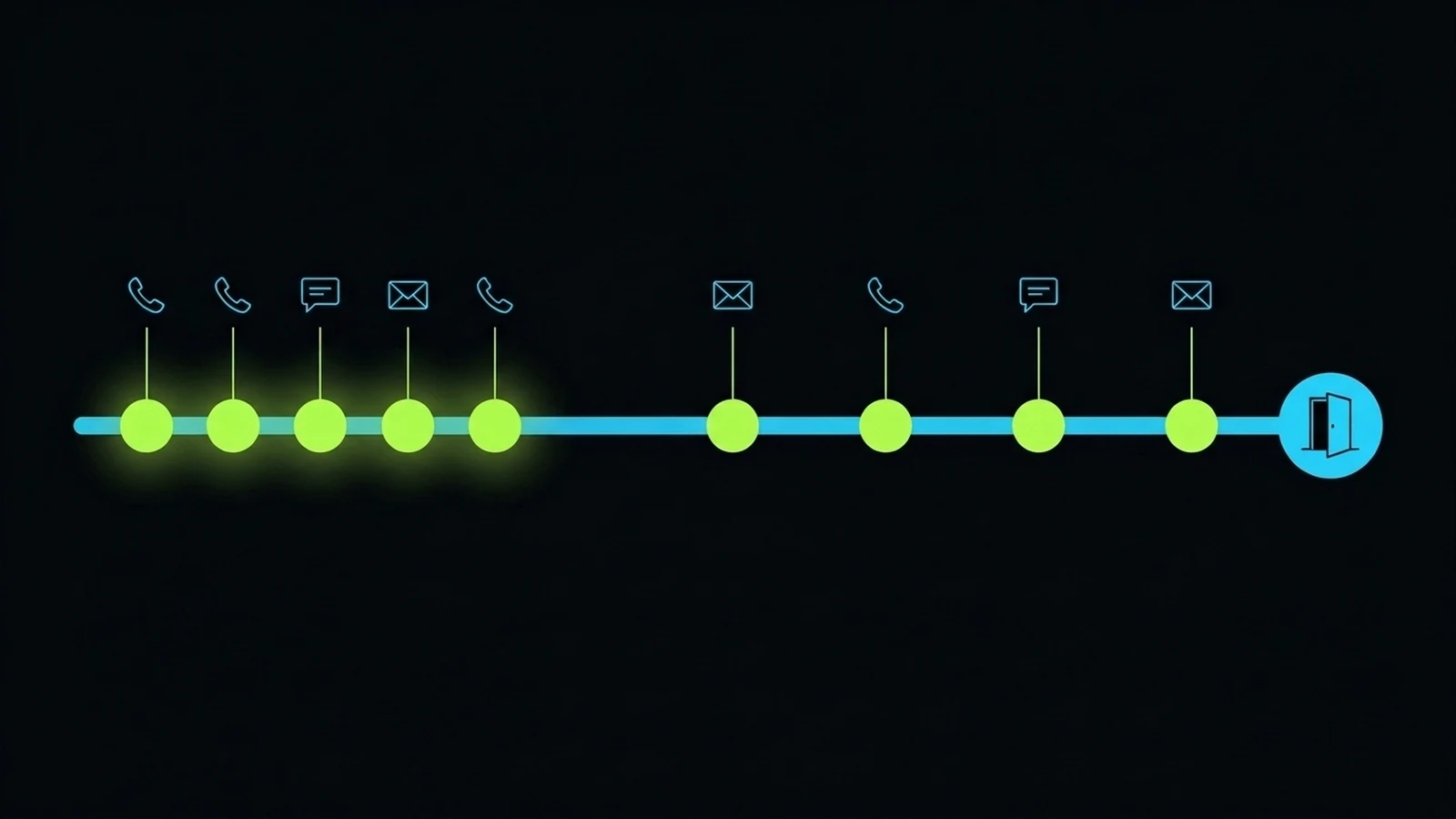
Half of the touches happen in the first two days because interest is highest right after someone reaches out. A person searching for a dentist, a roofer or a med spa has a problem today. A week later they have either solved it or moved on, and your messages become reminders rather than answers.
Stop when the person books, says no, asks you to stop, or reaches the end of the cadence. People who never replied can move to a slower monthly or quarterly email if they agreed to marketing messages. Some of the best jobs I have seen came from a lead who went quiet for months and came back when the timing suited them.
What to Say: Lead Follow Up Messages That Get Replies
Good follow up messages are short, specific to what the person asked about, and end with one easy next step. They sound like a helpful person, not a marketing department. Adapt these patterns and keep them short enough to read on a phone.
The instant acknowledgment
“Hi [first name], this is [your name] at [business]. Thanks for reaching out about [service]. I am calling you in the next few minutes. If now is not a good time, you can pick a slot here: [booking link].”
It confirms a real person exists, warns them a call is coming so they pick up, and gives a way to book without talking at all.
The missed call text
“Hi [first name], I just tried calling about your [service] question. Happy to help by text if that is easier. What is the best time to talk today?”
Ending with a simple question gets far more replies than “let me know.” Questions invite answers. Pair it with a voicemail under twenty seconds: your name, the business, why you called, and that a text is coming.
The value email
On day 2 or day 5, answer the question most people in their position ask. For a clinic that might be what a first appointment looks like. For a contractor it might be how quotes work. Make it useful even if they never book. This is where expertise does the selling.
The closing message
“Hi [first name], I have not heard back so I will stop reaching out for now. If you still need help with [service] later, just reply here and I will pick it up personally.”
This often gets a reply when nothing else did. People respond to a door closing politely, and a clear “sorted, thanks” is better than an open lead clogging your pipeline.
How to follow up with potential clients without being annoying
The difference between persistent and annoying is relevance and respect. Make every message about their problem, not your offer. Use the channel they used first. Space touches out after the first two days. Honor every request to stop immediately. Never dress up a mass blast as a personal note, because people can tell, and it costs you the trust that makes follow up work.
Automated Lead Follow Up: What to Automate and What to Keep Human
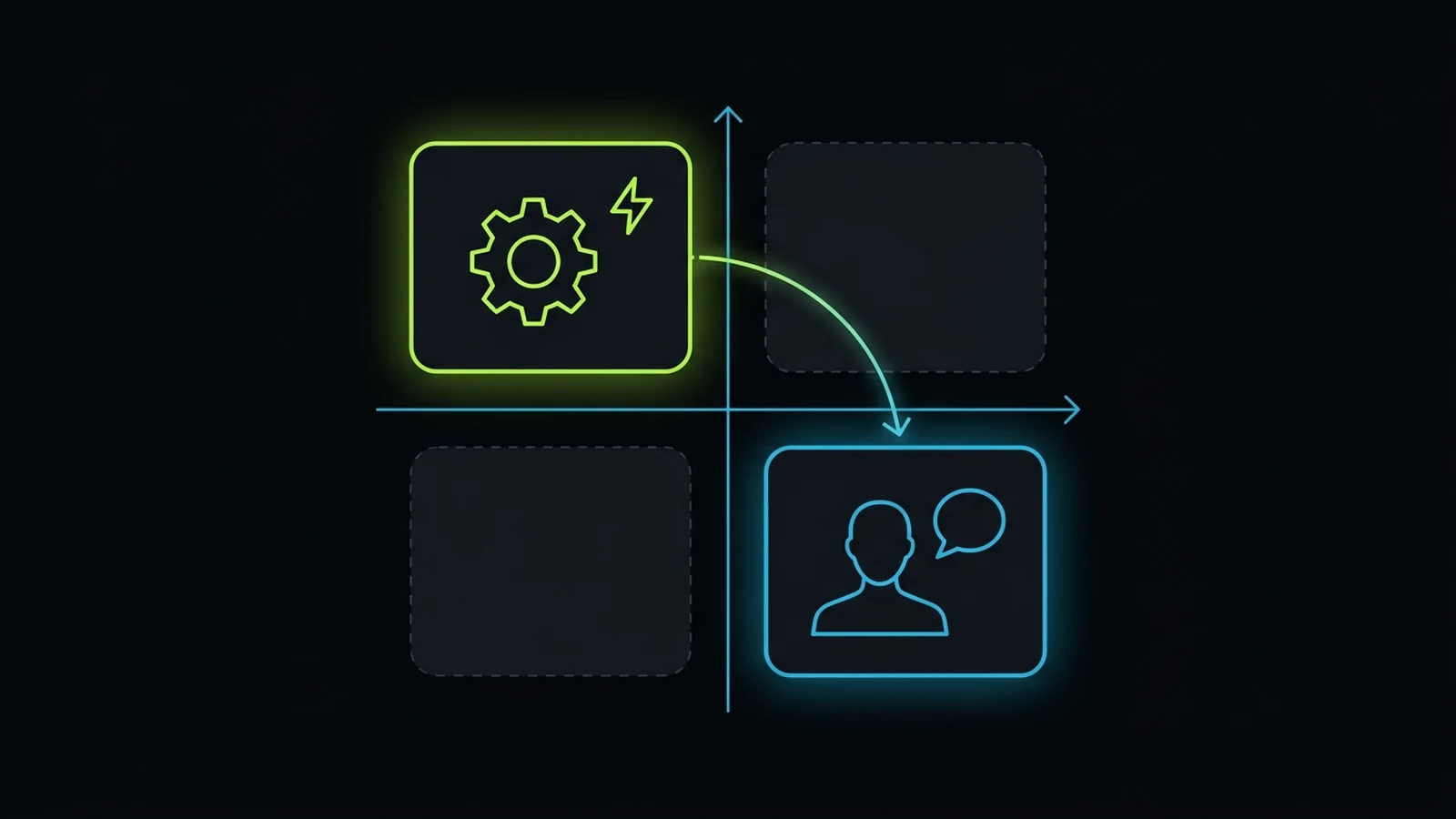
Automate the parts that need speed and consistency: capture, the instant acknowledgment, routing, reminders, scheduled texts and emails, and task creation. Keep humans on the parts that need judgment: real conversations, objections, pricing questions, complaints, and anything unusual or sensitive.
My test is two questions. Does this step need to happen in seconds, every time, at any hour? Does it need judgment about this specific person? If the first answer is yes and the second is no, automate it. If the second answer is yes, a human owns it, even if AI helps them prepare.
AI first, human backup
In our own operations, AI voice and messaging handle the first response on many inbound calls and messages from ads, answer common questions and book appointments. Employees sit behind that as backup and escalation. When a conversation goes beyond what the AI should handle, a person takes over.
This does not make mistakes disappear. Errors and missed calls have still happened in our system, and anyone who promises an AI that never misses a lead is selling you something. What it does is make the first response fast and consistent at hours a human team would struggle to cover. My guide to an AI receptionist for small business covers the phone side in detail.
Keep your CRM, add AI on top
A pattern I keep seeing: owners with a working CRM want to throw it away and “run everything on ChatGPT or Claude.” Our clients already had GoHighLevel automations that worked, so instead of ripping them out we added AI into the system they had. The pipeline, tags and workflows stayed in place, and AI added intelligence on top.
Do not throw away a working system because AI is fashionable. Improve it.
Give AI a framework, not freedom
AI left to improvise follow up messages will eventually quote a price you do not offer or promise something you cannot deliver. Where I have seen AI cost money, it was almost always guessing. Where it helped, someone with real experience had written down how the conversation should go: the questions to ask, the answers allowed, when to hand over to a human, and which outcome to record. Write the playbook a great human would follow, then give it to the AI. My guide to business process documentation shows how.
Lead Follow Up Software: Choosing Without Buying Another Tool
The best lead follow up software is usually the CRM you already pay for, configured properly. Most small businesses do not have a software problem. They have a setup and ownership problem dressed up as one.
In a decade of practical experience, the pattern I see most is owners buying hyped tools before they build the process the tool is meant to run. They add a texting app, a chatbot, a scheduler and an AI subscription, and follow up gets worse because leads now live in five places instead of two. When we audit these setups, we often help owners cancel duplicate tools and put that money back into ads or people. Check whether your current system can do the following before you buy anything.
| Requirement | Why it matters |
|---|---|
| Pulls in calls, forms, ad leads and messages automatically | One place to see every lead, so nothing hides in a side inbox |
| Sends an instant text and email when a lead arrives | The first response happens in seconds, at any hour |
| Assigns an owner automatically by rule | Every lead has a name on it from minute one |
| Runs multi step sequences with call tasks for humans | The cadence runs without anyone remembering it |
| Stops sequences when the lead replies or books | Nobody gets a “just checking in” after they already booked |
| Alerts and reassigns overdue tasks | Overdue follow up gets seen without a manager watching |
| Records an outcome and source for every lead | You can see which campaigns produce jobs, not only clicks |
| Lets you add AI voice or chat on top | You can improve the system later without replacing it |
All in one platforms such as GoHighLevel suit many service businesses because they bundle CRM, texting, calling, booking and automation, and in my experience they are among the strongest value for money options for the follow up work I handle. Larger sales teams often prefer HubSpot for reporting depth; I compared both in GoHighLevel vs HubSpot. The brand matters less than having someone who owns the configuration. If your tools overlap or are half set up, run a tech stack audit first.
Ownership: Who Follows Up When the Assigned Person Is Not There
Every lead needs one named owner, one named backup, and an automatic escalation when follow up tasks go overdue. Without all three, your follow up is only as reliable as one person’s attendance.
I learned this the hard way. We had an inbound phone line where coverage was time critical, and one day the person responsible was absent without telling anyone. Nobody knew, so nobody arranged backup, and the calls went unanswered. That one gap damaged a client relationship our management and reporting had otherwise been protecting well.
Genuine emergencies happen, and people deserve understanding when they do. The lesson was not about blame. It was that delegation moves the task to someone else, but it does not move your accountability to the client. The client cared that their calls were missed, not whose shift it was. After that we set firm standards for communicating absence, built cross-cover so people on other accounts could step in, and stopped relying on hiring good people and hoping.
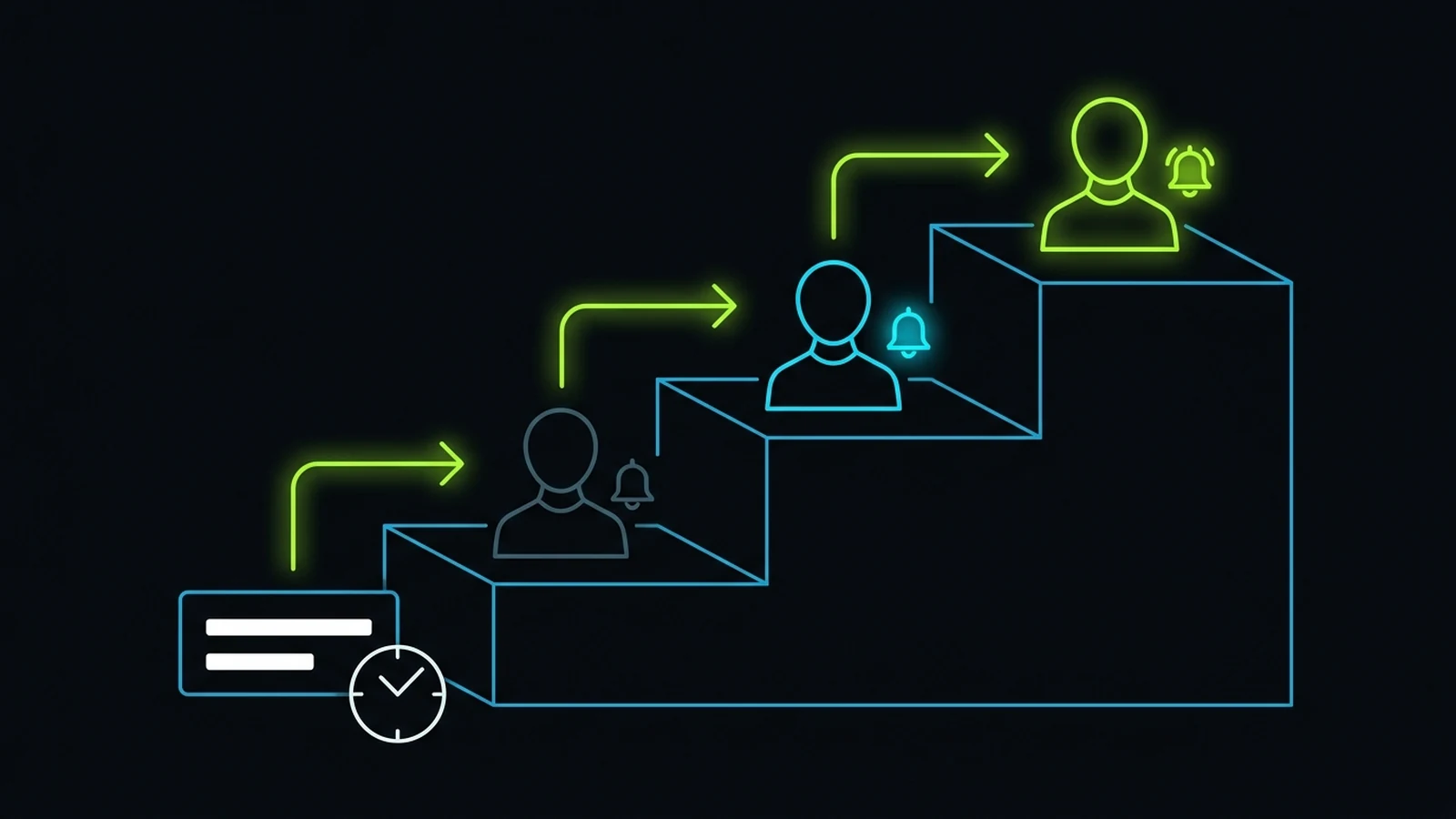
How the escalation ladder works
In our task system, frontline tasks arrive with specific instructions, scope and deadlines. When a task goes overdue, the person who assigned it is notified. If it is still not handled, it escalates to the next level. People still manage people; the system makes sure a missed task gets seen instead of quietly aging. You can build the same ladder in most CRMs:
- Owner reminder. If the first call task is not done within the response window, the owner gets an alert.
- Backup takeover. After a short grace period, the lead reassigns to the named backup, or the backup is alerted to act.
- Manager alert. If it is still untouched, the manager or owner is notified with the lead details.
- Weekly review. Every lead that reached level 3 is discussed in the weekly meeting to find why the system let it through.
The ladder only works if the backup can do the job, which means written instructions per account and shared access to the right tools. My guide on how to hold employees accountable covers the cadence behind it.
Train one champion to own follow up
The person who owns follow up should understand both the CRM and the conversations. I trained one capable person deeply on our CRM workflows plus AI, and that person then trained the rest of the team. That took me out of the bottleneck. If your follow up depends on you checking the CRM every evening, you have built a job for yourself, not a system. My guide on AI training for employees explains the champion model.
How to Measure Your Lead Follow Up
Measure five numbers every week. They tell you whether follow up is working without needing a data team.
| Metric | What it tells you |
|---|---|
| Speed to first contact (median and slowest ten) | Whether the first gate is working; averages hide the leads that waited a day |
| Contact rate | Whether your cadence, timing and messages actually reach people |
| Booked rate by lead source | Which campaigns bring buyers and which bring browsers |
| Leads with no next step | Leads with no task and no outcome; this should be zero |
| Lost to no response | Usually points to slow first contact or weak first messages, not bad leads |
Put these in front of the lead owner and the manager in a fifteen minute weekly review. Look at the slowest leads, the escalations, and the weakest source. Pick one thing to fix before next week.
My working principle is “kam kaam karo, achha kaam karo, sukoon ka kaam karo”: do less work, do it well, and do work that brings peace of mind. A follow up system that runs on rules and a short weekly review replaces the stress of wondering what got missed with a clear list.
Compliance and Respect: Consent, Opt Outs and Quiet Hours
Follow up must respect the law and the person. In the United States, marketing texts and automated calls are covered by consent rules, and commercial emails need an honest sender, a working unsubscribe option and a physical address. This is general guidance, not legal advice; check the specifics for your industry and state with a qualified professional.
The FCC consumer guide on unwanted calls and texts explains the federal rules on robocalls and automated texts, including when prior consent is needed. The FTC CAN-SPAM compliance guide sets out what commercial emails must include and how quickly opt outs must be honored. In practice: collect clear consent on your forms and store it with the lead record, honor every “stop” across all channels, set quiet hours in the lead’s time zone, disclose AI callers where required, and never drop purchased lists into a follow up sequence. Follow up is for people who asked to hear from you.
A 30 Day Plan to Fix Your Lead Follow Up
You can put a working lead follow up system in place in about 30 days without new software.
Week 1: See the truth. Pull your last 30 to 50 leads and record the source, arrival time, first contact time, number of attempts, owner and outcome. Do it by hand if you must. This one exercise usually shows exactly where leads are lost.
Week 2: One place and one owner. Connect every lead source into one CRM pipeline. Turn on automatic owner assignment and name a backup for every owner.
Week 3: Speed and cadence. Turn on the instant acknowledgment. Build the 14 day cadence as an automated sequence with call tasks for humans, write the scripts in your own voice, and make sure replies and bookings stop the sequence.
Week 4: Escalation and review. Turn on overdue alerts and the escalation ladder. Hold the first weekly review with the five numbers and fix the biggest gap. Then decide whether AI voice or chat should handle first response at hours your team cannot cover.
After that, the job is maintenance: the weekly review, a quarterly look at your scripts, and connecting every new lead source before you spend money on it.
If you want a second opinion on your current setup, my advisory service starts with a free discovery call. We look at what happens to your leads today and the smallest change that would win more jobs. If you only need the steps in this guide, I will tell you that.
Next Steps and Related Operational Guides
- Advisory Services: Work directly with Faiz Ahmed to review your lead follow up, CRM setup and escalation rules.
- Services Overview: See the CRM builds, follow up automation and AI-supported call handling we set up for service businesses.
- AI Receptionist for Small Business: How AI first, human backup call answering works and what it costs.
- Client Onboarding Checklist for Service Businesses: Hand closed leads cleanly into delivery without losing scope boundaries or access credentials.
- Small Business AI Consultant Guide: Compare diagnostic advisory against tool-first implementation agencies before signing a retainer.
- GoHighLevel vs HubSpot: An operator’s honest comparison of two CRMs that run lead follow up for small businesses.
- Hiring a GoHighLevel Consultant: An Owner’s Guide: Run our 7-point Day 1 GoHighLevel CRM audit, avoid locked agency sub-accounts, and scope a 30-day setup.
- How to Hold Employees Accountable: Build the cadence and ownership that keeps follow up tasks from going overdue.
- Business Process Documentation for Small Business: Write the follow up playbook down so people and AI can follow it.
- Tech Stack Audit: Find overlapping tools before you buy more lead follow up software.
- AI Training for Employees: Train one champion to own your CRM and follow up workflows, then cascade it to the team.
- Service Business Revenue Leaks: Other places money slips out of a service business besides unanswered leads.
- Google Ads Audit Checklist: Inspect conversion tracking, hidden network leaks, and search terms before blaming your follow up or raising ad spend.
- Book a Consultation: Talk through your leads, your CRM and where follow up is breaking.
References
- Oldroyd, James B., Kristina McElheran and David Elkington. “The Short Life of Online Sales Leads.” Harvard Business Review, March 2011. Accessed 2026-10-31. https://hbr.org/2011/03/the-short-life-of-online-sales-leads
- Federal Trade Commission. “CAN-SPAM Act: A Compliance Guide for Business.” Accessed 2026-10-31. https://www.ftc.gov/business-guidance/resources/can-spam-act-compliance-guide-business
- Federal Communications Commission. “Stop Unwanted Robocalls and Texts.” Consumer guide. Accessed 2026-10-31. https://www.fcc.gov/consumers/guides/stop-unwanted-robocalls-and-texts
Disclaimer: This article reflects the author’s personal opinion and decade of practical experience building and operating service businesses. Firsthand operational examples (including layering AI voice and messaging onto existing GoHighLevel CRM pipelines with human backup, training internal CRM workflow champions, and building task overdue escalation ladders) describe the author’s own company history and published first-party records, and are not a guarantee of specific financial, legal compliance, or operational outcomes for your business. The author has a commercial interest in advisory and systems implementation through The Retired Consultant, Integral Technologists, and OmniFlow, as disclosed under the byline.
