

Do not purchase software seats and expect adoption; train department champions, encode frameworks from real work, and maintain a human review gate.
Use these four operational realities to turn your frontline staff into capable AI operators without risking client work or company data.
AI training for employees works when it teaches people to run their actual daily tasks through AI with clear instructions, a review step and data rules, not when it teaches them which buttons a tool has. In a small business, the fastest route is to train one capable person per department deeply, turn their best work into written frameworks the AI can follow, and have that person train the rest of the team on real client work over about six weeks.
That is the short answer. The longer answer is why most owners get this wrong, and I got it wrong too before it worked.
I have spent a decade running service businesses: agencies, client delivery teams, inbound call coverage, creative production. When AI tools became good enough to matter, I did what most owners did. I bought subscriptions, sent the team links, and expected output to change. It did not. A few people experimented. Most kept working the old way. Some produced faster work that was worse, and a client noticed before I did.
What changed results was not a better tool. It was a training method built around how the work actually moves through the business. This guide lays out that method: what to teach, who to teach first, a six week schedule, a role by role map, the review gate that protects your clients, and how to tell whether the training worked.
Why Most AI Training for Employees Fails in Small Businesses
Most AI training fails because it teaches tools, while the business needs changed workflows. A two hour webinar on prompt tips gives people vocabulary. It does not tell a receptionist how to handle the next missed call, or a designer how to brief an image model for a specific client’s brand, or an account manager what to check before an AI drafted report goes out.
Large companies can absorb that waste. They have learning departments, budgets for platforms and time to iterate. A twelve person agency does not. If the training does not show up in Tuesday’s work, it is gone by Friday.
The research points the same way. According to the 2024 Work Trend Index from Microsoft and LinkedIn, 78 percent of AI users at work were bringing their own AI tools rather than using tools the company provided, and only 39 percent of users had received AI training from their employer (source: Microsoft and LinkedIn Work Trend Index, 2024). That combination is the worst of both worlds for a small firm. Your people are already using AI, on their own accounts, with no shared method, no review standard and no idea which client data is safe to paste.
Hours of training matter, but only real ones. The BCG AI at Work 2025 report found that 79 percent of employees who received more than five hours of training were regular AI users, compared with 67 percent of those who received less (source: BCG AI at Work, 2025). Five hours of practice on real tasks is very different from five hours of slides. In my experience the practice is what moves the number.
The three failure patterns I see most
The first pattern is the subscription drop. The owner buys seats, shares logins and calls it adoption. Nobody owns the result, so nobody changes how they work. I have seen client businesses carrying several hyped AI subscriptions at once that nobody on the team could explain. When we tested them and cancelled the ones that did not earn their place, the money went back into ads or SEO, where it actually moved revenue.
The second pattern is the free for all. Everyone uses whatever they like, however they like. Output quality swings wildly between people, and the owner cannot tell which work was checked and which was pasted straight from a chat window.
The third pattern is the premature leap. A client or a manager wants everything run by AI immediately, burns through credits on experiments with no business reason, and then decides “AI does not work for us.” I watched clients back away during our own transition because they demanded faster AI adoption than the work could safely support. We chose tested, systematic adoption over racing to be first, and I would make that choice again.
All three patterns share a root cause. Nobody designed the training around the work.
What AI Training Should Actually Cover: The Four Layer Model
Effective AI training for employees covers four layers, in this order: tool fluency, workflow design, judgment and review, and data safety. Skip a layer and the training breaks in a predictable place. Most vendor courses spend nearly all their time on the first layer and touch the other three in a closing slide.

Layer 1: Tool fluency
This is the layer everyone already teaches. How to open the tool, write a clear instruction, give it context, ask for a format, and iterate when the first answer is weak. It matters, but it is the smallest part of the job.
I compare it to an accountant and a spreadsheet. An accountant who knows Excel well is far more productive than one who does not, but Excel does not make anyone an accountant. AI fluency works the same way. It multiplies skill that already exists. It does not create skill from nothing.
Keep this layer short and practical. Two or three sessions, each built on a task the person does every week, are enough to get someone comfortable.
Layer 2: Workflow design
This is where the real change happens. Workflow design means deciding which steps of a recurring task go to AI, which stay with the person, and what the handoff looks like. A social media coordinator might hand first drafts of captions and scheduling to AI, keep the creative brief and the final selection, and own the client approval.
The question to train people to ask is simple: “Which part of this task is the same every time?” That part is a candidate for AI. The part that changes with the client, the context or the judgment call stays human.
Layer 3: Judgment and review
Every AI output that touches a client needs a person who checks it against a standard. Training here covers what good looks like for each deliverable, the specific errors AI tends to make in that kind of work (invented facts, wrong tone, outdated details, confident nonsense), and who signs off.
This layer is where I learned the most expensive lesson. When AI was allowed to improvise and guess without constraints from our own expertise, we lost time and quality. The gains came only after our real world knowledge was written into the process and a human reviewed the result.
Layer 4: Data safety
The final layer is what not to paste. Client personal data, health information, contracts, passwords, financial records and anything under an NDA need explicit rules: which tools are approved, which accounts to use, what to anonymize and what never leaves your systems. This is the layer the bring your own AI habit ignores entirely, and it is the one that can cost you a client relationship overnight.
| Layer | What people learn | Typical time | Who teaches it |
|---|---|---|---|
| Tool fluency | Clear instructions, context, formats, iteration | 2 to 3 short sessions | Owner or champion |
| Workflow design | Which steps go to AI, handoffs, templates | 2 weeks of live practice | Department champion |
| Judgment and review | Quality standards, common AI errors, sign off | Ongoing, every deliverable | Champion and team lead |
| Data safety | Approved tools, what never to paste, anonymizing | 1 session plus a written policy | Owner |
The Department Champion Model: Train One Person Deeply, Then Cascade
The most reliable way to train a small team on AI is to pick one eager, capable person in each department, train them deeply on real work, and then make them responsible for training and supervising the rest of that department. I call this the department champion model, and it is the single decision that made AI training work in my own companies.
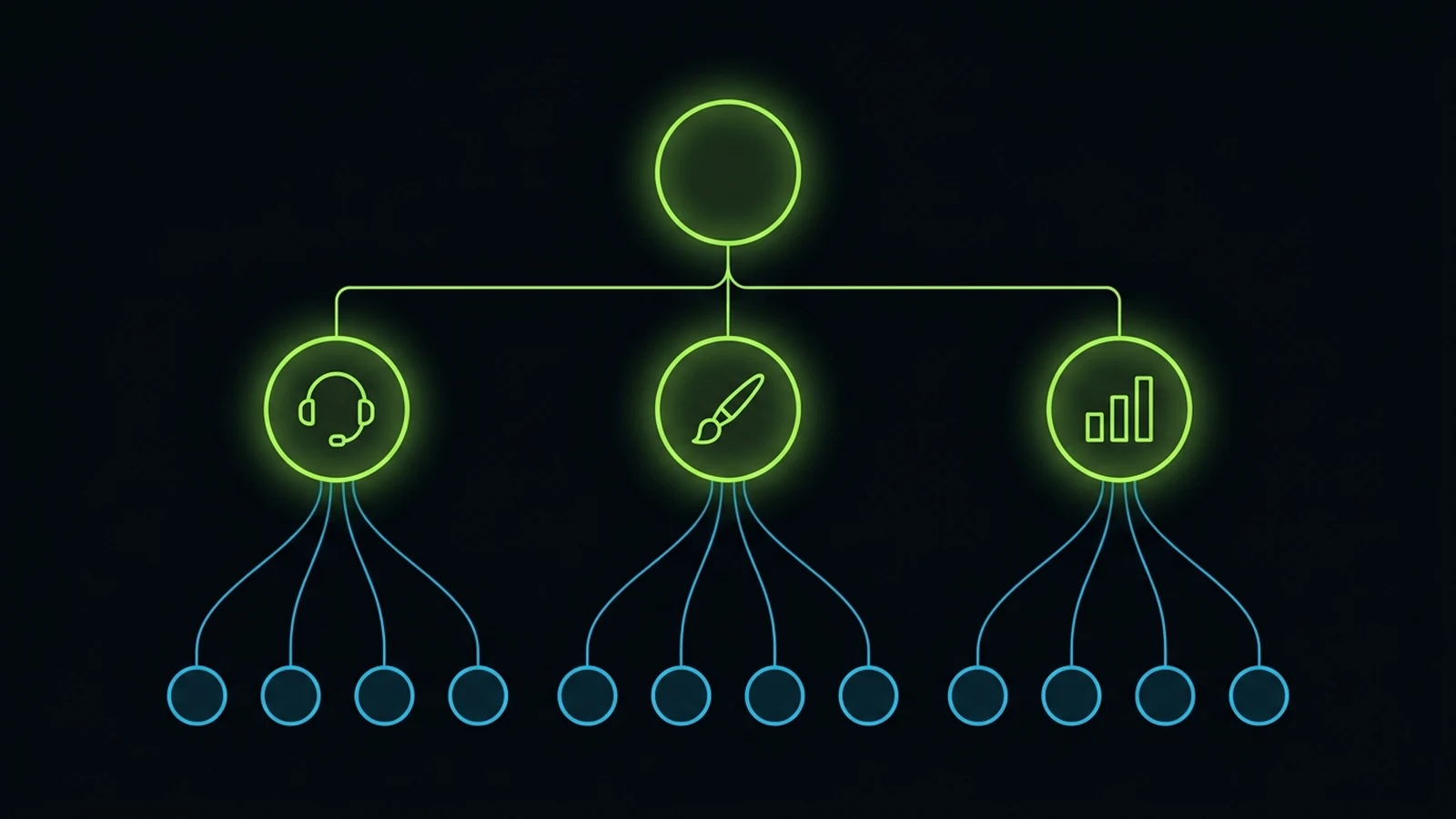
Here is how it played out for us. Before the transition, I personally handled operations, retention, sales, budgets, hiring and performance across three agencies. Every new tool meant I had to teach every person myself. That made me the bottleneck for every improvement.
So I stopped trying to train everyone. I chose one core person per department, someone who was curious, capable and already respected by their peers, and I taught them properly: the AI tools, how to design a workflow, the frameworks behind the work, and how real client operations run. One of those champions leads our CRM workflows and also oversees paid ads. I taught him how to combine our CRM with AI for productivity. He then trained the people in his area and designed their workflows himself.
That cascade did three things a course never could. It removed me as the bottleneck. It put the training in the hands of someone who understood that department’s daily work better than I did. And it meant the person reviewing output was the same person who had taught the method, so standards stayed consistent.
How to pick a champion
The best champion is not always your most senior person, and it is rarely the person who talks the most about AI. Look for four things:
- Curiosity: they already try new approaches without being told to.
- Craft: they are good at the underlying work, because AI amplifies skill and cannot replace it.
- Respect from peers: the team will listen to them without you in the room.
- Ownership: they finish what they start and flag problems early.
That fourth trait matters more than people expect. Early in my career, I wanted a workplace with no one standing over anyone’s head. I learned that freedom only works when people own their commitments. A champion without ownership will produce enthusiasm and very little else.
What the champion is accountable for
Make the role explicit, or it quietly becomes a hobby. A champion should own three outcomes: the written workflows for their department, the training of each person in it, and the quality of AI-assisted output leaving their area. Give them time in the week to do it. If the champion role is unpaid extra work stacked on a full load, it will fade within a month.
The human stays accountable. AI speeds up production, but a named person reviews and answers for the result. That principle never changes, however good the tools become.
A Six Week AI Training Program for Small Teams
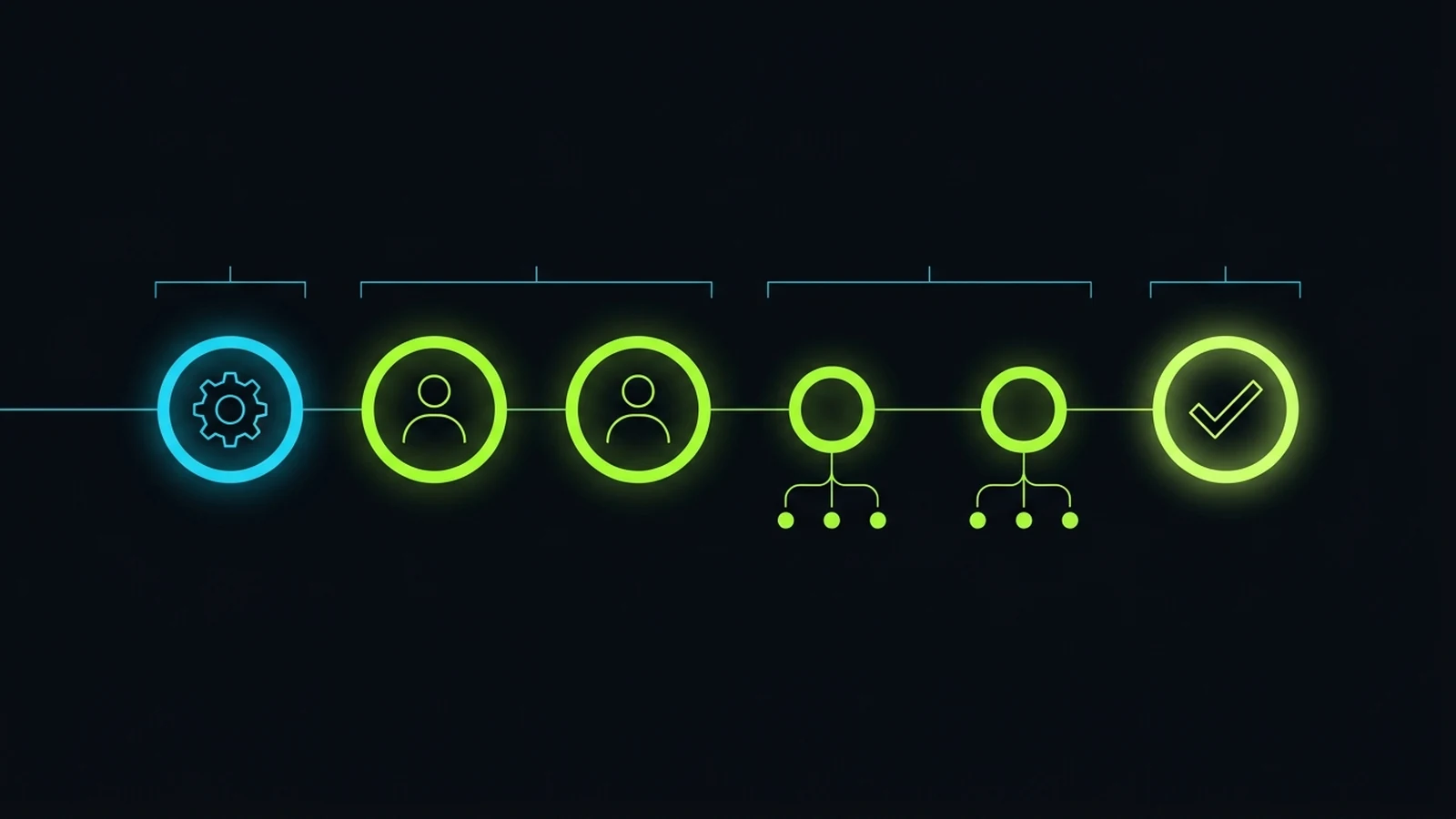
A practical AI training program for a small business runs about six weeks: one week of setup, two weeks training champions on live work, two weeks of champions training their teams, and one week of review and lock in. The schedule below is the structure I recommend to owners. Adjust the pace to your team, but do not skip the order.
Week 1: Setup, tool choice and the data policy
Start by choosing a small set of approved tools. For most small service businesses, one general assistant subscription per role that needs it, plus the AI features already inside your CRM, is plenty. I run three companies on a handful of roughly $20 a month subscriptions plus a few usage credits, and in my experience expensive enterprise seats are rarely the bottleneck.
Write a one page data policy the same week (more on that below). Then list the ten most repeated tasks in each department. These lists become your training material. Training on invented exercises wastes the time you are trying to save.
Weeks 2 and 3: Train the champions on live work
Each champion takes two or three tasks from their department’s list and rebuilds them with AI, with you or an outside advisor beside them. They write the instructions, test them on real (anonymized where needed) client work, compare the output with what the team normally produces, and fix the instructions until the result meets the standard.
By the end of week 3, each champion should have at least two written workflows that produce reliable output, plus a short checklist for reviewing that output.
Weeks 4 and 5: The cascade
Now the champions train their teams. The method is simple: show, do together, then do alone with review. A team member watches the champion run the workflow on a real task, then runs it alongside the champion, then runs it independently while the champion checks the output.
Expect friction here. Some people will love it. Some will quietly keep doing things the old way. Some will push AI output out the door without checking it. The champion’s job in these two weeks is to catch all three patterns early and correct them.
Week 6: Review, measure and lock in
In the final week, compare the trained workflows against the old way: time per task, rework, error rate and client feedback. Keep what worked and write it into your standard operating procedures. Drop or rework what did not.
This is where one of my core rules applies. Once you get a good outcome, turn it into a system. Do not chase perfection on every workflow. A reliable, documented process that the whole team follows beats a brilliant one that only the champion can run.
| Week | Focus | Output by the end of the week |
|---|---|---|
| 1 | Approved tools, data policy, task lists | Tool list, one page policy, top 10 tasks per department |
| 2 | Champions rebuild first tasks with AI | First drafts of 2 to 3 workflows per department |
| 3 | Champions test on real work and refine | 2 or more reliable workflows plus review checklists |
| 4 | Champions train their team (show, then do together) | Every team member has run each workflow once with help |
| 5 | Team runs workflows alone with review | Error patterns caught and instructions fixed |
| 6 | Measure, document, retire the old way | Workflows written into SOPs, results compared |
Turn Your Team’s Expertise Into Frameworks the AI Can Follow
The difference between AI that helps and AI that creates rework is whether it follows your expertise or guesses. Generic instructions produce generic output. The most valuable part of AI training is teaching your people to write down how they actually do the work, in a format the AI can follow every time.
I learned this the hard way. In the early phase, we let AI improvise with loose instructions and paid for it in quality and in time spent fixing output. Results improved only when our team’s real experience was converted into explicit frameworks: the steps, the standards, the examples of good work, the approval points. AI is not the strategy. Your encoded expertise, plus human oversight, is what makes it useful.
Here is the simple framework template we train champions to fill in for each recurring task:
TASK FRAMEWORK TEMPLATE

Task name: Monthly client SEO report summary
Owner: Account manager
Goal: A plain language summary the client can read in 2 minutes
Inputs: Search Console export, last month's summary, client goals
Steps the AI follows:
  1. Compare this month with last month on clicks, impressions, top pages
  2. Name the 3 biggest changes and the likely reason for each
  3. List next month's 3 priorities tied to client goals
Rules: No invented numbers. No jargon. Flag anything unclear.
Example of good output: (paste an approved past summary)
Review step: Account manager checks every number against the export
Approval: Account manager sends, team lead spot checks weekly
Three parts of that template carry most of the weight. The example of good output shows the AI the standard better than any description can. The rules stop the most common AI errors before they happen. And the review step names a person, so there is never confusion about who checked the work.
When champions write these frameworks, two things happen. The AI output improves immediately. And the business gains written process documentation as a side effect, which most small firms never manage to produce any other way. If your processes are not written down yet, our guide to business process documentation for small business covers how to start.
What a weak instruction looks like next to a strong one
A weak instruction says: “Write a follow up email to this lead.” A strong one says: “Write a follow up email to a lead who asked about a facial treatment yesterday and did not book. Use our friendly but professional tone (example attached). Mention the consultation is free. Offer two time slots from the calendar. Keep it under 90 words. Do not mention pricing.” The second version carries your business knowledge. That is the whole skill.
Role by Role AI Training Map for a Service Business
AI training should be different for every role, because every role hands different steps to AI and keeps different judgment calls. The map below shows what each common role in a service business should learn, based on how we trained our own departments. Treat it as a starting point and adjust to your team.
| Role | Hand to AI | Keep human | Key review check |
|---|---|---|---|
| Receptionist and inbound calls | First response, booking, FAQs, call notes into the CRM | Escalations, upset clients, anything clinical or legal | Every escalation reached a person on time |
| Designer | Concept variations, image drafts, resizing, mockups | Brand judgment, final selection, client taste | Output matches the brand guide and brief |
| Video and animation | Talking head drafts, captions, rough cuts | Story, pacing, final polish, approval | No visual errors, voice and likeness approved |
| Ads specialist | Ad copy variants, audience ideas, report drafts | Budget decisions, strategy, final launch | Claims are accurate, spend matches plan |
| CRM and automation lead | Workflow drafts, message sequences, data cleanup | Logic design, testing, client handover | Automations tested end to end before launch |
| Account manager | Report summaries, meeting notes, email drafts | Relationship calls, scope and pricing talks | Every number checked against the source |
| Admin and operations | Task lists, scheduling, document drafts | Payments, contracts, HR decisions | Nothing sensitive pasted into unapproved tools |
Inbound calls: AI first, human backup
Our inbound call setup is a good example of role specific training. We already ran a working CRM with automations. Some clients wanted to throw that system away and rebuild everything around a chat model. We did the opposite: we added AI to the existing CRM to answer calls and book appointments, and kept trained people as backup and escalation. Errors and missed calls have happened, and we treat each one as a process to fix, not a reason to remove the humans.
Training for this role focuses on escalation, not on the AI itself. The receptionist learns exactly when to take over, how to read the AI call notes, and how to recover a call that went wrong. If you are weighing this kind of setup, our AI receptionist for small business guide goes deeper.
Creative roles: skill first, tool second
With our designers and animators, the training was about converting existing taste into small repeatable frameworks. Designers learned several image generation tools, but the training kept professional visual judgment at the center. Animators learned to use AI for specific pieces such as realistic talking head segments, not to replace an entire video with a single prompt. We started with content scheduling automation so creators could spend their time on production instead of posting.
Data Safety, AI Policy and the Human Review Gate
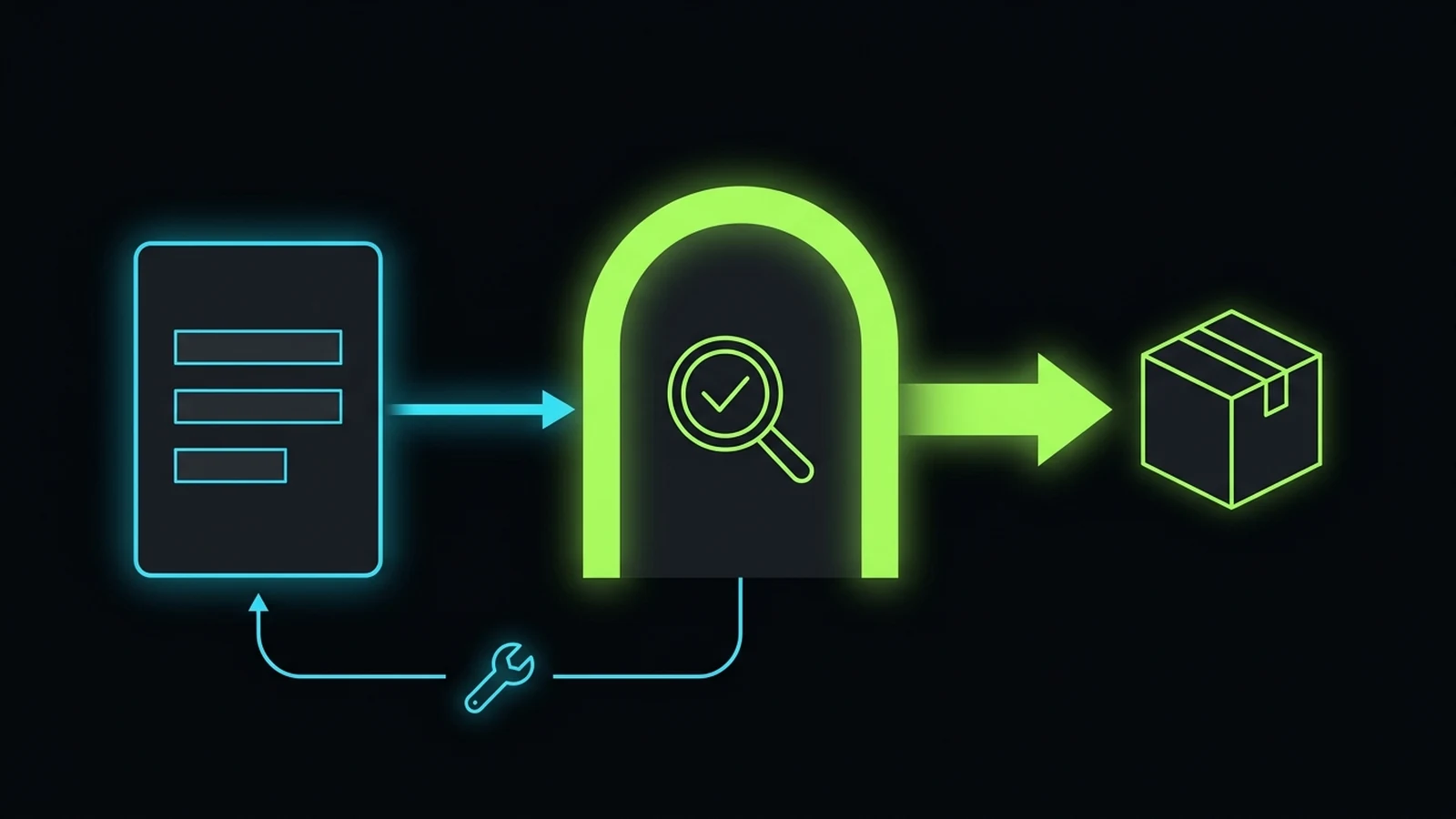
Every small business that trains employees on AI needs two protections in place before the first client deliverable: a short written AI policy and a human review gate. The policy controls what goes into AI tools. The review gate controls what comes out and reaches a client.
The one page AI policy
Keep the policy short enough that people actually read it. It should answer five questions:
- Which tools are approved? List them, and say that work accounts are used, not personal ones.
- What must never be pasted? Client personal data, health records, passwords, payment details, contracts and anything under NDA, unless the tool and account are specifically approved for it.
- What must be anonymized? Names, phone numbers, addresses and identifying details in examples and drafts.
- Who reviews AI output? A named role for each type of deliverable.
- What happens when something goes wrong? Who to tell, and how fast.
If you want a formal reference for thinking about AI risk, the NIST AI Risk Management Framework is free and practical, though most small firms only need a fraction of it. Much of our client work is under NDA, so for us this policy is not optional paperwork. It is what lets us use AI at all.
How the review gate works
The review gate is a simple rule: no AI-assisted deliverable reaches a client until a named person has checked it against the written standard for that task. The reviewer either approves it, fixes it, or sends it back. When work is sent back, the champion updates the framework so the same error does not repeat.
Train reviewers on the specific mistakes AI makes in their kind of work. In reports, that is wrong or invented numbers. In marketing copy, it is claims the business cannot support. In design, it is warped details and off brand colors. In client emails, it is a tone that sounds nothing like your team.
The gate is also where accountability lives. Delegation transfers tasks, not your responsibility to the client. When a client receives a deliverable, they do not care whether a person or a model drafted it. They care that your business stood behind it.
How to Measure Whether AI Training for Employees Worked
You know AI training worked when the trained workflows are faster, produce less rework and hold quality, and when the team runs them without being reminded. Measure four things before training starts and again at the end of week 6.
- Time per task: how long a recurring task takes from start to client ready, measured on the same task type.
- Rework rate: how often output is sent back at the review gate, and how often a client asks for changes.
- Adoption: the share of eligible tasks actually run through the trained workflow, not just possible to run.
- Quality signals: client feedback, missed deadlines and errors caught after delivery.
Adoption is the number most owners never check, and it is often the most revealing. Gallup research shows AI use at work has nearly doubled in two years (source: Gallup, 2025), but use is not the same as using it well on the right tasks. A team can report heavy use while running everything that matters the old way.
Make it visible in your task system
We track this inside our task system. Every task arrives with specific instructions, scope, deadline and reporting expectations, and overdue tasks trigger a follow up to the person who assigned them, then a higher level escalation if nobody acts. Once AI workflows were part of those task instructions, adoption stopped being a matter of opinion. You could see which tasks went through the workflow and which did not.
You do not need custom software for this. A shared board with a tag for “AI workflow used” and a column for review status is enough to start. If accountability is the weak point in your business generally, read our guide on how to hold employees accountable before you roll out the program.
What to Do When Someone Will Not Adapt
Some people will not adapt to AI-assisted work, and the training plan should expect that from day one. In my own transition, some staff refused AI upskilling and left. Others stayed but kept underperforming. Many were retained and became stronger. A few new people joined who fit the new way of working. I invested in people, and not everyone chose to adapt.
I want to be clear about this because a lot of AI content pretends the transition is painless. It is not. But the answer is not to threaten people or replace everyone with software. The answer is to make expectations explicit and give people a fair chance to meet them.
Here is how I would handle it now:
- Separate “cannot yet” from “will not.” Someone struggling with the tools needs more practice with the champion. Someone refusing to change needs a direct conversation.
- Make the new workflow the standard, in writing. Once week 6 locks a workflow in, it is how the job is done, not an optional extra.
- Give a clear window and support. Pair the person with their champion for a set period with specific tasks to complete.
- Then decide based on delivered work. If the work is still not meeting the standard after real support, it becomes a performance conversation like any other.
One question I ask myself often: if I hire someone and still have to stand over them every day, what was the point of hiring? AI training does not change that question. It makes the answer visible faster.
What AI Training Costs a Small Business
For most small service businesses, AI training costs far less in money than in time. The tools are cheap. The real cost is the hours your champions and team spend rebuilding workflows during the six weeks, and the time an owner or advisor spends teaching the champions.
Here is an illustrative way to think about it, not a quote. Subscriptions for the roles that need them often run around $20 per person per month for a general assistant, and many CRMs now include AI features in plans you already pay for. Across my own three businesses, our total AI subscription and credit spend is under about $100 a month, because we train people to use a small set of tools well instead of buying a new tool for every problem.
The time cost is real. Budget a few hours a week for each champion during weeks 2 to 5, and assume some tasks run slower for a week or two while people learn. That dip is normal. Plan for it so nobody panics and abandons the program halfway through.
When should you pay for outside help? If you do not have the time to train champions yourself, or nobody inside the business knows how to design AI workflows yet, a short engagement to train the champions and set up the first frameworks usually pays back faster than a long course for everyone. Our guide to choosing a small business AI consultant explains what that should and should not include. Whatever you do, avoid paying for training that never touches your real work.
Next Steps and Related Operational Guides
- Advisory Services: Work directly with Faiz Ahmed to train your department champions and design your first AI workflows.
- Services Overview: See the operational systems, CRM builds and AI-supported workflows we set up for service businesses.
- Practical AI Tools for Service Businesses: Which AI tools are worth using in a service business, and where they fit in daily operations.
- Small Business AI Consultant Guide: How to decide when to bring in outside help and what a good AI engagement includes.
- Business Process Documentation for Small Business: How to write down your processes so AI frameworks have something solid to follow.
- How to Hold Employees Accountable: Build the accountability cadence that keeps new AI workflows in use after training ends.
- AI Receptionist for Small Business: How an AI first, human backup call setup works and what staff need to learn for it.
- Lead Follow Up System Playbook: Train one champion to own 5-minute lead response and escalation rules inside your CRM.
- 90-Day Tech Stack Audit: Cut redundant software subscriptions before rolling out team AI workspaces.
- Is ChatGPT Plus Worth It for Business and Is Claude Pro Worth It for Business: Practical evaluations of the two $20 subscriptions most teams start their AI training on.
- Book a Consultation: Talk through your team, your tools and where AI training should start.
References
- Microsoft and LinkedIn. “2024 Work Trend Index Annual Report: AI at Work Is Here. Now Comes the Hard Part.” May 2024. Accessed 2026-10-30. https://www.microsoft.com/en-us/worklab/work-trend-index/ai-at-work-is-here-now-comes-the-hard-part
- Boston Consulting Group. “AI at Work 2025: Momentum Builds, but Gaps Remain.” June 2025. Accessed 2026-10-30. https://www.bcg.com/publications/2025/ai-at-work-momentum-builds-but-gaps-remain
- Gallup. “AI Use at Work Has Nearly Doubled in Two Years.” 2025. Accessed 2026-10-30. https://www.gallup.com/workplace/691643/work-nearly-doubled-two-years.aspx
- National Institute of Standards and Technology. “AI Risk Management Framework.” Accessed 2026-10-30. https://www.nist.gov/itl/ai-risk-management-framework
Disclaimer: This article reflects the author’s personal opinion and decade of practical experience building and operating service businesses. Firsthand operational examples (including internal champion training, running service operations across three companies with total monthly AI spend under ~$100, and human-in-the-loop CRM workflows) describe the author’s own company history and published first-party records, and are not a guarantee of specific financial, ranking, or operational outcomes for your business. The author has a commercial interest in advisory and systems implementation through The Retired Consultant, Integral Technologists, and OmniFlow, as disclosed under the byline.
