

Stop writing 40-page Google Drive binders; embed six-field checklists directly into your task board.
Use these four operational building blocks to document your small business workflows so staff actually follow them without founder hand-holding.
Effective business process documentation for a small business is not a 50-page corporate manual buried in a Google Drive folder; it is a concise, six-part operating checklist attached directly to the task card where your employee does the work. To build documentation that staff actually use, stop trying to write procedures for every theoretical scenario at once, capture one real working outcome on screen video, have a trained department champion extract the steps and failure points, and require proof of completion on your task board before any job is marked done.
If someone asked me what I would change in the first ninety days if I had to rebuild my agencies from zero today, my answer would be immediate: I would build accountability, systems, and repeatable operating procedures before expanding the team, chasing aggressive sales, or getting buried in day-to-day client delivery. Earlier in my decade of practical experience running service businesses, I learned a painful lesson that every overwhelmed founder eventually faces. Without systems, work happens in mid-air. Even when you work fourteen-hour days and bring in good revenue, the money gets spent keeping the chaos afloat, nothing compounds, and Monday morning forces you to restart the exact same effort from scratch.
Most small business owners already feel that exhaustion, yet they avoid business process documentation because they picture locking themselves in a room for three weekends to type out a giant standard operating procedure binder. Worse, the owners who actually force themselves to write that binder usually discover two months later that nobody on their staff has opened it since the day it was shared. This guide shows you why traditional SOP binders fail in small companies, how to apply the “Outcome-First” rule so you never document hypothetical fluff, how to delegate the writing to department champions using screen recordings and AI, and how to copy our exact six-field SOP template into your daily operations.
Why Most Small Business SOP Binders Become Shelfware
Most small business standard operating procedures become shelfware because they are stored in passive document folders separated from daily task execution, written by an exhausted founder in abstract paragraphs rather than recorded from live work, and missing a clear definition of what finished work looks like. When an employee has to leave their task board, hunt through five nested folders in Google Drive or Notion, and read three pages of prose just to check one client setting, they will skip the document and guess.
That guessing game carries a steep payroll price. According to a landmark workplace study by the McKinsey Global Institute, interaction workers spend an average of 1.8 hours every single workday (roughly 9.3 hours per week, or nearly a quarter of a 40-hour workweek) searching for and gathering internal information (McKinsey Global Institute, 2012). Separate research from IDC reports that knowledge workers spend roughly 2.5 hours per day searching for documents and operational answers, and 60 percent of surveyed executives point to time constraints and the absence of clear habits and systems as the reason employees cannot find what they need (IDC, 2024). Those studies surveyed broader enterprise and mid-market workforces rather than ten-person local service shops, so treat the exact hours as an industry benchmark rather than a guaranteed measurement of your payroll. Even so, if you employ five people and each person loses just one hour a day hunting for logins, asking how to format a deliverable, or redoing a botched handoff, you are paying for twenty-five hours of friction every week.
The Four Failure Modes of Traditional Process Documentation
Over the past decade of operating my own agencies and advising service business founders, I have audited dozens of shared drives filled with abandoned “Company Playbooks.” Almost every dead SOP library suffers from the same four structural flaws:
- The Library Trap (Storage Disconnected From Action): Owners treat documentation like an encyclopedia. They organize folders by department (“Marketing SOPs,” “Admin SOPs,” “Sales SOPs”) inside Google Docs, Dropbox, or a standalone wiki tool. When a recurring task lands on an employee’s plate on Tuesday afternoon, the instructions are three browser tabs away from the work itself. Within three weeks, the wiki goes stale while the real process changes in Slack or WhatsApp messages.
- The Founder Bottleneck Trap: The business owner assumes that because they founded the company, they must personally write every procedure. Because the owner is already handling sales, client escalations, and payroll, “write the SOPs” gets pushed to Sunday night, resulting in rushed, incomplete notes or total procrastination.
- The Wall-of-Text Format: Traditional business process documentation templates look like university term papers (in fact, one of the top organic results on Google for “business process documentation” in October 2026 is literally an internal University of Colorado award-processing PDF). Frontline staff under deadline pressure do not read fifteen-hundred-word essays; they scan for numbered steps, exact tool links, and the mistake that will get their task rejected.
- Zero Enforcement at the Hand-Off: A document without an inspection gate is just a suggestion. If a team member can mark a task “Done” without attaching proof that they followed the checklist, the procedure becomes optional the first time the team gets busy.
| Operational Dimension | The “Shelfware” SOP Binder (Why It Fails) | The Living Task System (How We Run TRC & Integral) | Impact on the Business Owner |
|---|---|---|---|
| Where the instructions live | Buried in a separate Google Drive, Notion wiki, or PDF folder | Embedded directly inside the recurring task card template on the task board | Zero time wasted answering “where is the doc for this?” |
| Who creates the first draft | The founder typing from memory late at night | A trained Department Champion recording a live screen walkthrough | Removes the founder as the documentation bottleneck |
| When a process gets documented | Before the workflow is proven, or during a yearly “cleanup” panic | Immediately after achieving one real, repeatable working outcome | Every SOP reflects what actually works in production today |
| How quality is verified | “Read this document and try not to make mistakes” | Explicit Definition of Done requiring a link, screenshot, or script check | Delegation transfers the task while protecting client standards |
| What happens when staff are absent | Work stalls because edge cases live in one employee’s head | Cross-trained backup staff pick up the documented task card in minutes | Protects client retention during unexpected absences |
Why Business Process Mapping Flowcharts Are Not Enough
With 9,900 monthly US searches for “business process mapping” at a $29.21 average cost per click (DataForSEO, 2026), thousands of managers start their documentation project by drawing colorful swimlane flowcharts in Visio, Lucidchart, or Miro. A high-level visual map is helpful when you are diagnosing where leads get stuck between your ads, your CRM, and your fulfillment team.
However, a flowchart is not business process documentation for a frontline employee. Knowing that Box A (“Client Signs Proposal”) connects to Box B (“Launch Onboarding Sequence”) does not tell your operations coordinator which five fields must be verified in GoHighLevel, which intake form link goes into the welcome email, or what to do when the client forgets to upload their logo. Keep visual process mapping to a single one-page overview per department, and spend ninety percent of your effort on the step-by-step execution checklists that live inside your task board.
The Outcome-First Rule: How to Build Business Systems Without Freezing Operations
The fastest way to build business systems in a small company is the Outcome-First Rule: never write a theoretical procedure in advance, solve the problem once in the real world until you achieve a clean result, and immediately turn that exact winning sequence into a documented system before moving on. We capture this operating philosophy in a simple internal rule: once you get the outcome, turn it into a system.
When founders ask me how to build business systems (a query that commands a $30.29 CPC on Google Ads according to DataForSEO, 2026), they often think they need to pause their business for a month and design an elaborate corporate machine. If you try to design twenty systems on a whiteboard before testing them on real clients, you will build rigid rules for imaginary problems while your actual revenue leaks continue unchecked. (If you have not audited where your firm is losing money right now, start with my breakdown of service business revenue leaks and my analysis of why most businesses fail to scale.)

Why Freedom Without Documented Deliverables Fails
I want to be completely honest about why I care so much about documented systems, because I did not start out as a rigid systems disciplinarian. When I first established my agency, my original personal motivation was to build a workplace where employees were trusted, free, and never subjected to someone standing over their shoulder with a stick. I hated micromanagement and assumed that if I treated people well and gave them room to breathe, the work would naturally get done to a high standard.
Reality taught me a humbling lesson. Across several early hiring cycles, I dealt with candidates who overstated their skills during recruitment, missed client deliverables, and waited silently until a deadline had already passed before admitting they were stuck. I found myself repeating a question that every frustrated business owner eventually asks: if I hire someone and still have to stand over their head all day to make sure the work gets done, what was the point of hiring them?
What I learned over a decade in the operator seat is that workplace freedom only works when people own their commitments, and people can only own commitments when the standard is written down unambiguously. When a process only exists as a vague verbal instruction from the founder (“hey, set up the new client’s campaign and make sure the tracking works”), you cannot fairly hold an employee accountable when they miss a step, nor can you step away from the office without worrying what is breaking behind your back. Clear business process documentation is not about turning your staff into robots or installing creepy screen-surveillance software (something I explicitly refused to do even when our agency went through a tough six-month AI transformation). It is the contract of clarity that lets calm, capable adults do great work without you hovering over them.
The Four-Step Outcome-to-System Loop
Whenever we launch a new service workflow or fix a broken operation across our brands (Integral Technologists, OmniFlow, or The Retired Consultant), we follow four strict steps:
- Achieve One Verified Working Outcome: Whether it is getting a new client fully onboarded in forty-eight hours, running a technical SEO audit that passes every quality gate, or configuring an AI voice receptionist in GoHighLevel with human backup, a senior operator or specialist does the work hands-on until the outcome works reliably in production.
- Capture the Raw Walkthrough Immediately: The very next time that task is performed, the person doing it turns on a screen recorder (such as Loom, OBS, or a native screen capture tool) and talks out loud through every click, login, rule, and edge case. No script, no rehearsal, and no editing.
- Extract the 6-Field SOP Structure: We feed the raw transcript and our six-field SOP framework into an AI workspace (such as a Claude Pro Project or ChatGPT Plus) to strip out the rambling verbal filler and organize the trigger, tools, numbered steps, common traps, and Definition of Done.
- Verify and Lock Into the Task Board: The specialist who recorded the video spends ten to fifteen minutes correcting any nuances the AI missed, attaches the finished checklist to our recurring task template in
iT-Kanban, and assigns the next live run to a team member to test whether the instructions stand on their own.
The Department Champion Method: Stop Writing Every SOP Yourself
You should never write every standard operating procedure in your company yourself; instead, select one capable, motivated team member per department as your Department Champion, teach them your quality standards and documentation workflow once, and make them responsible for recording, drafting, and cascading the SOPs for their lane. This single structural shift breaks the founder bottleneck while keeping human experts accountable for the details.
Before our agency’s operational transformation, I managed three agencies and our client roster from a three-floor office with roughly twenty to twenty-five employees. Even though we had revenue and basic workflows in place, I was personally trapped at the center of operations management, client retention, budgets, staffing, and quality control. When we closed that three-floor office and transitioned to a leaner eight-person core team supported by specialized leads (a transition I detailed in my guide on lean operations and scaling down headcount), I knew that if all process documentation still depended on me, I would simply recreate the same trap in a smaller building.

How the Champion Cascade Works in Real Operations
Instead of trying to train twenty people at once or typing out manuals for every department myself, I picked one eager, capable person per functional area who was willing to learn modern workflows:
- CRM, Paid Media, and Client Workflows: For example, Talha (who goes by the nickname Jason with our US clients) leads our GoHighLevel CRM automations and also oversees Meta and PPC ad workflows. I spent focused time teaching him how to combine GoHighLevel with practical AI tools and how I wanted our client pipelines structured. Once Talha mastered the outcome, he became the person who designed the step-by-step workflows, trained the team members under him, and posted task updates and client actions inside
iT-Kanban. - Technical Web and Indexing Gateways: In our web development and technical deployment lane, Kabir owns the final human verification and Google Search Console inspection checks after our automated content and publishing routines run.
- Specialist Functional Leads: Across our broader operations (which extend beyond the eight-person core to cover graphic design, short-form and talking-head video animation, local SEO, Google Business Profile management, and backlinks), each domain has a trusted lead who owns the SOPs and quality review for their craft.
Think of the difference between an accountant who knows how to build automated Excel models and an accountant doing ledger math with a pocket calculator. Both understand accounting, but the first one can handle five times the volume with fewer errors. When you train one Department Champion to combine their domain skill with screen-recorded documentation and AI structuring, you multiply your leadership capacity without adding management bloat.
How to Combine Screen Recordings and AI Without Getting Generic Slop
On the r/smallbusiness thread currently ranking #3 on Google for “business process documentation,” several owners recommend browser-extension capture tools like Tango or Scribe that automatically take a screenshot every time you click your mouse (Reddit r/smallbusiness, 2026). Click-capture tools are great for showing a new hire which button to press inside a piece of software, and we encourage visual screenshots where an interface is confusing.
However, a string of forty screenshots showing “Click Here -> Click Save -> Click Next” misses the most important part of a small business SOP: the judgment rules. It does not tell the employee why you choose Option A over Option B, what budget threshold requires manager approval, or how to spot a broken tracking pixel before launching a campaign.
Equally dangerous is opening ChatGPT or Claude with a blank prompt and typing, “Write an SOP for onboarding a digital marketing client.” If you let an AI model invent your business process from its general training data, it will hand you a polite, generic checklist full of corporate fluff that does not match your software stack, your pricing, or your team roles. During our six-month internal reinvestment period, we learned the hard way that letting AI improvise operational steps without our real human methods creates twice as much rework downstream.
Here is the exact 30-minute workflow your Department Champion should use to document any process cleanly:
- Talk Through the “Why” While Recording the “How” (10 to 15 minutes): While performing the real task on screen, the champion speaks out loud as if a smart new hire is sitting next to them: “I am checking the client’s DNS records here before touching the website build because if they use a third-party IT vendor who takes four days to reply, our Friday launch will slip. If you see Cloudflare here, do X; if you see GoDaddy without delegated access, stop and send Template 2.”
- Feed the Raw Transcript Into an Encoded AI Project (5 minutes): Export the automatic audio transcript from the recording and paste it into a Claude Pro Project or ChatGPT workspace that already holds your company’s 6-Field SOP Template and writing rules (if you want to see how we configure those workspaces, read my guide on whether Claude Pro is worth it for business owners and our companion review of whether ChatGPT Plus is worth it for business). Instruct the AI: “Extract a 6-Field SOP from this transcript using only the tools, numbers, and rules explicitly stated in the recording. Do not invent steps. Flag any step where the speaker left a threshold unclear.”
- Human Champion Verification and Link Insertion (10 minutes): The Department Champion reads the extracted SOP line by line, adds the direct URLs to the exact forms, folders, or dashboards mentioned, embeds the link to the 10-minute video at the top for visual learners, and pastes the text into your task board template.
The 6-Field Small Business SOP Template (Copy-Paste Ready)
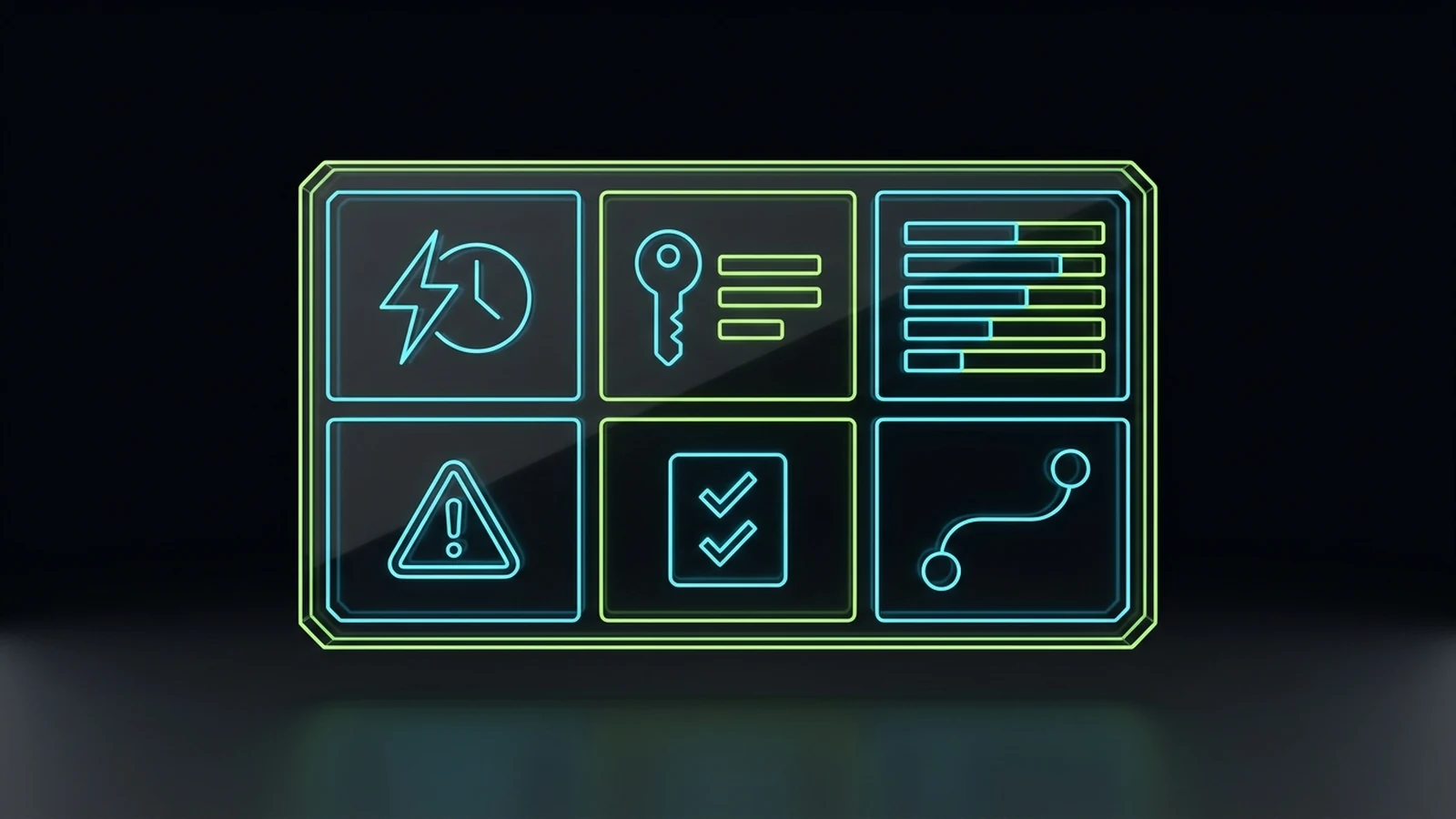
Every effective business process documentation template for a small business fits onto a single screen and contains six mandatory fields: (1) Trigger, Owner, and Target Time; (2) Required Access and Inputs; (3) Numbered Execution Steps; (4) Common Failure Traps; (5) Definition of Done with Required Proof; and (6) Backup and Escalation Protocol. If an SOP is missing any of those six blocks, your staff will eventually get stuck and bring the task back to your desk.
With 140 monthly US searches for “business process documentation template” and 40 monthly searches for “standard operating procedures for small business” (DataForSEO, 2026), owners are constantly downloading complicated Microsoft Word templates built for ISO-9001 manufacturing plants. You do not need revision-history tables, committee sign-off blocks, or three-page purpose statements in a ten-person company. You need a compact operational card that tells a worker when to start, how to execute, what not to break, and how to prove the job is finished.
Copy-Paste Markdown Template for Your Task Board
Copy the block below directly into your task management system (iT-Kanban, ClickUp, Asana, Trello, or GoHighLevel task templates) and require your Department Champions to fill in all six sections for every recurring workflow:
SOP TITLE: [Action Verb + Specific Deliverable, e.g., Configure Missed-Call Text-Back & AI Voice Backup for New Client]
DEPARTMENT / PILLAR: [e.g., CRM & Client Onboarding]
PRIMARY ROLE OWNER: [Role Name, e.g., CRM Specialist] | BACKUP ROLE: [Cross-Trained Role, e.g., Operations Coordinator]
VIDEO WALKTHROUGH: [Direct link to 10-minute screen recording] | LAST VERIFIED: [YYYY-MM-DD]

1. TRIGGER, FREQUENCY & TARGET TIME
- Trigger that starts this task: [e.g., Client intake form submitted and deposit marked Paid in CRM]
- Deadline / SLA: [e.g., Within 24 business hours of trigger]
- Expected execution time: [e.g., 35 minutes]

2. REQUIRED INPUTS & ACCESS (CHECK BEFORE STARTING)
- Tools/Logins needed: [e.g., GoHighLevel sub-account admin, client business phone forwarding access, client hours sheet]
- Input gate: If any input above is missing, DO NOT start half the setup. Move task to BLOCKED, tag [Assigner], and send [Client Missing Info Template].

3. NUMBERED EXECUTION STEPS (PLAIN ENGLISH, ONE ACTION PER LINE)
- Step 1: [Exact action + where to click + exact naming convention]
- Step 2: [Exact action + decision rule: "If X, choose A; if Y, choose B"]
- Step 3: [Exact action + how to verify the step worked before moving to Step 4]
- Step 4: [Continue up to 5 to 9 steps max; if a process has 25 steps, split it into 3 separate task cards]

4. COMMON FAILURE TRAPS (WHAT BREAKS IF YOU RUSH)
- Trap 1: [e.g., Activating the AI voice greeting before testing call forwarding from a live mobile phone]
- Trap 2: [e.g., Leaving default timezone as UTC instead of setting the client's local US timezone]
- Trap 3: [e.g., Forgetting to assign a human backup ring group when the caller asks for an urgent transfer]

5. DEFINITION OF DONE (MANDATORY PROOF TO CLOSE TASK)
This task is NOT complete until the assignee posts all three items in the task comment before moving to Review:
- [ ] Proof 1: [e.g., Screenshot of active workflow toggle and verified timezone setting]
- [ ] Proof 2: [e.g., Call log link showing one completed live test call and one triggered SMS reply]
- [ ] Proof 3: [e.g., Confirmation that Reviewer Role has been tagged for final sign-off]

6. ESCALATION & ABSENCE CONTINGENCY
- If stuck for more than 30 minutes: Post the exact error message in the task card and tag [Department Champion].
- If overdue or if primary owner is absent: Before end of day, update task deadline with written reason, or reassign to [Backup Role] using this exact checklist.
Real Operational Example: How a Living SOP Prevents Silent Failures
Look closely at Field 4 (Common Failure Traps) and Field 5 (Definition of Done) in the template above. Those two fields are the difference between an amateur checklist and a professional operating system.
For example, inside our iT-SEO and website publishing pipeline across our own brands, we learned through real incidents that self-attestation does not work for detail-heavy rules. If you simply write an instruction saying “make sure there are no long dashes, no banned AI buzzwords, and valid schema markup,” even a well-meaning human or AI assistant will occasionally miss one in a four-thousand-word draft and tick the box anyway.
So we turned that quality rule into a deterministic step inside our SOP: before any content draft can move to READY TO PUBLISH, the operator must run our mechanical verification script (check_deliverable.py) and record exit code 0, and after the page is deployed live, the workflow creates a review task on iT-Kanban for Kabir to verify the mobile viewport and Google Search Console status. You do not need to write Python scripts for a plumbing company, a medspa, or a law firm, but the principle is identical: never make “I did it” the definition of done. Require a photo of the completed installation, a link to the test call log, or a pasted confirmation number on the task card.
Turning Static Documents Into a Living Task System
Business process documentation only survives in a small business when you connect every SOP to an active task board with five unambiguous workflow stages, visible deadline tracking, and cross-trained backup coverage. If your SOP lives in a folder while your daily work lives in text messages, your team will ignore the SOP within fourteen days.
Across our operations at Integral Technologists, OmniFlow, and The Retired Consultant, we run daily execution through iT-Kanban. I did not build iT-Kanban to be a personal sticky-note board; we structured it specifically as an operational accountability and continuity layer so I can see how work is moving across departments without chasing people on WhatsApp all day.
The Five-Stage Task Board Architecture
Whether you use our tools or configure a mainstream board like Asana, ClickUp, or Trello, retire vague columns like “Backlog,” “Someday,” or “In Progress (sort of).” Every documented process in your business should move across five clean stages:
- Assigned Work: New and scheduled tasks arrive here already loaded with the 6-Field SOP instructions, scope boundaries, target URLs or client assets, a named assignee, and a real deadline. Standardized instructions mean frontline staff never have to guess what the task title means.
- Working: The assignee moves the card here the moment they start executing Step 1 of the SOP.
- Blocked: If a task cannot move forward because a client has not paid an invoice, a login code is missing, or a third-party DNS setting is broken, the card moves to Blocked immediately with a comment naming the exact dependency and tagging the person who can clear it.
- Submitted for Review: Once the assignee finishes the SOP steps and attaches the mandatory Definition of Done proof in the comments, the card moves here for the Department Champion or specialist reviewer to verify.
- Done: Only after the reviewer verifies the proof against the SOP does the card close.
Designing Documentation for Absences, Backup Coverage, and Escalation
One of the hardest operational lessons in my career came from losing or damaging client relationships not because our strategy was wrong, but because a frontline employee was unexpectedly absent on a time-critical task without notifying the team in time to arrange coverage.
Think about a service business where an employee is responsible for answering inbound ad-driven phone calls, confirming same-day appointments, or monitoring live client campaigns. Genuine personal emergencies and family bereavements happen in life, and any decent leader treats those moments with humanity. However, from an operational standpoint, delegation transfers the task, not the company’s accountability to the client. The client paying your retainer does not care why their phones went unanswered for four hours; they only know their leads went cold.
To protect your business from single-point-of-failure staff absences, your process documentation and task board must enforce three continuity rules:
- Every Core SOP Names a Primary Role and a Cross-Trained Backup Role: Because our tasks arrive in
iT-Kanbanwith standardized instructions, scope, and step-by-step checklists, a cross-available team member can step into an absent colleague’s queue and execute the urgent client tasks without spending two hours trying to reverse-engineer what the primary worker was doing. - Same-Day Deadline Updates With an Audit Trail: If a task is going to miss its deadline for a legitimate reason, the assigned team member must update the card before the end of the workday, leave a written reason in the comments, and adjust the deadline transparently. When a task goes overdue without an update, an automated follow-up notifies the person who assigned it and escalates to leadership if left unattended. Because the task history logs every deadline extension, I can spot a struggling workflow or an accountability problem by glancing at the board for two minutes rather than micromanaging people’s hours. (I cover the management side of this system in my guide on how to hold employees accountable without micromanaging.)
- Match SOP Complexity to the Role Tier: Do not hand a twelve-variable strategic judgment call to an entry-level coordinator. In our teams, entry-level roles receive tightly bounded SOPs with clear binary rules, while higher-level leads and Department Champions own complex exceptions and client-facing adjustments.
Which 10 Processes a Small Business Should Document First
Do not document your business in alphabetical order; start with the ten recurring processes that directly touch cash flow, client retention, and the tasks that interrupt the founder’s day most often. Documenting just two high-friction workflows a week will cover your core operation in thirty-five days without slowing down client delivery.
When small business owners ask me how to document business processes without getting overwhelmed, I have them run a simple five-minute tally. For the next three workdays, keep a notepad on your desk and write down a tick mark every time:
- An employee interrupts you to ask how to do something you have explained before.
- A client complains that a handoff, invoice, or deliverable was late or inconsistent.
- You catch yourself saying, “It is faster if I just do this myself.”
In almost every service firm, agency, or local trade business between five and twenty-five employees, those tick marks cluster around the same ten core processes. Here is the priority order we recommend, along with the exact trigger and Definition of Done for each one:
| Priority Rank | Core Business Process | What Triggers the SOP | Who Should Own It (Not the Founder) | Mandatory “Definition of Done” Proof |
|---|---|---|---|---|
| 1. Speed-to-Lead & Missed-Call Follow-Up | Answering inbound calls, web forms, and missed-call SMS/voice follow-up | New form submission, inbound call, or missed call logged in CRM | Front Desk / CSR + AI Receptionist with human backup | CRM contact record showing call outcome, booked slot, or active follow-up sequence |
| 2. New Client Onboarding Sequence | Moving a signed buyer from payment to kickoff without dropped balls | Signed agreement + cleared initial deposit | Operations Coordinator / Account Lead | Completed client onboarding checklist card with intake assets verified |
| 3. Core Service Delivery Checklist | Executing your #1 recurring revenue service to a consistent standard | Onboarding card moved to “Done” | Department Champion / Senior Specialist | Deliverable link + passed quality-gate checklist attached to task card |
| 4. Pre-Delivery Quality Gate (QA) | Checking work before the client ever sees it | Specialist moves task to “Submitted for Review” | Department Champion / Peer Reviewer | Signed-off review checklist (or script exit code 0) with zero open blockers |
| 5. Invoicing, Collections & Scope Changes | Sending accurate bills on time and billing for out-of-scope requests | Monthly billing date or client request outside signed scope | Finance / Admin Lead | Issued invoice PDF matching billing registry + payment confirmation or change order |
| 6. Client Reporting & Status Updates | Sending honest, data-backed progress updates before the client asks | Weekly or monthly reporting schedule on task board | Account Lead / Department Champion | Sent report link with verified live data (e.g., GSC, ad spend, or job logs) |
| 7. Overdue Task & Absence Escalation | Handling blocked tasks or unexpected staff absences before clients feel it | Task within 2 hours of deadline or staff absence notice | Assigning Manager / Operations Lead | Task reassigned to cross-trained backup or deadline updated with written reason |
| 8. Vendor, Tool & Subscription Audit | Reviewing software logins, seats, and external contractors | First Monday of each quarter | Operations Lead / Finance Admin | Updated tool ledger showing active users and canceled redundant subscriptions |
| 9. New Hire Role Onboarding & Access | Provisioning accounts and assigning the first 5 training SOP cards | Signed employment/contractor agreement | Operations Coordinator + Dept Champion | Access checklist complete + new hire’s first Reviewed task card approved |
| 10. Offboarding & Access Revocation | Securing client data and transferring open tasks when a worker exits | Resignation notice or termination decision | Operations Lead / IT Admin | Revoked login confirmation across all tools + open tasks reassigned on board |
Notice how Priority 1 and Priority 2 sit right at the revenue front door. If your lead response or new-client intake is sloppy, documenting your quarterly accounting archive first is rearranging deck chairs. Fix your front-door cash flow first (see our guides on building a 5-minute lead follow-up system, deploying AI receptionists for small businesses, and locking down our complete client onboarding checklist), then tighten delivery quality, quarterly tech stack audits, and billing.
How to Roll Out Business Process Documentation in 14 Days (Without a Team Revolt)
You can take a small business from zero written procedures to five living, staff-owned systems in fourteen days by dedicating ninety minutes a day to a structured sprint: pick your top five bottlenecks on Days 1 and 2, train two Department Champions on Days 3 and 4, capture and extract five 6-Field SOPs on Days 5 through 9, load them into your task board on Days 10 and 11, and run live shadow tests on Days 12 through 14.
Below is an illustrative time-and-cost breakdown for a hypothetical ten-person service company where the owner values their time at $100 per hour and two Department Champions earn an illustrative $35 per hour fully loaded (replace these illustrative numbers with your own payroll rates):
- Traditional Founder-Written Binder Approach (Illustrative): The founder tries to write 20 SOPs alone at 2.5 hours per document = 50 hours of founder time (five thousand dollars in illustrative opportunity cost), takes three months to finish, and produces a static Google Drive folder with near-zero daily staff adoption.
- 14-Day Champion + Task Board Sprint (Illustrative): The founder spends 4 hours total setting standards and reviewing ($400 illustrative), and two Department Champions spend 6 hours each recording live tasks and extracting 6-Field SOP cards ($420 illustrative) = $820 illustrative total time investment to lock down the top 5 workflows that account for the majority of daily interruptions.
Days 1 to 2: The Interruption Audit and Champion Selection
Do not announce a massive “company-wide documentation initiative” at your Monday morning meeting. Grand announcements create eye-rolls from employees who have survived three previous unfinished management trends.
Instead, pick the five specific tasks from the priority table above that caused you the most pain over the last thirty days. Then select one or two reliable team members who already perform those tasks well and ask to meet with them for forty-five minutes. Frame the mission around making their lives easier: “Right now, whenever a junior team member gets stuck or someone takes a day off, the mess lands on your desk or mine. Over the next two weeks, we are going to record how you do these five jobs and build them into task cards so neither of us has to repeat the same instructions ten times.”
Days 3 to 4: The First Joint Walkthrough (Modeling the Standard)
On Day 3, sit with your first Department Champion (in person or on a recorded Zoom/Google Meet call) and walk through Process #1 together while recording the screen. Show them how to state the trigger, point out the three mistakes beginners always make, and define the exact screenshot or link required as proof of completion.
Immediately after the recording ends, open your AI workspace (Claude Pro or ChatGPT Plus) on screen with them, paste the transcript and the 6-Field SOP Template from this guide, and clean up the output together in ten minutes as the first step of practical employee AI training. By the end of Day 4, your champion has seen that documenting a process does not mean writing a dull essay after work; it takes twenty-five minutes during work they were already doing.
Days 5 to 9: Champion Recording and AI Extraction Sprint
Assign each Department Champion two more processes from your top-five list to record over the next five workdays as those tasks naturally occur. Give them a strict boundary:
- Maximum recording length: 15 minutes per workflow.
- Maximum SOP card length: 6 fields, with 5 to 9 numbered execution steps. If a workflow requires more than 9 steps, split it into two sequential task cards (for example, “Part A: Technical Setup” and “Part B: Client Launch Verification”).
Review their drafted 6-Field SOP cards for ten minutes at the end of Day 9. Check only two things: first, would a competent new hire understand Step 1 without asking a follow-up question; and second, is the Definition of Done objective and verifiable?
Days 10 to 11: Embedding SOPs Into Your Task Board and CRM
Take the five approved SOPs out of your word processor and paste them directly into the recurring task templates inside your task board (iT-Kanban, ClickUp, Asana) or your CRM automation triggers (such as GoHighLevel pipeline stage tasks; if you are comparing CRM backbones, read my GoHighLevel vs HubSpot comparison).
Set one non-negotiable house rule with your team starting on Day 11: if a question is already answered inside Steps 1 to 4 of the task card, the manager’s only reply will be “Check Step 3 on your card and tell me what you see.” The first two times an employee messages you on Slack asking for a login link or a formatting rule and you politely redirect them to the task card instead of spoon-feeding the answer, they learn that the task card is the single source of truth.
Days 12 to 14: The “Blind Hand-Off” Stress Test
During the final three days of the sprint, test whether your new business process documentation actually works when the expert is not in the room. Assign each of the five newly documented task cards to the Backup Role (a cross-trained team member who did not write the SOP) and instruct the Department Champion not to answer verbal questions unless the backup worker hits an undocumented edge case.
Every time the backup worker gets confused or makes an assumption that is not written on the card, do not blame the worker. Fix the line in the SOP card immediately. Once a cross-trained employee can execute the task card from start to finish and attach the right proof in the “Submitted for Review” column without verbal hand-holding, you own a real business system.
How to Keep SOPs Fresh Without Creating a Full-Time Admin Job
The easiest way to keep business process documentation accurate all year is to ban annual “SOP cleanup weeks” and enforce a simple Exception-Driven Update Rule: whenever a tool changes or a mistake slips past review, the Department Champion updates the one affected line on the task card before closing the ticket, and every card carries a 90-day or 180-day verification date.
Owners often tell me they stopped documenting processes because software interfaces change every six months and keeping screenshots updated felt like painting the Golden Gate Bridge. That only happens when you write bloated 30-screenshot tutorials for every minor mouse click. When your SOP focuses on the six core fields (trigger, inputs, plain-English steps, failure traps, proof of done, and escalation) plus a quick 10-minute screen recording link, updating a changed step takes two minutes.
In our own operations, we rely on three lightweight habits to keep our systems honest:
- Every mistake fixes the system, not just the symptom: When a task in
iT-Kanbanfails review or a client issue occurs, we do not just fix the client file and move on. We ask: “Was this failure trap missing from Field 4 of the SOP card, or did the worker skip Field 5?” Adding one bullet point to Field 4 right after a real mistake ensures the company never pays tuition for the same error twice. - Department Champions own the 90-day freshness check: Money-critical and tool-dependent workflows get a five-minute check every 90 days; stable administrative workflows get checked every 6 months. If a screen recording is outdated because an interface changed, the champion records a fresh 8-minute video the next time they run the job.
- Automate only what is already documented and stable: Once a 6-Field SOP has run cleanly by hand ten times without edge-case surprises, you have a ready-made specification for automation. That is why my guide on what a business process automation consultant actually delivers and my overview of practical AI tools for service businesses both insist on process documentation before writing a single line of webhook code. If you automate an undocumented mess, you just generate errors at machine speed.
Where an Operational Advisor Fits
You do not need to hire an external consultant to write your first five SOPs. If you take the Outcome-First Rule, pick one capable Department Champion this week, and load the 6-Field SOP Template from this page into your task board, you will feel the operational relief within two weeks.
Where business owners usually bring me in is when they have grown to five, ten, or twenty employees and realize that their CRM, their task board, their AI tools, and their team’s daily habits are all pulling in different directions. Today, because my own agencies run on documented frameworks, Department Champions, and iT-Kanban accountability loops, I am largely out of the daily operator grind and spend my working hours helping other founders exit the same trap.
If you want a second set of experienced eyes on your operations, take a look at how my personal advisory works, review our core operational and AI implementation services, or book a free initial discovery conversation. You can also read how we run a digital marketing agency audit if you suspect an external vendor is hiding sloppy execution behind polished monthly PDFs. On our discovery call, we will look at your actual workflows, identify the top three systems keeping you chained to your desk, and map out the most practical path forward for your budget.
References
- DataForSEO. Google Ads Search Volume, DataForSEO Labs Keyword Overview, Live Organic SERP, and Backlinks Bulk Referring Domains, United States, English, pulled 2026-10-27 (internal keyword and SERP dataset).
- McKinsey Global Institute. “The social economy: Unlocking value and productivity through social technologies.” July 2012. Accessed 2026-10-27. https://www.mckinsey.com/industries/technology-media-and-telecommunications/our-insights/the-social-economy
- International Data Corporation (IDC) / Workplace Knowledge Management Benchmark Summary. “Time Spent Searching for Information and Executive Barriers to Knowledge Systems.” Accessed 2026-10-27. https://www.idc.com/
- Whale (
usewhale.io). “How to Document Business Processes Properly.” March 10, 2026. Accessed 2026-10-27. https://usewhale.io/blog/document-business-processes/ - Reddit
r/smallbusiness. “How do you document your business processes?” 2026. Accessed 2026-10-27. https://www.reddit.com/r/smallbusiness/comments/1soh9u8/how_do_you_document_your_business_processes/ - Google Search Status Dashboard. Accessed 2026-10-27. https://status.search.google.com/
Disclaimer: This article reflects the author’s personal opinion and decade of practical experience building and operating service businesses. Firsthand operational examples (including downsizing from a three-floor office of roughly twenty to twenty-five staff to an eight-person core with specialist leads, the six-month internal AI reinvestment period, the Department Champion workflow with team leads, and internal task systems across iT-Kanban, iT-SEO, and myomniflow.com) describe the author’s own company history and are not a guarantee of specific financial or staffing outcomes for your business. Time-saving comparisons and hourly payroll figures are illustrative models only. The author has a commercial interest in advisory and operational implementation services through The Retired Consultant, Integral Technologists, and OmniFlow, as disclosed under the byline.
