


A signed agreement is not an onboarded client. Build the intake bridge first.
Use these four operational checkpoints to move new deals into delivery without losing credentials, scope boundaries, or week-one trust.
A client onboarding checklist is the step by step operational sequence that moves a buyer from a signed agreement to active delivery without losing credentials, scope boundaries or momentum. A working checklist covers six phases: pre-sale qualification, contract and payment lock, single-pass intake and access collection, internal task board routing, a structured kickoff call, and a 30-day baseline review.
Most service businesses treat onboarding as a polite welcome email and a shared folder link. Then the delivery team spends the next three weeks chasing login passwords, arguing over what was promised on the sales call, and doing unbilled extra work to keep the new client happy.
Over a decade of building and running service business teams across three brands, I learned that client retention is rarely lost in month six. It is lost in the first ten days, when the gap between how you sold the work and how you deliver the work becomes visible to the buyer. If I had to start an agency from zero tomorrow, my first priority would not be ads, outreach or hiring a larger team. I would build the accountability, operating procedures and client onboarding system before signing the very first client, so that client enters a working process on day one.
Why Most Client Relationships Break in Week One
Client relationships break in week one because the salesperson closes a custom promise while the delivery team inherits an undocumented handoff. When scope, credentials, communication rules and baseline numbers are not locked during intake, every small delay looks like incompetence and every client request turns into scope creep.
According to the Project Management Institute’s Pulse of the Profession report, 52 percent of projects experience scope creep or uncontrolled changes to scope, while organizations that prioritize clear communication and governance cut that rate significantly (Project Management Institute, 2018). In a service business or marketing agency, nearly all of that uncontrolled scope expansion begins during onboarding, before the first deliverable ever ships.
Early in my career, before I built my own companies, I took a sales role at what looked from the outside like a legitimate website development agency. Within roughly a week, I saw how the operation actually ran. Salespeople were collecting two hundred to three hundred dollar advances from small business owners with promises of a finished website in about a week, yet I could find no real fulfillment process behind those promises, and staff were told to stall or block customers who asked where their work was. I walked out after about a week, disgusted with sales roles that existed without delivery systems.
That week shaped every rule I have held for the last ten years. Closing a deal means nothing if your operation cannot honour the promise on time. My rule with clients and with my own team has stayed simple ever since: I do your work on time, you pay me on time; I make your life easier, you make my life easier. That is how honest business works, and your onboarding process is where that contract becomes real.
The Sales to Delivery Amnesia Problem
In most growing agencies and consultancies, the founder or salesperson has two or three detailed conversations with the prospect. They learn what the buyer tried last year, why they left their previous vendor, and which constraint is non-negotiable. Then the invoice gets paid, and the delivery team receives a two-line Slack message: “New client signed, standard package, start Monday.”
The client then gets onto a kickoff call and has to repeat their story to an account manager who never saw the notes. Worse, the client mentions an expectation the salesperson nodded along to on the discovery call, and the account manager either pushes back awkwardly or absorbs the extra work without billing for it.
The Five Hidden Costs of Ad Hoc Onboarding
Running onboarding from memory instead of a checklist imposes five hidden taxes on every new account:
- The Credential Chase Tax: Specialists sit idle because nobody collected DNS, Google Business Profile, Meta Business Manager or CRM permissions before scheduling production.
- The Unbilled Scope Tax: When inclusions and change-order rules are not restated at kickoff, your team says yes to extra work out of guilt. I covered how this drains profit in my guide to revenue leaks in service businesses.
- The Founder Bottleneck Tax: Because only you know what was agreed on the sales call, your team interrupts you repeatedly in week one.
- The Missing Baseline Tax: Ninety days later, your team has done strong work, but nobody exported the client’s starting search positions, missed calls or tool spend on day one.
- The Single Point of Failure Tax: One manager holds the client’s files in their inbox, leaving the team blind if an unexpected absence occurs.

Systems Before Sales: The Rule That Protects Your Margin
You should build your client onboarding checklist and task templates before you scale client acquisition. Without a repeatable intake system, every new sale adds operational chaos, burns through the cash it brings in, and forces you to rebuild your delivery process from scratch.
We say this in my team’s working language all the time: without systems, work happens in thin air. You can hustle and close deals, but if every project is invented on the fly, the money gets consumed by rework and you start the next month at zero. Once you get a working outcome for one client, turn those steps into a reusable system before chasing volume.
Tailored Solutions Require Standardized Intake
Agency founders often tell me they cannot use a strict client onboarding checklist because they sell custom solutions rather than fixed packages. My own agency stopped selling rigid, disconnected service menus after learning that clients need solutions tailored to their actual bottlenecks and budget.
Here is the distinction that resolves that tension: the strategy and scope you design for a client can be tailored, while the way you onboard, document, assign and track that work must be standardized.
Whether a client comes to us with a modest monthly budget that funds a focused workflow and human review, or a larger budget that funds a multi-role delivery team across web, search, social and CRM automation, the intake gates stay identical. Every client still needs a written scope summary, a single point of contact, verified account access, a recorded day-one baseline, named task owners on our board, and an agreed communication rhythm.
Qualifying the Client Before Onboarding Starts
A checklist cannot fix a client you should never have signed. In our operations, department leads evaluate projects based on suitability, economics and team fit, rather than taking every cheque offered. Personally, I look for calm, mutually respectful, value-aware owners who understand their pain points and want to delegate execution while staying educated enough to read an audit or report. Our internal motto translates simply: do less work, do better work, do calm work. If a prospect refuses to share baseline data or treats your staff poorly during the proposal stage, stop at Phase 1.
The Six Phase Client Onboarding Checklist (Agency and Service Template)
The complete client onboarding checklist for a service business or agency runs across six sequential phases, from pre-signature verification through the 30-day review. Production work does not begin until Phase 3 (credentials and baseline capture) is marked complete by a human reviewer.
Search data shows why separating these phases matters: buyers and operators search for “client onboarding checklist” (140 monthly US searches), “client onboarding process” (140 monthly US searches, CPC $42.71) and “new client onboarding checklist” (40 monthly US searches, CPC $70.34) because they need both the stage gates and the granular task list (DataForSEO, 2026).
| Phase | Timing | Primary Owner | Gate to Pass Before Next Phase | Core System Record |
|---|---|---|---|---|
| 1. Pre-Sale Readiness Gate | Before contract is sent | Sales Lead or Founder | Written scope, exclusions, timeline and fit check approved | CRM Deal Record |
| 2. Contract, Invoice and Deal Handoff | Hour 0 (upon signature and payment) | Sales Ops / CRM Automation | Signed agreement, cleared payment, 5-question deal brief filed | CRM Pipeline + Shared Folder |
| 3. Single-Pass Intake, Access and Baseline | Hours 1 to 48 | Onboarding Coordinator | Intake form submitted, logins tested live, day-one baseline archived | Password Vault + Baseline Sheet |
| 4. Internal Task Routing and Backup | Hours 24 to 72 | Operations Lead / Department Champion | Standardized tasks created with deadlines, primary and backup owner | Task Board (such as iT-Kanban) |
| 5. The Structured Kickoff Call | Day 3 to Day 5 | Account Lead + Technical Lead | 30-day milestone plan, communication channel and escalation path confirmed | Kickoff Summary Note |
| 6. First Win and 30-Day Baseline Audit | Day 7 to Day 30 | Account Lead + Quality Reviewer | First deliverable shipped, Day 1 vs Day 30 metrics reviewed with client | Monthly Review Log |

Phase 1: Pre-Sale Readiness and Scope Alignment Gate
Phase 1 connects your 5-minute lead follow-up system to delivery before you send the agreement so sales never sells a timeline production has not vetted.
- Document the plain-language scope summary: List exact deliverables, quantities, and at least three explicit exclusions.
- Confirm the budget-to-solution match: Verify the plan leaves room for the people, tools and workflows required, rather than consuming the budget on a flat fee.
- Record NDA and portfolio privacy rules: Note upfront whether the client permits case study use or requires strict non-disclosure, as many clients prefer not to disclose their external operations partner.
- Assign a realistic start window: State in the proposal that the delivery clock starts when credentials and intake assets are verified (Phase 3), not when the invoice is paid.
Phase 2: Contract, Payment and Internal Deal Handoff
Phase 2 triggers only when the client signs the agreement and clears initial payment.
- Verify signed agreement and cleared payment: Confirm both in your accounting system before creating delivery tasks.
- Complete the Sales-to-Delivery Handoff Brief: The salesperson fills out five required questions in the CRM: (1) Why did this client buy now? (2) What did they dislike about their previous setup? (3) What 30-day result matters most to them? (4) What did we tell them is excluded in the first 90 days? (5) What communication preferences must we respect?
- Auto-generate the client workspace: Trigger your CRM to create the folder structure (Contracts, Baselines, Brand Assets, Deliverables, Reporting) and send the welcome email within fifteen minutes.
Phase 3: Single-Pass Intake, Access Verification and Baseline Snapshot
Phase 3 collects every input in one pass and verifies logins live within 24 hours.
- Send one consolidated client onboarding form: Group questions into Contacts, Brand Assets, Technical Access, and Communication Preferences.
- Verify all technical permissions live: A specialist logs in to confirm access across domain, DNS, CMS, Search Console, Analytics, Google Business Profile, Meta, Google Ads, and CRM. If two-factor codes block access, book a 15-minute screen-share session.
- Capture the Day-One Baseline Snapshot: Export and date-stamp the starting state before changing anything. In our public 90-day case study for A Younger You Wellness and MedSpa on the Integral Technologists blog (https://www.integraltechnologists.com/blog/a-younger-you-medspa-90-day-case-study.html), we could report specific movement (average Search Console position moving from 19.1 to 13.7, 82 ranking queries with roughly 20 at position 1, and consolidating over $1,200 per month in tools into a $99 per month OmniFlow setup) because the starting state was archived on day one. Export Search Console data, current tool spend, 30-day call logs, and a technical baseline (see my digital marketing agency audit guide).
Phase 4: Internal Task Board Routing and Human Backup Assignment
Phase 4 turns the scope into assigned cards on your board before the kickoff call.
- Instantiate standardized tasks on your board: We use iT-Kanban so staff receive specific instructions, scope boundaries, targets, tags, deadlines, and reporting rules (for the exact SOP card structure we embed, read how to document business processes so your team follows them).
- Assign a Primary Owner and a Named Backup Owner: Every recurring stream gets a primary owner and a cross-trained backup. An unexpected staff absence without notice on a time-critical inbound line once cost us a client despite our other workflows working well. Delegation transfers tasks, not your accountability to the client.
- Configure overdue task escalation: Set your board so overdue onboarding tasks notify the assigning lead first, and escalate to senior leadership if untouched (see my guide on how to hold employees accountable without micromanaging).
Phase 5: The Structured 45-Minute Kickoff Call
Phase 5 is an alignment call broken into four blocks:
- Minute 0 to 10 (Play Back the Brief): Read back the five-point sales handoff brief and confirm the Day-1 baseline so the client never repeats their story.
- Minute 10 to 25 (Walk Through the 30-Day Plan): Show weekly milestones for Weeks 1 to 4. Across our eight-person core and specialist leads, we launch a new client’s digital brand in roughly one to two weeks in our own agency operations (founder-reported window; timelines depend on scope and approvals).
- Minute 25 to 35 (Confirm Boundaries): Explain that mid-month ideas go onto the backlog to confirm whether they fit current scope or need a separate quote.
- Minute 35 to 45 (Lock Communication and Escalation): Confirm the update channel, weekly report day, response window, and escalation contact.
Phase 6: First Visible Win and the 30-Day Baseline Review
Phase 6 transitions the account into steady-state delivery.
- Ship one visible win within 7 to 14 days: Deliver a concrete early output in Week 1 or Week 2, such as a cleaned-up Google Business Profile, a 404 fix, a missed-call text-back flow, or the baseline audit report.
- Run the Day-14 Check and Day-30 Baseline Review: Check the board at Day 14 for approval bottlenecks, and compare the Day-1 baseline snapshot against Day-30 progress with the client at Day 30.
How to Wire Onboarding Into Your CRM and Task Board
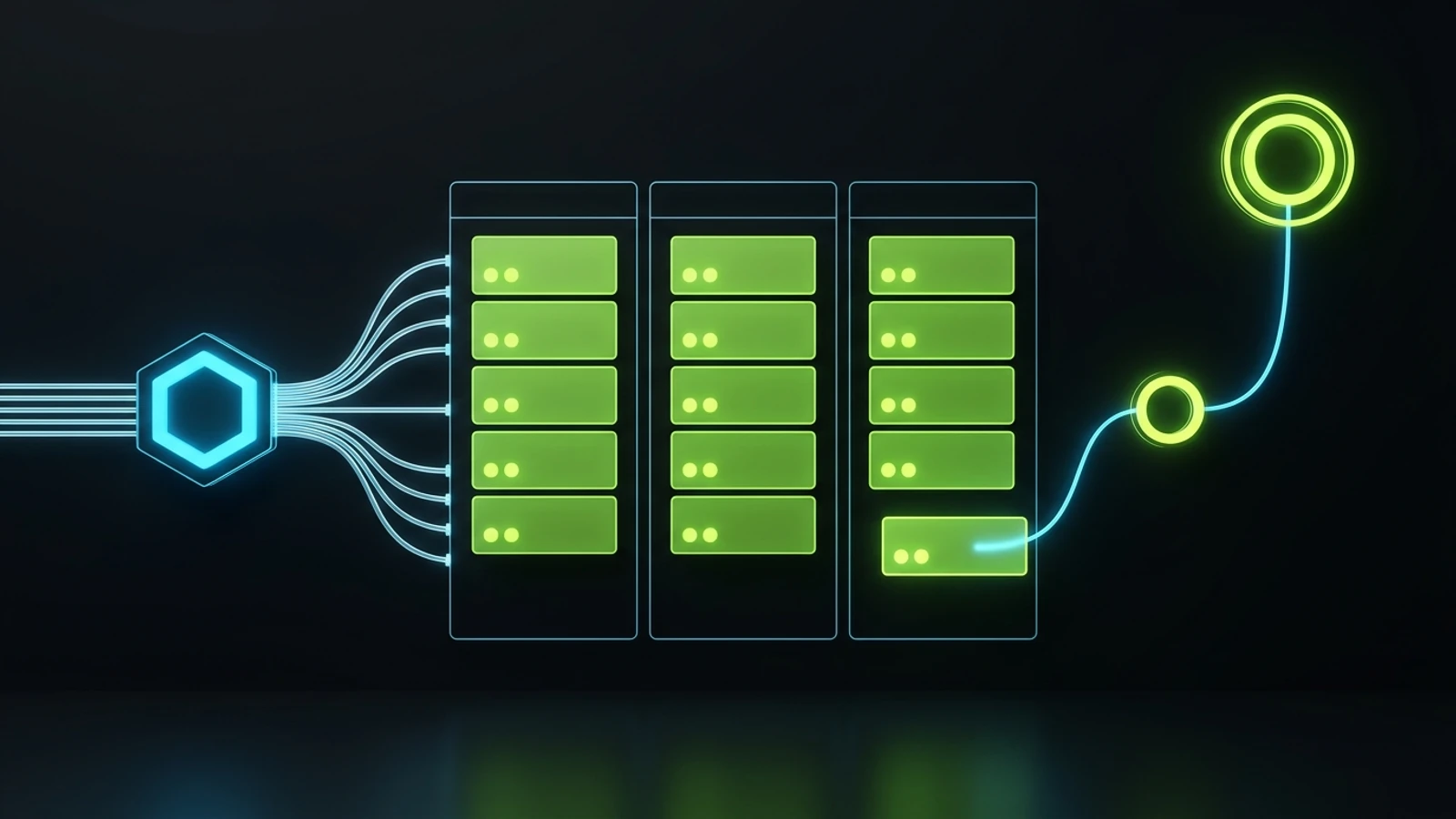
A client onboarding checklist only works at scale when it lives inside your CRM and task board rather than a static PDF. The practical architecture connects your existing CRM (for payment triggers, forms and pipelines) to your internal task board (for assignments and overdue escalations), with AI assisting on summaries and humans approving every gate.
When AI tools improved, several existing CRM clients asked to ditch their CRM and run operations through chat prompts. We talked them out of it: don’t throw away a working system because AI is fashionable; enhance it. As I wrote in my GoHighLevel vs HubSpot comparison, GoHighLevel handles contacts, pipelines, forms, booking and reminders reliably. Connect that backbone to your task board and add AI where summarization saves manual work.
Step 1: Build the Single-Touch Trigger in Your CRM
Configure your CRM pipeline so moving a deal card to “Closed Won and Paid” fires three automatic actions:
- Sends the welcome email with the consolidated intake form link and the kickoff booking link (set at least 48 hours out so your team can verify credentials first).
- Starts a polite reminder sequence if the intake form is not submitted within 48 hours.
- Fires a webhook that opens the client project and standardized task list on your internal board.
Step 2: Use AI for Handoff Synthesis, Never for Unchecked Promises
In our operations, letting AI guess project steps without domain constraints caused rework and losses. Gains came when we turned our team’s operating experience into explicit frameworks and approval checkpoints (see my guide to practical AI tools for service businesses):
- Summarizing discovery transcripts into the Handoff Brief: AI extracts goals, past frustrations, tools and constraints from the call transcript into a draft note for the salesperson to sign off.
- Checking intake form completeness: AI scans the submitted form, flags missing URLs, and drafts a follow-up question for the coordinator to approve.
- Populating draft task cards: Automation fills in the client’s domain, brand rules and target dates on initial task cards for the department champion to review.
Step 3: Department Champions Own the Quality Gate
I stopped being the bottleneck on every launch by training one capable department champion per area (such as our CRM and paid media lead overseeing GoHighLevel workflows and ad setups) through practical employee AI training and empowering that champion to review onboarding setups and supervise specialists. Like an accountant fluent in Excel versus one adding numbers by hand, a workflow-literate lead can verify a client setup in twenty minutes and catch errors early. For more on building vs hiring this role, see my breakdown of what a business process automation consultant does.
Manual Chasing vs Client Portal Only vs Hybrid Onboarding
Service business owners usually swing between two extremes when they try to fix onboarding: chasing clients manually through endless email threads, or buying a self-serve client portal and expecting high-ticket buyers to onboard themselves like a $19 software user. Neither extreme works well for a relationship-driven service firm.
The hybrid model combines automated CRM intake and internal task routing with a live human credential check and a structured human kickoff call. Below is how the three approaches compare across six operational criteria.
| Criterion | Manual Email and Slack Chasing | Self-Serve Portal Only (No Human Gate) | Hybrid: Automated CRM Intake + Human Gate (Recommended) | Best For / Operational Reality |
|---|---|---|---|---|
| Time to Full Credential Capture | 10 to 21 days (illustrative industry pattern when chased piecemeal) | 5 to 14 days (many clients stall at 2FA or permissions) | 24 to 72 hours (single form + 15-min live access assist if stuck) | Hybrid wins whenever DNS, Ads or GBP permissions are involved |
| Sales-to-Delivery Context Loss | High (notes stay in the salesperson’s head or inbox) | Moderate (client re-types what they already told sales) | Low (mandatory 5-question internal brief played back at kickoff) | High-ticket clients hate repeating their discovery call answers |
| Scope Creep Protection | Weak (verbal promises go unchecked until an argument happens) | Moderate (terms are buried in portal text nobody reads) | Strong (scope and 3 exclusions restated verbally and in writing at kickoff) | Spoken confirmation plus written summary prevents memory drift |
| Staff Continuity if Someone Is Absent | Fragile (files live in one account manager’s inbox) | Good for client files, weak for internal task ownership | High (standardized board tasks with named primary and backup owner) | Protects the client experience during unexpected absences |
| Setup and Software Cost | $0 extra software, high hidden payroll waste | $30 to $300/mo for dedicated portal SaaS (illustrative vendor range) | Uses existing CRM + internal task board (often $0 extra SaaS) | Keep your working CRM and add structure before buying new tools |
| Client Experience in Week One | Chaotic, repetitive and reactive | Cold, bureaucratic and homework-heavy | Calm, organized and visibly led by an expert team | Service buyers want to feel taken care of, not assigned homework |

The Nine Questions Your Client Onboarding Form Actually Needs
Your client onboarding form should take the buyer less than fifteen minutes to complete and should never ask a question your sales team can answer from their own notes. Pre-fill everything you already know, and restrict the form to the nine operational inputs your delivery team cannot guess:
- Primary Decision Maker and Day-to-Day Contact: Name, role, direct mobile number for urgent escalations, and email address for the person who approves deliverables.
- Billing and Finance Contact: Email address for invoices, receipts and accounting notices, plus any purchase order reference required.
- The 90-Day Commercial Priority: “In one or two sentences, if we only accomplished one measurable business outcome together in the next 90 days, which outcome matters most to you?” (Comparing the client’s written answer here against what the salesperson wrote in the internal brief catches misalignment immediately.)
- Offer Economics and Capacity Limits: Which products, services or treatments have the highest margin right now, and what is your maximum weekly capacity for new leads, calls or bookings before your frontline team gets overwhelmed?
- Past Experiments and Red Lines: Which marketing channels, messaging angles or operational changes have you tried in the last twelve months that failed or that you never want repeated?
- Brand Voice and Compliance Boundaries: Existing brand kit upload, plus any regulatory, clinical, legal or NDA restrictions on what can be claimed publicly or shown in case studies.
- Current Software Stack and Active Subscriptions: List of the CRM, phone system, scheduling tool, website CMS, analytics and AI tools currently paid for each month (this feeds directly into an early 90-day tech stack audit to help the client consolidate redundant subscriptions).
- Technical Access Mode Selection: A simple radio choice per platform: “I have granted access to your agency address” or “Book a 15-minute screen-share with me to complete permissions together.”
- Approval Turnaround Commitment: Confirmation that the client will review and approve queued deliverables within two business days so the production schedule stays on track.
Five Onboarding Mistakes I Learned to Stop Making
Every rule in our current onboarding checklist exists because I or my team paid for the opposite mistake earlier in my decade of running service operations. Cut these five habits out of your company this week:
1. Starting Production Before Access and Baselines Are Locked
When you are eager to impress a new client, it is tempting to let your team start designing or writing while you wait for analytics access, domain credentials or the signed scope schedule. Don’t do it. The moment you start building without verified access and a saved baseline snapshot, you lose your ability to get the client’s intake completed on time, and you lose the proof of where their numbers started before your work went live.
2. Letting the Client Dictate Your Internal Tools
Years ago, if one client wanted WhatsApp, another wanted Basecamp, another wanted Trello, and another wanted long email threads, we accommodated all of them. That turned our managers into full-time tab-switchers and guaranteed that tasks fell through the cracks. Today, client communication happens through agreed channels, while all internal execution goes into our standardized task board (iT-Kanban) with one uniform instruction format.
3. Treating “We Told the Client Once” as Onboarding
Clients are busy business owners who forget what you explained on the proposal call. Restate your communication hours, turnaround times, scope boundaries and escalation path in a clean one-page kickoff summary that stays pinned in their welcome message. Clear boundaries are what make a calm, respectful long-term relationship possible.
4. Hiding How the Work Works
Some agencies keep their onboarding and reporting vague because they worry an educated client might leave. My view is the opposite, and it is a core reason The Retired Consultant exists: an owner who understands how their SEO, paid ads, CRM and automation work is a calmer, higher-retention partner than an owner who feels trapped by opacity. Teach your clients during onboarding how to read their baseline report and why vanity metrics (like passing off branded Google Business Profile impressions as full SEO success) do not count.
5. Leaving Onboarding Without a Named Owner
If sales thinks account management owns onboarding, and account management thinks the technical lead owns onboarding, the client sits in silence for four days after wiring you money. Assign one named human as the Onboarding Owner for the first 30 days of every account, backed by your task board escalation pipeline.
How to Audit Your Client Onboarding Process Every Month
You know your client onboarding checklist is working when you measure five concrete numbers at the end of every month instead of waiting for clients to churn. Pull every account onboarded in the last 30 days and score them against this operational scorecard:
- Payment-to-Verified-Access Time (Target: under 72 hours): How many hours elapsed between the invoice clearing and a specialist confirming live login access to every required account? If this regularly exceeds three business days, simplify your intake form and offer the 15-minute live screen-share option earlier.
- Baseline Snapshot Completeness (Target: every single account): Does every new client folder contain a dated Day-1 baseline export (Search Console, lead volume, missed calls, software spend) saved before any changes were pushed live? Anything short of full coverage across all new accounts is an internal governance failure that must be corrected immediately.
- Time to First Visible Win (Target: under 14 days): How many days elapsed between payment and the first tangible artifact delivered to the client?
- Week-One Unplanned Founder Escalations (Target: zero): How many times did the delivery team have to interrupt the founder or salesperson during Weeks 1 and 2 to ask what was promised on the sales call? Every interruption points to a gap in your five-question Sales-to-Delivery Handoff Brief.
- Day-30 Scope Dispute Count (Target: zero): At the Day-30 review, did the client ask for work they believed was included that your team considered out of scope? If yes, rewrite the Phase 1 scope summary and the Phase 5 kickoff script before you sign your next client.
Where an Operational Advisor Fits
If you read through this checklist and realized that every new client in your business still triggers a two-week scramble across your inbox, your Slack channels and your own calendar, you do not have a sales problem. You have a handoff and task-architecture problem.
You can copy the six-phase table and the nine intake questions from this page and install them with your operations lead this week. That is the whole point of publishing them in full. If you want an experienced operator to look at your current sales-to-delivery handoff, your CRM pipeline and your team’s task board and tell you directly what to cut, what to standardize and who should own each gate, look at my advisory approach or get in touch directly. The initial discovery conversation is free, and whether you build the system yourself or ask my team at Integral Technologists or OmniFlow to wire it for you, you will walk away knowing where your onboarding is leaking time and margin.
References
- DataForSEO. Google Ads Search Volume, DataForSEO Labs Keyword Overview, Live Organic SERP and Backlinks Bulk Referring Domains, United States, English, pulled 2026-10-25 (internal keyword and SERP dataset).
- Project Management Institute (PMI). “Pulse of the Profession: Success in Disruptive Times.” 2018. Accessed 2026-10-25. https://www.pmi.org/learning/thought-leadership/pulse
- Integral Technologists. “A Younger You Wellness & MedSpa 90-Day Case Study” (public first-party case study, founder-affiliated property). Accessed 2026-10-25. https://www.integraltechnologists.com/blog/a-younger-you-medspa-90-day-case-study.html
- Crowdspring. “Client Onboarding Checklist for Agencies.” February 2026. Accessed 2026-10-25. https://www.crowdspring.com/blog/onboarding-checklist-for-agencies/
- Google Search Status Dashboard. Accessed 2026-10-25. https://status.search.google.com/
Disclaimer: This article reflects the author’s opinion and operating experience. Founder-reported details (including internal task workflows, team structure and typical one to two week brand launch windows) describe the author’s own businesses and are not independently audited guarantees of timing or performance. Case study figures referenced from Integral Technologists represent public first-party case study records on that property, not externally audited financial statements. Software pricing ranges and industry benchmarks are illustrative and vary by vendor, market and scope. The author has a commercial interest in advisory, CRM and operational implementation services through The Retired Consultant, Integral Technologists and OmniFlow, as disclosed under the byline.
