
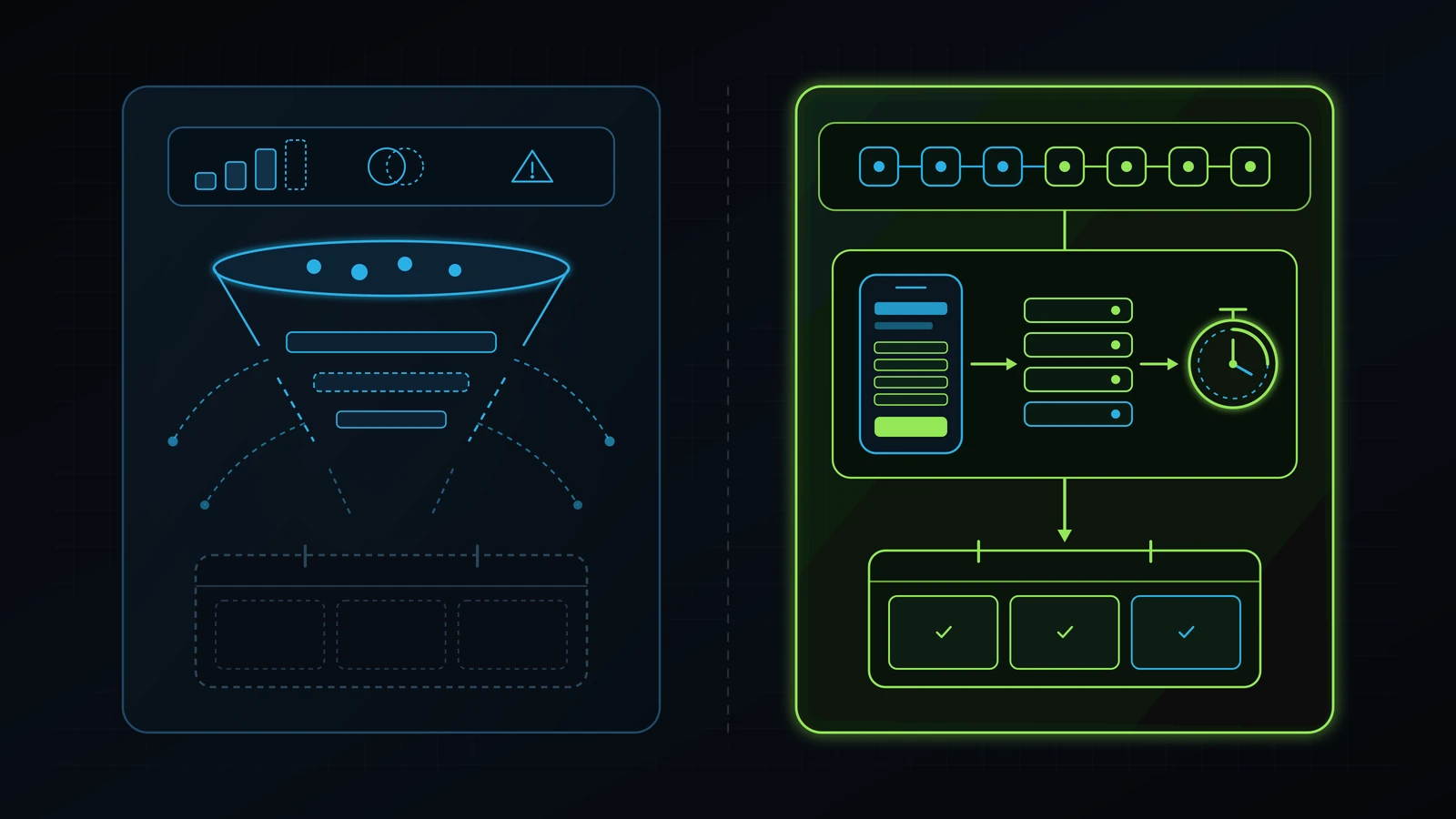
Most service websites fail to convert because paid clicks hit generic homepages, slow 390px mobile screens, 9-field forms, and 6-hour follow-up delays.
Audit these four structural checkpoints in 45 minutes before spending another dollar on ads or heatmap software.
A forensic conversion rate optimization audit inspects seven operational layers between an inbound ad or search click and a booked calendar appointment: ad-to-landing-page message match, 390-pixel mobile viewport rendering and Core Web Vitals speed, above-the-fold proof and pricing clarity, form-field friction and multi-channel capture options, Frankenstein script and popup removal, server-side conversion tracking accuracy, and sub-60-second CRM speed-to-lead follow-up (Google, 2026). Across a decade of practical experience building and auditing digital growth systems for medical aesthetics clinics, wellness centers, automotive operations, and local service businesses, I have rarely seen a company fail because it lacked traffic. Most service businesses fail to scale because they pour $3,000 to $15,000 per month of paid Google and Meta traffic into a slow, generic website that loses 96% to 99% of visitors before a human ever speaks to them (Illustrative Model, 2026).
When a founder asks me why their website is not converting, their marketing agency almost always blames “seasonality,” “algorithm changes,” or “ad budget limits” and recommends spending another $2,500 per month on clicks (Illustrative Model, 2026). Or worse, a traditional CRO vendor proposes a six-month A/B testing retainer to test green versus orange buttons on a page that only receives 600 visitors a month (Illustrative Model, 2026). Statistical button testing on low-traffic service websites is a waste of money. What moves a service business from a 1.8% visitor-to-lead conversion rate to a 7.5% or 11.0% conversion rate is removing structural friction, matching the exact promise of the click on a fast mobile screen, and connecting the form directly to an automated GoHighLevel confirmation workflow (Illustrative Model, 2026).
You do not need heatmapping software subscriptions or a computer science degree to find where your funnel is bleeding cash. Whether you run paid search, paid social, or local SEO, this 7-step conversion optimization audit gives you the exact 45-minute inspection protocol my team and I use to turn existing website traffic into booked, paying clients.
Why Buying More Traffic Fails When Your Conversion Architecture Leaks
Doubling your ad budget on a broken landing page simply doubles the rate at which you pay Google and Meta to introduce local prospects to your competitors (Illustrative Model, 2026). Throughout my decade of practical experience advising founders and restructuring operational workflows, the single most expensive mistake I encounter is treating lead generation (buying clicks and impressions) and lead conversion (turning those visitors into confirmed appointments) as if they belong to two separate universes.
In our publicly documented work at Integral Technologists, including our end-to-end systems overhauls for A Younger You Wellness & MedSpa, TOCC Aesthetics, and Healing Hands Holistic Care, we never touched ad spend or traffic scaling until we audited and repaired the destination experience and CRM intake first. Here is why that order is non-negotiable for any service business:
- The Paid Media Multiplier Effect: Suppose your clinic, dental practice, or home-service company spends $6,000 per month on high-intent traffic at $6.00 per click, generating 1,000 visitors per month (Illustrative Model, 2026). If your current landing page converts at 2.0% (
20 leads) and your front desk takes four hours to call them back (15% booking rate = 3 booked clients), your cost per booked client is $2,000 (Illustrative Model, 2026). - Fixing Conversion Before Buying Clicks: If a 45-minute landing page audit fixes your mobile load speed, aligns the headline with the ad, trims your form from nine fields to four, and wires submissions into a 60-second GoHighLevel SMS and voice bridge, your page conversion rate routinely climbs to 6.0% (
60 leads) and your booking rate rises to 35% (21 booked clients) on the exact same $6,000 ad spend (Illustrative Model, 2026). Your cost per booked client drops from $2,000 to $285.71 without paying Google or Meta a single extra dollar (Illustrative Model, 2026).
Commercial search data proves how urgently business owners are hunting for this exact fix. Live DataForSEO keyword intelligence in November 2026 shows advertisers paying $36.50 per click (with top-of-page bids reaching $45.10) on conversion rate optimization audit and conversion optimization audit, $36.37 per click on landing page audit, and $36.25 per click (up to $60.00 top bid) on conversion rate optimization consultant (DataForSEO, 2026). Yet when you inspect the organic search results for conversion rate optimization audit, 11 of the 14 Page 1 URLs have 0 referring domains, including a 2017 article written for enterprise software teams and a freelance marketplace listing on legiit.com (DataForSEO, 2026).
Let’s walk through the 7-step operational audit built specifically for service-business owners and operators.
The 7-Step Conversion Rate Optimization Audit Scorecard (45-Minute Executive Overview)
You can diagnose 90% of the conversion leaks on your website or paid landing pages in 45 minutes by scoring seven operational checkpoints on an actual smartphone (390x844 viewport) and inside your analytics and CRM pipeline (Google, 2026). Before changing colors or rewriting your entire website, grade your highest-traffic entry pages against the pass-or-fail table below.
| Audit Step | What You Inspect (Mobile + Desktop + CRM) | Healthy Operator Benchmark (PASS) | Conversion-Killing Leak (FAIL) | Typical Conversion Loss (Illustrative Model, 2026) |
|---|---|---|---|---|
| Step 1: Ad-to-Page Message Match (5-Second Test) | Paid ad / search snippet vs. landing page H1, subheadline, and hero visual | 1:1 offer, service, and location match in H1; no top navigation menu distractions on paid landing pages; clear outcome statement. | Paid traffic dumped onto generic homepage with 12 menu links and vague slogan (“Welcome to Excellence Since 2014”). | 40% to 70% immediate bounce rate within the first 5 seconds. |
| Step 2: 390px Mobile Viewport & Core Web Vitals | Real phone (390x844), PageSpeed Insights (LCP, INP, CLS), CSS reveal gates |
LCP <= 2.5s, INP <= 200ms, CLS < 0.1; primary H1 and CTA visible without scrolling; zero .reveal opacity lock; zero horizontal scroll. |
LCP > 4.2s from uncompressed video/sliders; cookie + chat popups cover 60% of mobile screen; JS hides text at opacity: 0. |
30% to 55% drop in mobile visitor-to-lead conversion rate. |
| Step 3: Above-the-Fold Trust, Proof & Pricing Clarity | First 2 mobile scroll screens (reviews, named credentials, real case proof, cost framing) | Verified Google review rating, named practitioner credentials, real client outcomes, and transparent pricing/scope expectations near CTA. | Anonymous stock photos, unverified “100% Guaranteed!” claims, zero pricing context, and testimonials signed “Sarah M.” | 25% to 45% loss of high-intent buyers evaluating credibility. |
| Step 4: Form Friction & Multi-Channel Contact Architecture | Lead capture form fields, click-to-call button, SMS option, and live calendar booking | Max 4 to 5 fields (Name, Phone, Email, Service); sticky mobile click-to-call; direct calendar booking or 2-step qualifier after submit. | 9 to 12 mandatory fields (street address, budget dropdown, CAPTCHA puzzle) with no click-to-call or self-booking calendar. | 35% to 65% form abandonment among mobile visitors. |
| Step 5: Frankenstein Script & Popup Bloat Audit | Browser DevTools Network tab, GTM container, WordPress plugins, third-party widgets | Clean single GTM container; only active analytics/pixel tags; zero competing chat bubbles, exit popups, or broken third-party scripts. | 18 legacy tracking pixels, 3 competing chat/accessibility widgets, and spin-the-wheel popups blocking the submit button. | 15% to 30% INP/LCP degradation plus broken mobile form taps. |
| Step 6: Conversion Tracking & Attribution Integrity | GA4 Key Events, Google Ads Enhanced Conversions, Meta Pixel + CAPI deduplication | Fires only on verified form submit or booked calendar event; server-side CAPI + Enhanced Conversions pass hashed email/phone. | Counts page loads or button clicks without submission; missing thank-you state; zero UTMs or GCLID/FBCLID passed to CRM. | 30% to 50% of ad spend optimized toward non-converting clicks. |
| Step 7: Sub-60-Second Speed-to-Lead & CRM Handoff | Live test submission into GoHighLevel CRM, SMS/voice confirmation, and pipeline stage | Webhook delivers lead in < 5 seconds; automated SMS + AI/human call bridge fires in < 60 seconds; missed-call text-back active. | Form emails a WordPress notice to info@ checked once a day; average first human callback takes 4 to 24 hours. |
50% to 80% collapse in lead-to-appointment booking rate. |
Step 1: Audit Ad-to-Landing-Page Scent and First-Screen Offer Clarity (The 5-Second Test)
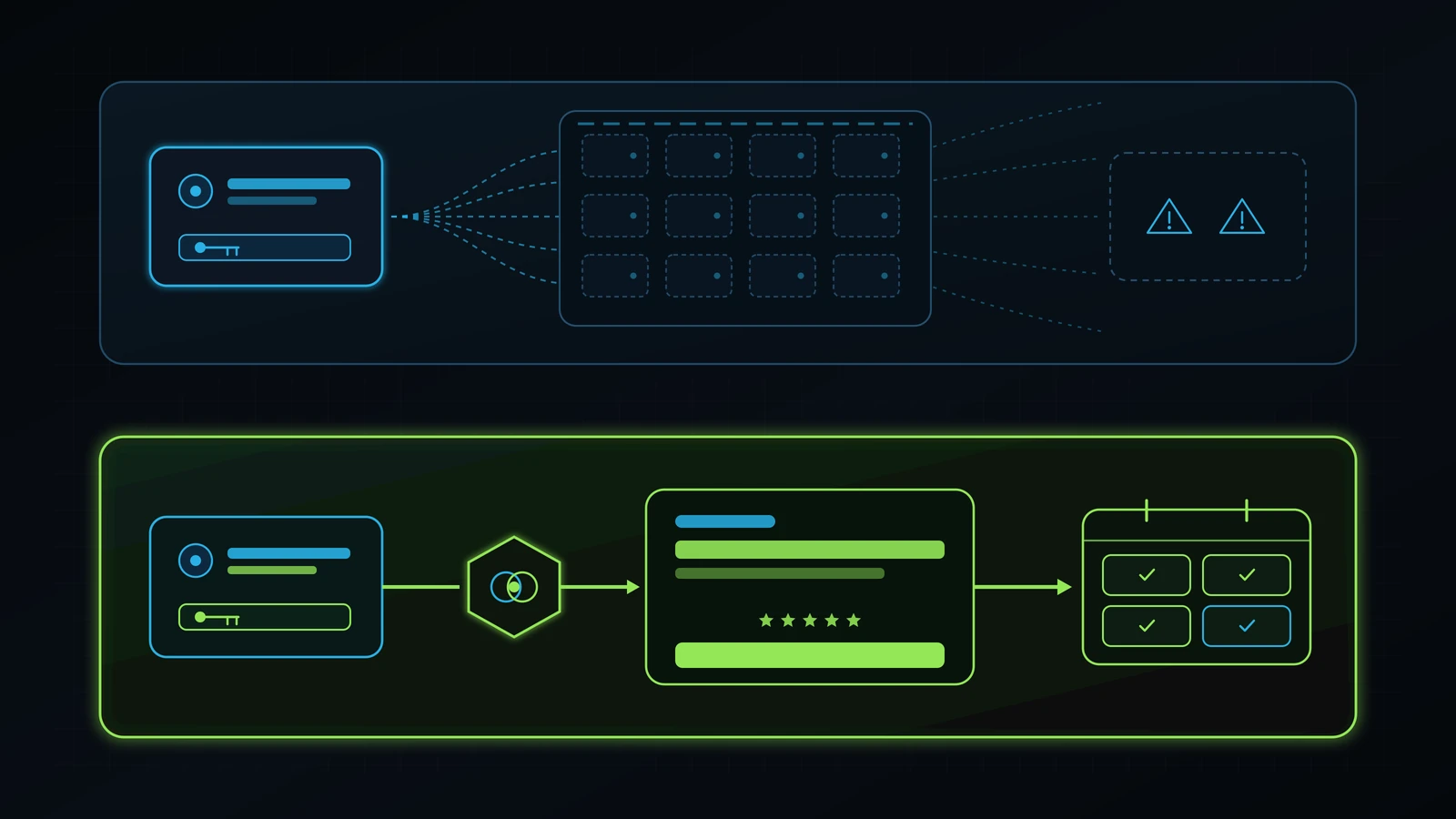
Every paid search click, Meta ad tap, Google Maps visit, and high-intent organic click must land on a page whose H1 headline, subheadline, and primary call-to-action confirm the exact service, offer, and location promised in the click within five seconds (Google, 2026). In our Google Ads audit, Facebook Ads audit, and Google Business Profile audit playbooks, we routinely see businesses pay $18 to $65 per click for specific commercial searches like “emergency AC repair Austin” or “hydrafacial pricing Miami,” only to dump that visitor onto a generic company homepage.
Why Generic Homepages Destroy Paid Traffic Conversions
A homepage is built for brand exploration: it has a top navigation bar with eight dropdown menus, links to your blog, a founder biography, four different service categories, and a footer with social media icons. When a prospect with an urgent problem clicks a specific ad and lands on a generic homepage, you force them to do detective work to find the offer they just clicked (Illustrative Model, 2026). On a smartphone screen, 60% to 75% of paid visitors refuse to hunt through your menu and hit the back button within five seconds (Illustrative Model, 2026).
The 5-Point Message Match Checklist
Open your top three paid ads and your top three organic entry pages side by side, and score these five elements on the first screen before scrolling:
- Exact Service and Offer Mirroring in the
<h1>: If your ad promises a “45-Minute Commercial Roof Inspection,” the landing page<h1>must state that exact service and outcome, not a vague slogan like “Trusted Roofing Excellence for Generations” (Illustrative Model, 2026). - Location Signal in the First Screen (for Local Services): A local buyer immediately asks, “Are they actually in my city, or is this a national lead-aggregator directory?” Place your city, neighborhood, or service area directly in the eyebrow badge,
<h1>, or subheadline alongside your local phone number. - Zero Navigation Leaks on Paid Landing Pages: Dedicated paid landing pages (
/lp/...or campaign-specific routes) should strip out the top navigation menu, blog links, and external social media icons so the visitor has only two choices: claim the offer (via form, calendar, or click-to-call) or close the tab (Illustrative Model, 2026). - Specific Outcome + Timeframe Subheadline: Replace generic adjective soup with a two-sentence operational promise: who the service is for, what problem it solves, and what happens immediately after they contact you (for example, “Get a written 12-point diagnostic report within 24 hours, with zero obligation to hire us”).
- Single Unified Call-to-Action (CTA): Never put three competing CTAs on the same screen (“Subscribe to Our Newsletter,” “Download Our Brochure,” and “Request a Quote”). Every button on the page must drive the exact same primary revenue action.
Step 2: Audit 390px Mobile Viewport Rendering, Core Web Vitals, and Above-the-Fold Visibility
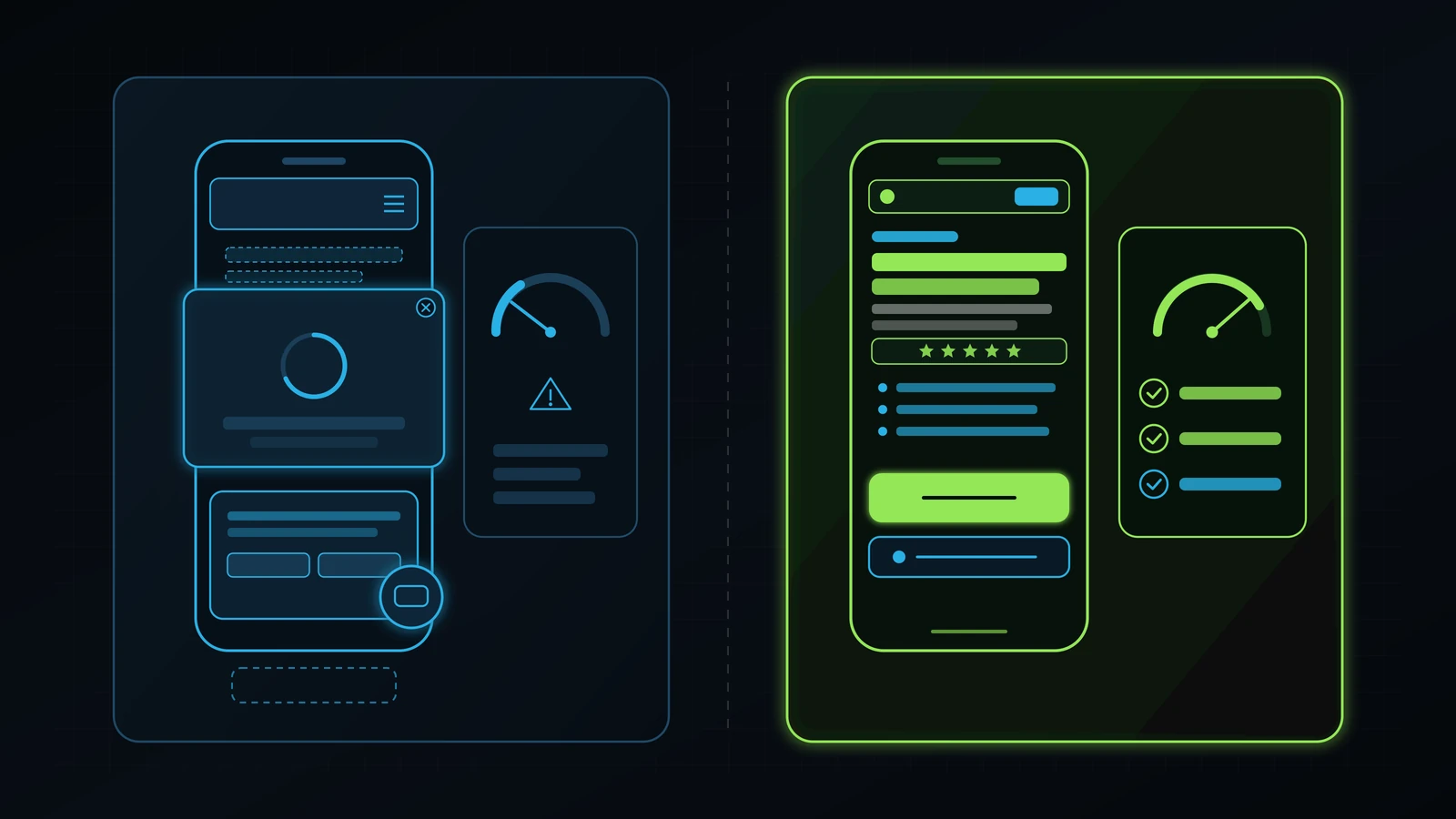
Over 70% of paid social clicks and local service searches happen on mobile phones, which means a website conversion audit performed only on a 27-inch desktop monitor misses the exact layout defects killing your conversion rate (Google, 2026). On our own property and across every client build at Integral Technologists, we enforce a strict 390x844 mobile viewport lock alongside Google’s Core Web Vitals thresholds: Largest Contentful Paint (LCP) under 2.5 seconds, Interaction to Next Paint (INP) at or below 200 milliseconds, and Cumulative Layout Shift (CLS) under 0.1 (Google, 2026).
The 5 Mobile Viewport Failures That Silently Kill Conversions
Pull out your smartphone (or open Chrome DevTools in Device Mode set to 390 x 844, iPhone 14/15/16 viewport) and load your landing page over a standard cellular connection (Google, 2026). Check for these five mechanical defects:
- The Multi-Layer Overlay Suffocation (Chat Bubble + Cookie Banner + Promo Popup): In more than half of the small-business websites we audit during a tech stack audit, loading a page on a 390px phone triggers a 180-pixel GDPR cookie banner at the bottom, a floating third-party chat widget covering the bottom-right corner, a sticky header taking 90 pixels at the top, and an immediate “10% Off Newsletter” modal in the center (Illustrative Model, 2026). The visitor cannot read a single sentence of your offer without playing whack-a-mole with three microscopic
Xbuttons. - JavaScript Reveal Gates Hiding Above-the-Fold Copy (
opacity: 0): Many modern WordPress, Webflow, and custom templates apply scroll-reveal classes (.reveal,aos-init, oropacity: 0) to hero containers and article bodies. When mobile JavaScript lags or an ad-blocker delays a third-party script, the visitor stares at a blank background for three seconds and bounces before the headline ever paints (Google, 2026). Above-the-fold text and hero visuals must always render immediately atopacity: 1without waiting for anIntersectionObserver. - Hero Image Cropping and Missing
fetchpriority="high": Never load a 4-megabyte PNG or auto-playing background video in your mobile hero section, and never putloading="lazy"on your above-the-fold hero visual (Google, 2026). Serve a properly sized WebP image with explicitwidthandheightattributes,loading="eager", andfetchpriority="high"so the browser paints the hero immediately with zero layout shift (CLS = 0.00) (Google, 2026). - The Primary CTA Buried Three Scrolls Down: On a 390px phone screen, if your headline uses 56px font with huge padding followed by a tall square image, the primary CTA button and trust bar get pushed completely below the fold. Ensure that the
<h1>, value proposition, trust bar, and primary CTA button (or click-to-call bar) are visible on the very first mobile screen without scrolling. - Horizontal Overflow (
scrollWidth > 390px) and Unreadable Comparison Tables: Drag your thumb left and right on your mobile page. If an un-wrapped URL, a rigid 4-column pricing table, or an oversized padding container causes the page to wobble horizontally (scrollWidth > clientWidth), mobile form completion plummets. Every comparison table must either collapse into stacked mobile cards with clear labels or sit inside a clean touch-scrollable container.
Step 3: Audit Offer Architecture, Verifiable Proof, and Buyer Risk Reversal
Traffic converts when the perceived certainty of your outcome outweighs the money, time, and risk required to take the next step (Illustrative Model, 2026). During a conversion rate optimization audit, once you confirm that the page loads quickly and matches the ad headline, your next job is to inspect the persuasion and proof architecture of the page.
Why Generic Agency Copy Fails High-Intent Buyers
When agencies use generic AI prompts to write service landing pages, every competitor in your city ends up with the exact same hollow claims: “We provide tailored, high-end solutions with a customer-centric approach.” A business owner or healthcare patient reading that sentence learns nothing. They want specific operational answers to four unspoken questions:
- Have you solved this exact problem for someone like me before? Replace anonymous quotes (“Great service! - John D.”) with verifiable first-party proof: real business or clinic scenarios, concrete before-and-after operational changes, verified Google review ratings with real review counts, and named practitioner credentials. For example, when we explain how we unify website conversion flows, GoHighLevel CRM pipelines, and paid acquisition on this site, we reference our real, publicly documented work with A Younger You Wellness & MedSpa and TOCC Aesthetics alongside transparent
(Illustrative Model, 2026)financial breakdowns rather than inventing fictional client logos. - What actually happens if I fill out this form or book a call? Buyers hesitate when “Contact Us” feels like a black hole or a high-pressure timeshare pitch. Spell out the exact next step right beside the form: “Book a free 30-minute discovery call. We will open your live account together, show you the top three conversion leaks on screen, and give you a clear repair plan before you spend a dollar.”
- What does it cost (or how is pricing structured)? Hiding pricing completely on a commercial service page forces price-sensitive tire-kickers to book calls they cannot afford while scaring away serious buyers who hate opaque sales games. Even if your work requires custom scoping, publish clear starting anchors or transparent tier structures (such as our published $499/month Executive Tech & Operations Advisory model versus separate scoped implementation projects).
- Who is NOT a fit for this offer? Paradoxically, one of the strongest conversion boosters on a high-ticket service page is an honest “Who This Is For / Who This Is Not For” section. Explicitly stating when a buyer should not hire you builds immediate executive trust and pre-qualifies your calendar.
Step 4: Audit Form Field Friction, Multi-Channel Contact Options, and Self-Booking Architecture
Every unnecessary form field, mandatory dropdown, or missing contact channel acts as a tollbooth between a motivated prospect and your sales pipeline (Illustrative Model, 2026). When we audit service-business landing pages that suffer from high traffic and near-zero leads (landing page not converting), the culprit is almost always a high-friction contact form built for the convenience of an administrator rather than the psychology of a mobile buyer.
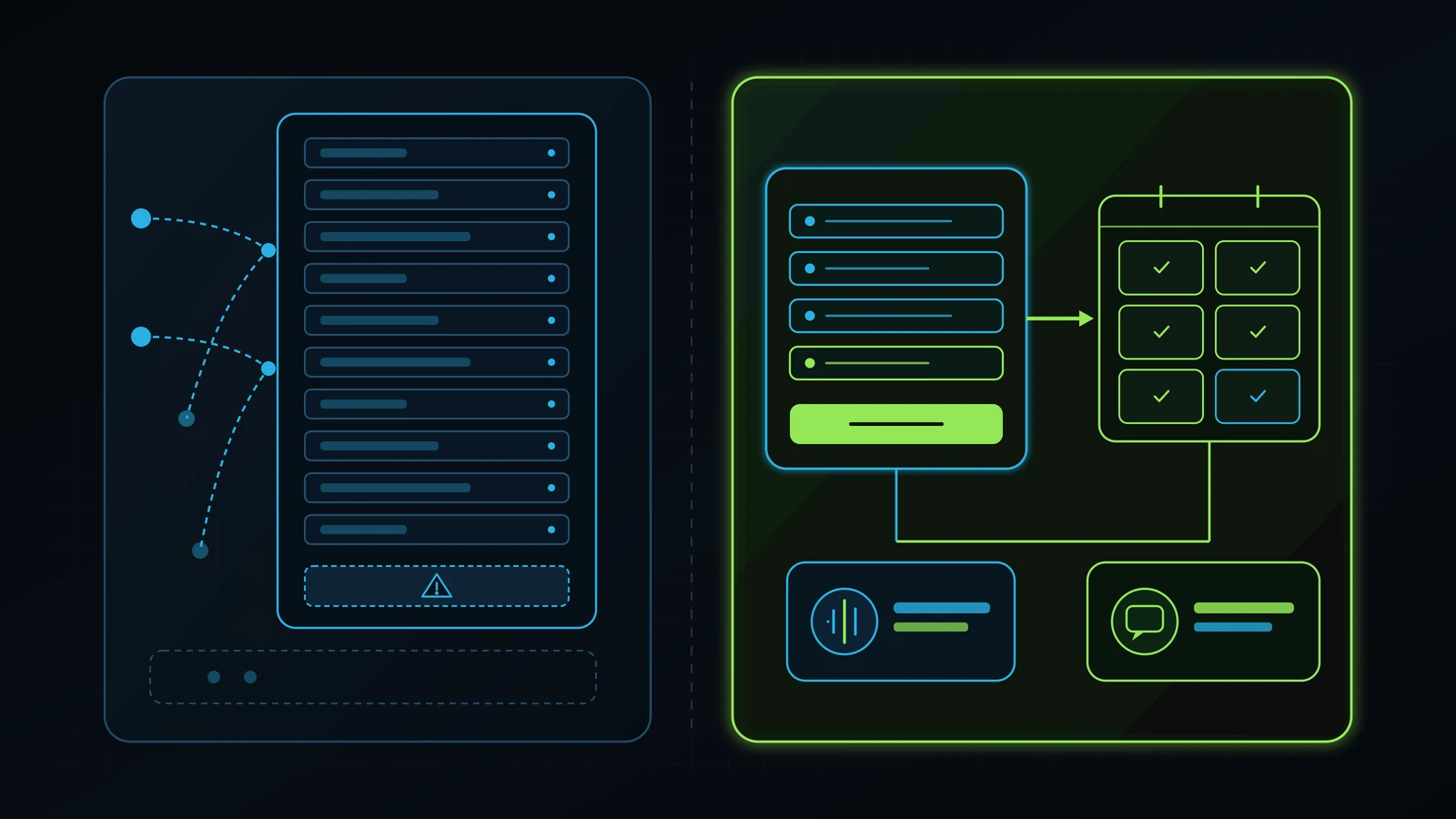
The 4-to-5 Field Rule for Service Landing Pages
On a mobile device, typing a long paragraph into a tiny text box while standing in a parking lot is painful. Unless you are running a regulated medical intake that legally requires health history prior to an appointment, your primary conversion form should never exceed four to five fields:
- Field 1: Full Name (
autocomplete="name") - Field 2: Mobile Phone Number (
type="tel",inputmode="tel",autocomplete="tel") - Field 3: Email Address (
type="email",inputmode="email",autocomplete="email") - Field 4: Primary Service or Goal (clean radio buttons or a single tap-friendly dropdown)
- Field 5 (Optional): One short question or context field
Check your form HTML attributes during your landing page optimization checklist review: if your phone number field uses type="text" instead of type="tel", mobile browsers display the full alphabetical keyboard instead of the large 10-key numeric pad, increasing typos and abandonment (Google, 2026).
The Two-Step Form + Calendar Redirect Pattern
How do you keep form friction low without flooding your sales team with unqualified leads (the exact trap we warned against with default “More Volume” Instant Forms in our Facebook Ads audit)? You use a Two-Step Capture-to-Calendar Architecture:
- Step A (Friction-Free Contact Capture + 1 Qualifying Filter): The visitor enters their Name, Mobile Phone, Email, and selects their primary need or budget bracket on a clean 4-to-5 field card, then taps the primary CTA button (
Book My 30-Minute AuditorCheck Availability & Pricing). - Step B (Immediate Calendar Self-Booking on the Confirmation Screen): The moment they tap submit, their contact record is safely captured in your GoHighLevel CRM (so even if they get interrupted, your 60-second speed-to-lead workflow can follow up), AND the screen immediately loads an embedded self-booking calendar where high-intent prospects pick their exact appointment slot on the spot (Illustrative Model, 2026).
Multi-Channel Contact Parity: Voice, Form, and SMS
Not every high-value customer wants to fill out a web form. A homeowner with a burst pipe or a patient with an urgent clinical question wants to call or text right now, whereas an executive researching at 10:30 PM wants to book a calendar slot silently. Every commercial service page must provide three synchronized entry paths connected to the same CRM:
- Direct Form-to-Calendar Capture (for self-serve schedulers).
- Sticky Mobile Click-to-Call (
tel:link with dynamic call tracking) backed by an AI receptionist for small business and human escalation so zero inbound calls go to voicemail. - Instant SMS / Missed-Call Text-Back so any caller who hangs up or prefers texting receives an immediate, helpful two-way SMS thread inside your CRM.
Step 5: Audit Frankenstein Third-Party Scripts, Popups, and UX Distractions
A high-converting website is defined as much by what you delete as by what you add. During our tech stack audit engagements and our clinic migrations for A Younger You Wellness & MedSpa and Healing Hands Holistic Care, we routinely uncover what I call the Frankenstein Marketing Stack: layers of abandoned JavaScript snippets left behind by three previous agencies over four years (Illustrative Model, 2026).
How Legacy Scripts Sabotage Your Conversion Rate
Open your landing page in Google Chrome, right-click Inspect > Network > JS / Third-Party, and reload the page (Google, 2026). In a typical un-audited small-business WordPress or Shopify site, you will find:
- Two different Google Tag Manager containers installed by two past agencies.
- Three abandoned heatmapping or session-recording scripts (
Hotjar,Lucky Orange,Mouseflow) recording sessions that nobody has logged into since 2023. - A clunky third-party live chat widget that takes 1.8 seconds to initialize, blocks the mobile submit button, and says “We are currently offline, leave a message” when clicked.
- Social-proof notification popups in the bottom-left corner firing fake urgency banners every six seconds while the prospect is trying to read your pricing table.
Every single one of those scripts competes for main-thread CPU time on your visitor’s smartphone, inflating Interaction to Next Paint (INP) past 400 milliseconds so that when a user taps your CTA button, the page freezes (Google, 2026). Strip out every legacy pixel, heatmap script, offline chat bubble, and popup banner that does not directly contribute to a verified CRM conversion today.
Step 6: Audit Conversion Tracking, GA4 Key Events, and Server-Side Attribution
You cannot optimize a conversion rate if your analytics dashboard is lying to you about which pages, ads, and keywords actually produce customers (Google, 2026). A rigorous conversion rate audit inspects the exact technical firing conditions of your conversion events across Google Analytics 4 (GA4), Google Ads, Meta Events Manager, and your CRM.
The 4 Attribution Defects That Corrupt CRO Decisions
- Counting Button Clicks or Page Views Instead of Verified Submissions: Never trigger a primary
generate_leadorLeadconversion event simply because a user clicked a “Submit” button (which fires even when required fields are blank and the form fails validation) or visited a/contact/page (Google, 2026). Primary conversion events must fire strictly on a confirmed form-submission callback, a dedicated/thank-you/confirmation URL, or a verified calendar-booking webhook. - Missing Hidden UTM,
gclid, andfbclidFields on Lead Forms: If your landing page captures a lead’s name, email, and phone number but fails to capture the URL’sutm_source,utm_medium,utm_campaign,utm_term,gclid(Google Click ID), andfbclid(Meta Click ID) into hidden CRM fields, your marketing reports go blind the moment the form is submitted (Google, 2026). You end up knowing you got 50 leads this month, but you have zero idea whether your $4,000 paid search campaign drove the 8 clients who actually paid you or the 42 leads who ghosted you (Illustrative Model, 2026). - Un-Tracked Phone Calls (
tel:Links Without Call Tracking): In local service businesses (HVAC, plumbing, legal, dental, medspas, automotive), 40% to 65% of highest-intent conversions come via phone calls rather than web forms (Illustrative Model, 2026). If your landing page displays a static phone number without Dynamic Number Insertion (DNI) call tracking inside GoHighLevel or CallRail, every phone lead is misattributed as “Direct / Unknown,” causing you to pause the exact landing pages and ads that are ringing your front desk (Illustrative Model, 2026). - Missing Server-Side Conversion Feedback (Enhanced Conversions & CAPI): Browser cookie blockers strip 20% to 35% of client-side tracking pixels in 2026 (Meta, 2026). Pairing browser tags with Google Ads Enhanced Conversions for Leads and Meta’s Conversions API (CAPI) using a shared
event_iddeduplication key ensures that both ad platforms optimize toward real CRM-qualified appointments rather than accidental clicks (Google, 2026; Meta, 2026).
Step 7: Audit Post-Submit Speed-to-Lead and Closed-Loop CRM Revenue Attribution
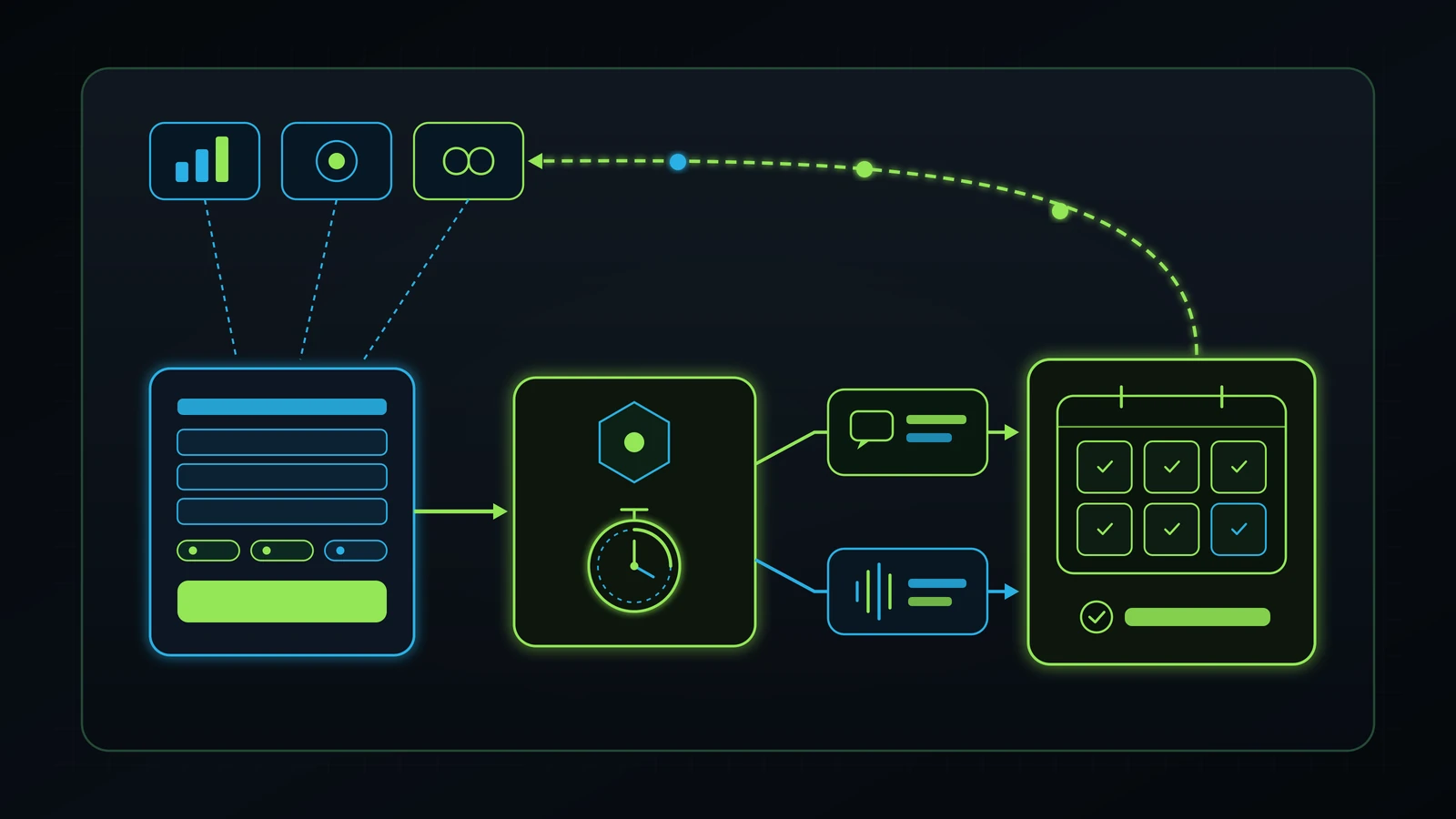
A landing page conversion is not the finish line; it is the baton handoff into your operations pipeline. The single fastest way to double the ROI of a conversion rate optimization audit is to fix what happens in the first 60 seconds after a visitor submits your form or calls your number (Illustrative Model, 2026).
Why CRO Agencies Stop Too Early (At the Thank-You Page)
Traditional CRO agencies and web designers consider their job finished the millisecond a visitor lands on /thank-you/. They celebrate a 6% form conversion rate in their monthly slide deck and hand you an invoice. Meanwhile, what actually happens to that lead inside your business?
In our operational audits, we routinely test a client’s live website form at 1:30 PM on a Tuesday using a real phone number. Here is what we see in un-audited businesses:
- The website shows a generic message: “Thank you for contacting us. Someone will get back to you within 24 to 48 business hours.”
- Behind the scenes, WordPress sends a plain-text notification email to
info@company.com(which half the time lands in a spam folder or sits in a shared inbox that three staff members assume someone else is checking, violating every rule we teach on how to hold employees accountable). - Six hours later, or the next afternoon, an admin copies the lead into a spreadsheet and calls once. The prospect does not recognize the number, does not answer, and the lead is marked “Unresponsive” (Illustrative Model, 2026).
The Sub-60-Second GoHighLevel Conversion Bridge
As we detail in our lead follow-up system and GoHighLevel consultant guides, when you wire your landing page directly into a unified CRM backbone, the post-submit experience transforms immediately:
- Second 0 to 5 (Instant CRM Ingestion & Pipeline Creation): The landing page form or native GoHighLevel form creates an Opportunity card in the
New Inbound Leadstage with full UTM,gclid/fbclid, and landing-page URL attribution attached. - Second 5 to 30 (Personalised Instant SMS + Booking Confirmation): If the prospect did not pick a calendar slot on Step 2 of the form, the system sends an immediate, natural SMS from your local business number: “Hi [First Name], this is [Owner/Specialist Name]’s team at [Company]. Just saw your request regarding [Service Selected]. Do you have 3 minutes for a quick call right now, or would you prefer to grab a time on our calendar here: [Link]?”
- Second 30 to 60 (Automated Whisper-Bridge Call or AI Voice Triage): Simultaneously, the CRM rings your designated internal champion (or triggers your trained AI voice receptionist if all human lines are busy), bridging the call to the prospect while they are still holding their phone and looking at your website (Illustrative Model, 2026).
- Day 1 to Day 14 (Multi-Touch Omni-Channel Persistence): If the prospect is in a meeting and misses the first call, the workflow automatically executes a respectful, value-first 14-day sequence across SMS, email, and assigned human follow-up tasks with overdue escalation in
iT-Kanbanuntil the prospect books or opts out.
Illustrative Financial Model: Traffic Scaling vs. Conversion & Speed-to-Lead Optimization
To see why a conversion rate optimization audit should always precede an ad-budget increase, compare the three operating scenarios below for a service business currently spending $5,000 per month on paid traffic at $5.00 per click (1,000 monthly visitors) with an average customer value of $1,800 (Illustrative Model, 2026).
| Metric | Scenario A: Un-Audited Baseline (Leaky Page + Slow Follow-Up) | Scenario B: Doubling Ad Spend Without Auditing ($10,000/mo Spend) | Scenario C: Post-CRO & Speed-to-Lead Audit (Same $5,000/mo Spend) |
|---|---|---|---|
| Monthly Paid Ad Spend | $5,000 | $10,000 (+100% spend) | $5,000 (0% extra ad spend) |
| Monthly Landing Page Visitors ($5.00 CPC) | 1,000 visitors | 2,000 visitors | 1,000 visitors |
| Mobile LCP & Form Friction State | 4.6s LCP, generic homepage, 9-field form | 4.6s LCP, generic homepage, 9-field form | 1.7s LCP, 1:1 message match, 4-field + calendar |
| Visitor-to-Lead Conversion Rate | 2.2% | 2.0% (diminishing returns on broader clicks) | 6.5% (after Steps 1 to 5 repairs) |
| Total Monthly Leads Captured | 22 leads | 40 leads | 65 leads |
| Effective Cost Per Lead (CPL) | $227.27 | $250.00 | $76.92 |
| First Response Time (Speed-to-Lead) | 5.5 hours (manual email inbox) | 6.5 hours (staff overwhelmed) | Under 60 seconds (GHL SMS + Voice Bridge) |
| Lead-to-Booked-Appointment Rate | 20% (4.4 appointments) | 18% (7.2 appointments) | 40% (26.0 appointments) |
| Appointment-to-Closed-Client Rate (50%) | 2.2 closed clients | 3.6 closed clients | 13.0 closed clients |
| Customer Acquisition Cost (CAC) | $2,272.73 per client | $2,777.78 per client | $384.62 per client |
| Monthly Collected Revenue ($1,800/client) | $3,960 (Net Loss) | $6,480 (Net Loss) | $23,400 (4.68x ROAS) |
(Source: Illustrative Model, 2026. All figures above are hypothetical mathematical projections illustrating the compounding impact of landing-page conversion rate and speed-to-lead booking rate on fixed media spend, not a guarantee of individual financial performance.)
Notice the math in Scenario B versus Scenario C: doubling your ad budget from $5,000 to $10,000 on a leaky 2.2% page with 5.5-hour follow-up actually increases your Customer Acquisition Cost to $2,777.78 and deepens your monthly loss (Illustrative Model, 2026). By contrast, keeping ad spend flat at $5,000 while lifting page conversion from 2.2% to 6.5% and speed-to-lead booking from 20% to 40% reduces CAC by 83% (from $2,272.73 down to $384.62) and turns a losing campaign into $23,400 in monthly revenue (Illustrative Model, 2026).
DIY Website Audit vs. Traditional CRO Agency vs. Independent Operational Advisory
When business owners search for a conversion rate optimization consultant (1,600/mo, $36.25 CPC) or a website conversion audit, they are usually pitched bloated $4,000-to-$8,000/month CRO agency retainers designed for Fortune 500 e-commerce stores running 500,000 monthly sessions (DataForSEO, 2026; Illustrative Model, 2026). A local or regional service business does not need multivariate heatmaps for six months; it needs an operator who can fix the page, the tracking, and the CRM pipeline in one unified sprint.
| Evaluation Criteria | DIY Using Free Automated Page Scanners | Traditional E-Commerce CRO Agency ($4,000 to $8,000/mo) | The Retired Consultant Advisory ($499/mo + Scoped Execution) |
|---|---|---|---|
| Primary Diagnostic Focus | Surface SEO tags and generic PageSpeed warnings without business context. | Slow multivariate A/B button tests and heatmap slide decks. | End-to-end operational funnel: Ad scent, 390px mobile UX, form friction, CAPI tracking, and 60s CRM follow-up. |
| Integration With Google/Meta Ads & CRM | None (evaluates the URL in total isolation). | Rarely touches your CRM, phone routing, or front-desk follow-up speed. | Audits Google Ads, Meta Ads, Landing Page, GoHighLevel CRM, and AI/human call handling as One Umbrella. |
| Upfront Commitment & Retainer Risk | $0 cash, high owner time-cost guessing what to fix first. | $12,000 to $24,000+ across 3-to-6-month lock-in contracts (Illustrative Model, 2026). | Free 30-minute discovery call, then $499/mo month-to-month personal advisory with transparent scoped execution. |
| Who Owns the Code, Data & Templates | You own it, if you know how to edit the code without breaking it. | Often locked inside third-party A/B testing scripts (VWO/Optimizely) that disappear when you cancel. |
100% client-owned code, Astro/WordPress/GHL assets, and first-party server tracking. |
| Speed to Measurable Conversion Lift | Weeks of trial and error. | 60 to 120 days waiting for “statistical significance” on small traffic. | High-impact structural leaks isolated on Call 1 and repaired within a 14-to-30-day sprint (Illustrative Model, 2026). |
Next Steps and Related Operational Guides
- Executive Tech & Operations Advisory: Explore the $499/month independent advisory model with Faiz Ahmed, starting with a free 30-minute discovery call.
- Operations, AI & Conversion Architecture: Review our hands-on website conversion, paid media attribution, and GoHighLevel CRM implementation scope.
- Book a Free 30-Minute Discovery Call: Open your live landing pages, ad accounts, and CRM pipeline together on screen with Faiz Ahmed.
- Google Ads Audit Checklist: A Small Business Guide: Stop wasting paid search budget before clicks ever reach your landing page.
- Facebook Ads Audit: 7-Step Meta Account Checklist: Expose low-intent Instant Forms, Pixel firing errors, and Advantage+ placement leaks.
- Google Business Profile Audit: The 7-Step Map Pack Checklist: Align your local Google Maps categories, UTM tracking, and phone call capture with your website service pages.
- Lead Follow-Up System: A Small Business Playbook: Install the sub-60-second SMS and voice follow-up cadence that converts landing-page leads into booked appointments.
- Hiring a GoHighLevel Consultant: An Owner’s Guide: Unify your landing page forms, calendars, call tracking, and pipeline automation inside one CRM.
- AI Receptionist for Small Business: Honest Guide: Back up your sticky mobile click-to-call buttons with AI voice triage and human escalation.
- Tech Stack Audit: A Guide for Small Business: Remove Frankenstein third-party scripts and overlapping SaaS subscriptions slowing down your mobile pages.
- Digital Marketing Agency Audit: An Owner’s Guide: Inspect vendor contracts, conversion definitions, and retainer accountability across your marketing spend.
- In-House Marketing vs. Agency: An Owner’s Breakdown: Compare the unit economics of hiring in-house, paying agency retainers, or running an owner-controlled hybrid pod.
- Service Business Revenue Leaks: Diagnose and plug hidden operational and post-click margin losses across your business.
- How to Hold Employees Accountable Without Micromanaging: Replace shared-inbox finger-pointing with clear single-owner lead response SLAs.
References
- Google Search Central (2026). Understanding Core Web Vitals and Google Search Results (LCP <= 2.5s, INP <= 200ms, CLS < 0.1). https://developers.google.com/search/docs/appearance/core-web-vitals
- Google Analytics Help (2026). Set Up and Manage Key Events (Conversions) in Google Analytics 4. https://support.google.com/analytics/answer/12844695
- Google Ads Help (2026). About Enhanced Conversions for Leads and First-Party Conversion Measurement. https://support.google.com/google-ads/answer/11347292
- Meta Business Help Center (2026). About Conversions API and Server-Side Event Deduplication (
event_idand Event Match Quality). https://www.facebook.com/business/help/2041148702652965 - Google Search Status Dashboard (2026). Google Search Ranking Releases History (September 2026 Spam Update Completion Verified November 6, 2026). https://status.search.google.com/products/rGHU1u87FJnkP6W2GwMi/history
- DataForSEO (2026). Live US Keyword Overview, Google Organic SERP, and Bulk Referring Domains Intelligence for
conversion rate optimization auditandlanding page audit(Retrieved November 6, 2026). https://dataforseo.com/
Disclaimer: This article reflects the author’s personal opinion and a decade of practical experience building and auditing website conversion architecture, paid acquisition, and CRM operations across retail, F&B, automotive, healthcare, wellness, and service businesses. Firsthand operational references (including publicly documented engagements at Integral Technologists such as A Younger You Wellness & MedSpa, TOCC Aesthetics, and Healing Hands Holistic Care) describe real operating work, while diagnostic loss ranges and financial comparison scenarios are simplified illustrative models (Illustrative Model, 2026) rather than guaranteed financial outcomes. The author has a commercial interest in advisory, web conversion, and CRM implementation through The Retired Consultant, Integral Technologists, and OmniFlow, as disclosed under the byline.
