

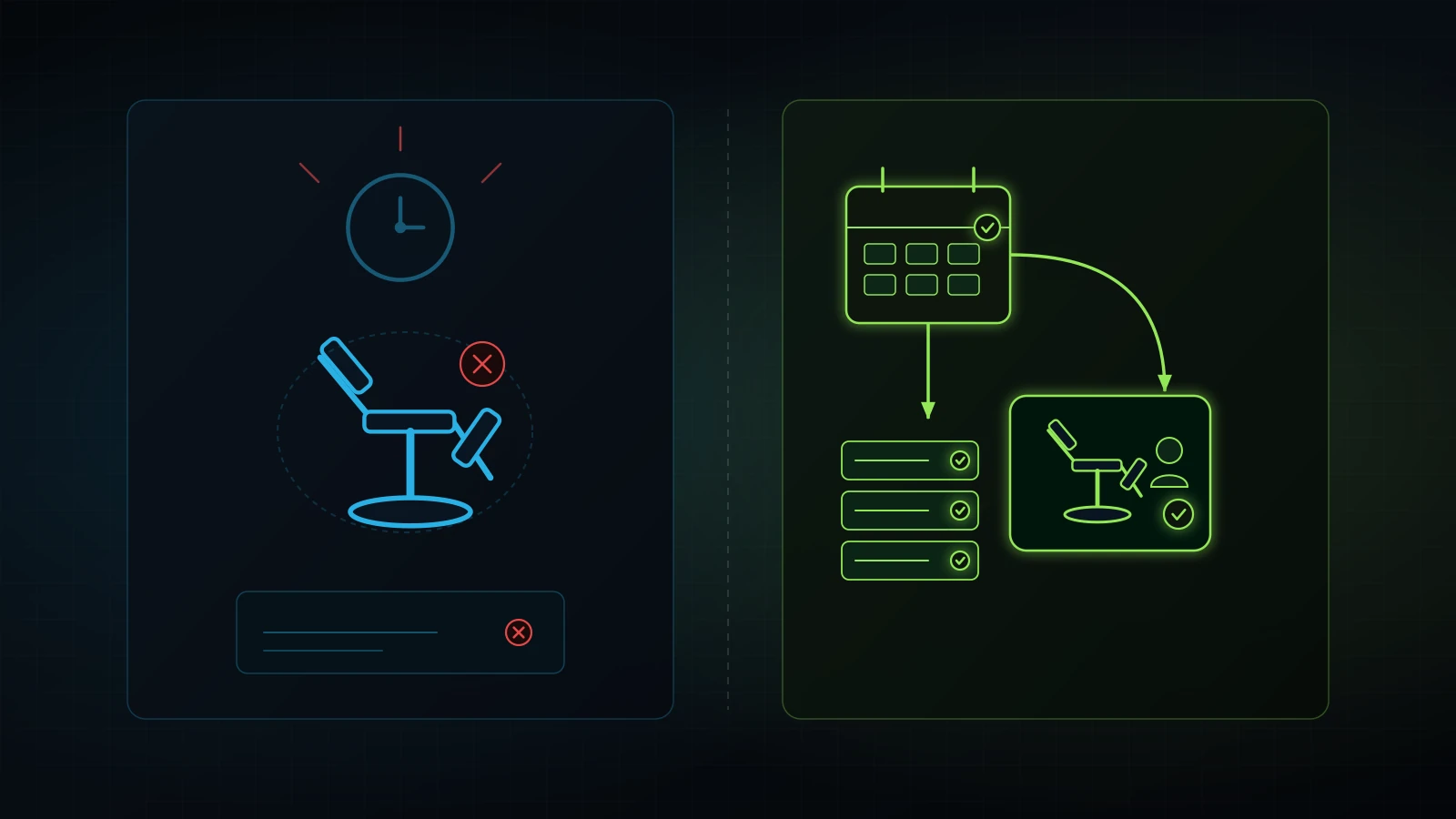
Empty clinic chairs permanently destroy gross margin. Protect your calendar with disciplined operational systems.
Use these four operator checkpoints before relying on passive reminder emails.
To reduce no show appointments, you must replace passive email notifications with an active five-step operational system: calculate your true hourly capacity loss, deploy a three-touch two-way SMS reminder cadence, require pre-visit intake micro-commitments, enforce a clear card-on-file policy, and route unconfirmed high-value appointments to human staff for personal phone triage.
In appointment-driven service businesses, an empty calendar slot is perishable inventory. If an aesthetic injector, physical therapist, legal advisor, or senior consultant has an empty 60-minute window at 2:00 PM on a Tuesday, that hour is lost forever. You cannot package that hour, place it on a warehouse shelf, and sell it tomorrow. Your fixed facility overhead, front-desk payroll, clinical equipment leases, and utility bills continue running whether a client occupies the chair or leaves it empty. According to medical practice management studies, average healthcare and specialized clinic no-show rates hover between 15% and 20% nationally (Medical Group Management Association [MGMA], 2024; PMC, 2013). That represents thousands of dollars in unrecoverable gross margin evaporating every month.
Over a decade of practical experience helping founders exit the operator trap, I have audited clinics and service companies where owners responded to no-shows with two destructive reactions: they either threw their hands up and accepted ghosting as an unavoidable cost of doing business, or they adopted aggressive double-booking tactics that punished on-time clients with chaotic waiting rooms. Neither approach solves the root failure. Clients miss appointments because of three distinct friction points: simple memory lapses, emotional avoidance regarding procedure costs or paperwork, and total lack of financial commitment at the moment of booking.
When we configure clinic operations across our CRM networks, including specialized aesthetic medical practices and wellness clinics (such as Dr. J anti-aging practices and regional medspas), we approach scheduling through Checkpoint 18 of our operational doctrine: resilient CRM infrastructure, automated communication first, and human team members as backup. This operating procedure provides the exact templates, mathematical models, policy frameworks, and human escalation workflows required to bring your no-show rate down under 5% without damaging client relationships.
The Financial Math: What a 20% No-Show Rate Actually Costs Your Business
Calculate the true financial drain of missed appointments by measuring lost production revenue, unabsorbed fixed clinic overhead, and customer acquisition waste. A missed appointment costs substantially more than the nominal retail price of the service; it destroys the foundational unit economics of your practice.
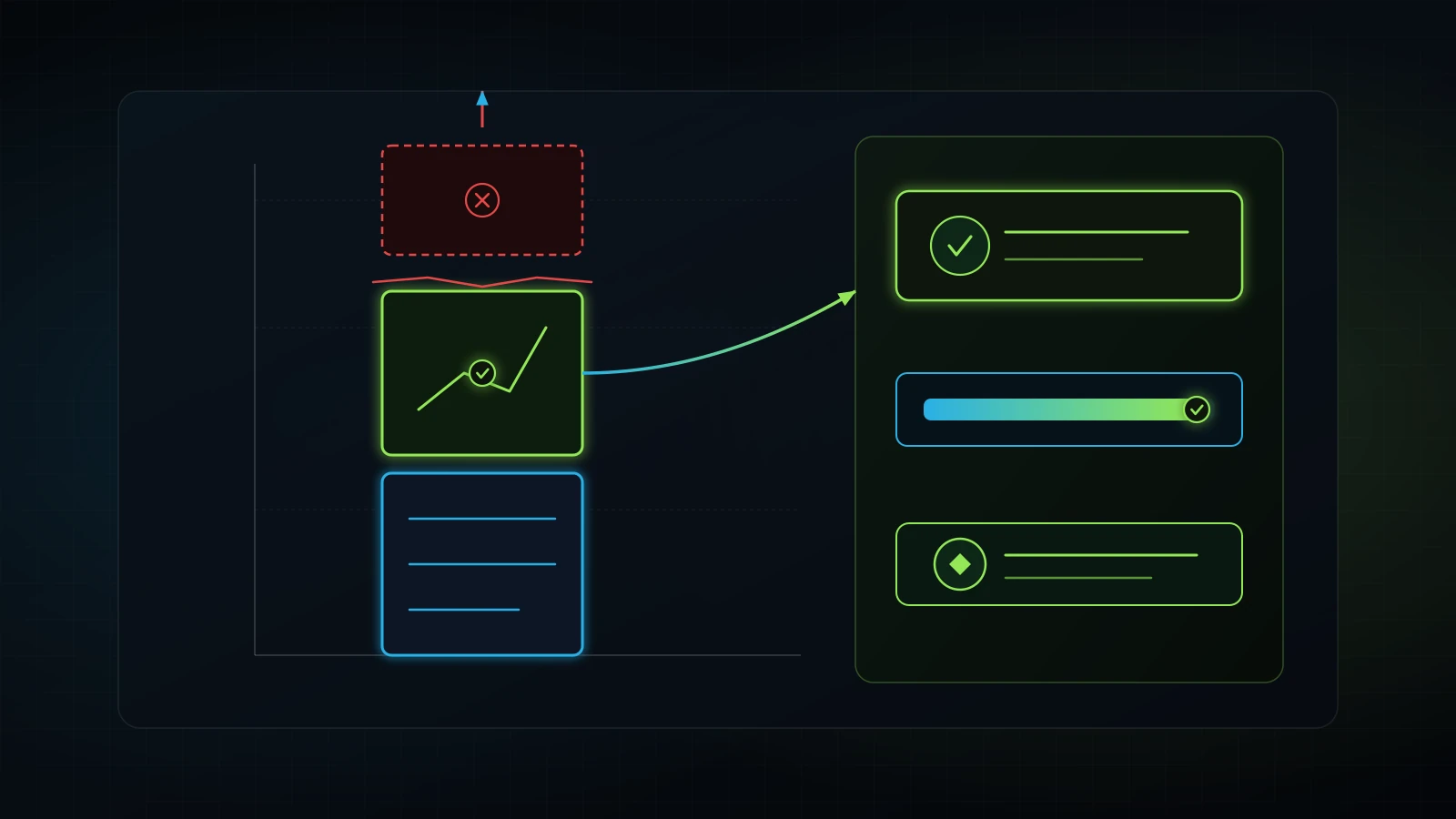
Consider an illustrative medical spa or specialized consultation practice operating two treatment rooms, five days per week, eight hours per day. That business generates 80 available production hours each week, or roughly 346 operating hours per month.
+-------------------------------------------------------------------------------+
|                   CLINIC APPOINTMENT CAPACITY BASELINE                        |
+-------------------------------------------------------------------------------+
| Operating Rooms / Service Bays:              2 rooms                          |
| Weekly Operating Hours per Room:             40 hours                         |
| Total Monthly Available Chair Hours:         346 hours                        |
| Average Revenue Produced per Chair Hour:     $250.00                          |
| Total Potential Monthly Production:          $86,500.00                       |
+-------------------------------------------------------------------------------+
If that business suffers from an industry-standard 18% no-show and late-cancellation rate (MGMA, 2024), 62 hours of clinical capacity sit completely empty every month.
Illustrative Monthly Revenue Erosion:
Total Available Chair Hours:       346 hours
Lost Production Hours (18% rate):  62.3 hours
Average Hourly Value:              $250.00
Direct Monthly Revenue Lost:       $15,575.00
Annual Revenue Destroyed:          $186,900.00
The loss goes deeper than top-line revenue. Fixed expenses remain static:
- Fixed facility overhead: Rent, clinical equipment leases, insurance, software licensing, and utilities cost approximately $12,000 per month in this illustrative clinic, or $34.68 per operating hour regardless of patient presence (source: clinic facility cost benchmarking model). When a client no-shows, the business pays $34.68 in cash for that client not to be there.
- Idle staff wages: Clinical assistants and front-desk receptionists earn their hourly wages regardless of chair utilization. At an illustrative $22.00 per hour for support staff (BLS, 2024), unutilized time drains payroll reserves without generating billing units.
- Wasted acquisition expense: If your practice spends $100 in Meta Ads or Google Ads to acquire a booking (source: patient acquisition benchmark data), a no-show turns that marketing investment into a pure write-off.
| Monthly No-Show Rate | Lost Chair Hours | Direct Monthly Revenue Loss | Annual Production Loss | Recoverable Margin (to 5% target) |
|---|---|---|---|---|
| 25% (Critical Leak) | 86.5 hrs | $21,625.00 | $259,500.00 | $17,300.00 / month |
| 20% (High Friction) | 69.2 hrs | $17,300.00 | $207,600.00 | $12,975.00 / month |
| 15% (Industry Average) | 51.9 hrs | $12,975.00 | $155,700.00 | $8,650.00 / month |
| 10% (Managed System) | 34.6 hrs | $8,650.00 | $103,800.00 | $4,325.00 / month |
| 4% (Target Benchmark) | 13.8 hrs | $3,450.00 | $41,400.00 | Baseline Goal |
Note: Figures are illustrative projections based on a 346-hour monthly capacity at an average yield of $250 per hour (source: clinic production benchmarking model). Reducing no-shows from 18% down to 4% recovers over $140,000 in annual gross production for a two-room facility without spending an extra dollar on advertising. For deeper analysis of operational leaks, explore our breakdown on service business revenue leaks.
Why Passive Reminders Fail: The Psychology of the Missed Appointment
Passive notifications fail because they demand zero active response, blend into email spam filters, and do nothing to overcome client avoidance behaviors. To reduce appointment no shows, operators must diagnose why people actually fail to arrive.
Patients and service clients rarely miss appointments out of malice. In our operational audits, no-shows stem from three distinct cognitive behaviors:
1. The Passive Inbox Graveyard
Most clinic software defaults to sending a single generic email 48 hours before an appointment. The email reads: “Reminder: You have an appointment on Thursday at 2:00 PM.”
In modern business environments, email is an asynchronous, cluttered channel. Consumer open rates for transactional healthcare emails hover around 20% to 25% (Campaign Monitor, 2024). Half of your booked clients never even see the notification. A one-way notification creates no psychological contract. The client glances at the subject line, thinks “I need to check my schedule later,” and deletes or archives the message. Without an immediate, effortless response mechanism, the appointment slips out of working memory.
2. Emotional Avoidance and Clinical Hesitation
In aesthetic practices, dental offices, legal consultations, and specialized medical clinics, clients frequently experience pre-appointment anxiety. They worry about procedure discomfort, fear unexpected out-of-pocket costs, or dread filling out twenty physical pages of clip-board paperwork in a crowded lobby.
When an appointment carries emotional friction, an uncontacted client defaults to the path of least resistance: avoidance. If your intake process is silent until the morning of the appointment, that anxiety peaks, leading to last-minute ghosting or frantic same-day cancellations.
3. Zero Financial or Psychological Sunk Cost
When an individual books an appointment online without providing credit card details or filling out intake questions, they have invested zero equity into the transaction. It took them twenty seconds on a web calendar to reserve the slot. Because abandoning the appointment carries zero tangible consequence, they treat the booking as an optional placeholder.
To eliminate this behavior, your operations must introduce purposeful friction before the appointment, paired with low-friction two-way communication channels.
The 3-Touch Automated Confirmation Cadence That Converts
Deploy an automated, multi-channel three-touch reminder sequence through your CRM to secure explicit conversational confirmations 24 hours prior to service delivery. SMS achieves open rates exceeding 95% within three minutes of delivery (DataForSEO, 2026), making it the premier operational channel for calendar synchronization.
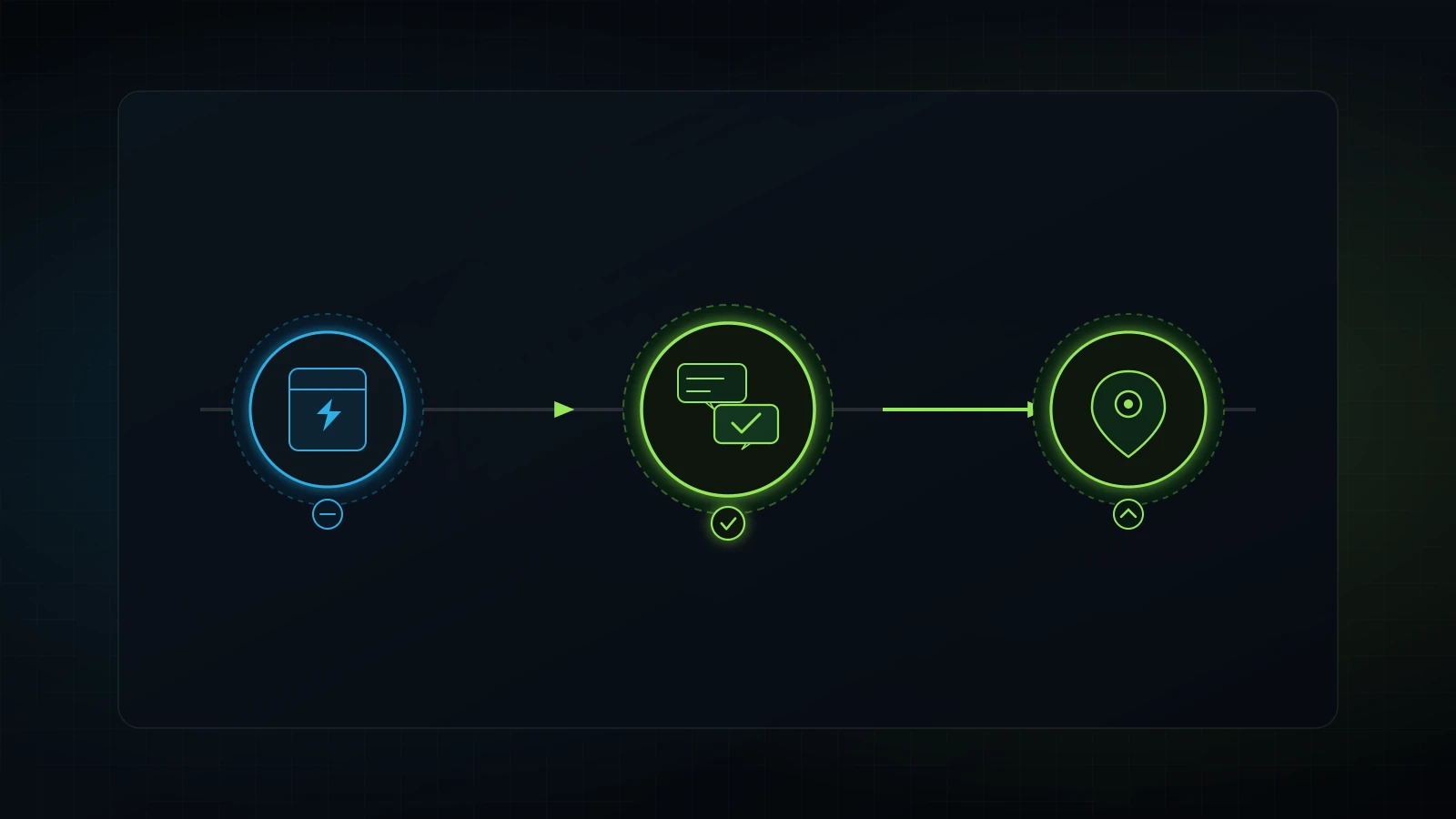
A reliable automated sequence does not spam clients; it guides them through three distinct milestones.
+-------------------------------------------------------------------------------+
|                   THE 3-TOUCH CONFIRMATION TIMELINE                           |
+-------------------+-------------------+-------------------+-------------------+
| Touchpoint        | Timing            | Channel           | Operational Goal  |
+-------------------+-------------------+-------------------+-------------------+
| Touch 1: Anchor   | Instant (0 min)   | SMS + Email       | Calendar sync,    |
|                   | post-booking      |                   | intake form link  |
+-------------------+-------------------+-------------------+-------------------+
| Touch 2: Confirm  | 24 hours prior    | 2-Way Conversational| Explicit "C" to |
|                   | to appointment    | SMS               | confirm schedule  |
+-------------------+-------------------+-------------------+-------------------+
| Touch 3: Dispatch | 2 hours prior     | SMS               | Parking, entry,   |
|                   | to appointment    |                   | zero navigation   |
+-------------------+-------------------+-------------------+-------------------+
Touch 1: The Instant Booking Anchor (Minute 0)
The moment an appointment enters your CRM, send an immediate confirmation containing three critical assets: calendar hold links (Google, Apple, Outlook), your clinic address with a direct map pin, and the digital intake form link.
Touch 1 SMS Template (Instant Confirmation):
"Hi {{contact.first_name}}, this is {{location.name}}. Your consultation is booked for {{appointment.start_time}} on {{appointment.start_date}}.

Please add it to your calendar here: {{appointment.calendar_link}}

To prepare your room, please complete your brief intake form before your visit: {{custom_values.intake_url}}

Reply to this text if you have questions!"
Notice the language: “To prepare your room, please complete your brief intake form.” This frames the paperwork as personal clinical preparation rather than administrative bureaucracy.
Touch 2: The Two-Way Conversational Confirmation (24 Hours Prior)
This touchpoint is the operational backbone of your calendar security. Do not send a passive notice. Send a direct, two-way query requesting a single-letter confirmation reply.
Touch 2 SMS Template (24-Hour Two-Way Confirmation):
"Hi {{contact.first_name}}, Dr. J's team is looking forward to seeing you tomorrow, {{appointment.start_date}}, at {{appointment.start_time}}.

Please reply C to confirm your appointment, or reply R if you need to reschedule."
When the client replies “C”, an automated CRM workflow tags the contact as Status: Confirmed and changes the calendar event color from pending amber to verified green. If the client replies “R”, the workflow instantly replies with a self-service reschedule link and triggers a front-desk task to backfill the newly opened slot from your standby list. If you need assistance setting up these workflows in GoHighLevel, review our guide on GoHighLevel consultant services.
Touch 3: The Day-Of Navigational Dispatch (2 Hours Prior)
Two hours before the visit, send a navigational assistance text. This touch eliminates logistical panic, traffic delays, and parking confusion.
Touch 3 SMS Template (2-Hour Wayfinding Dispatch):
"Hi {{contact.first_name}}, your suite is prepared for {{appointment.start_time}} today at {{location.name}}.

We are located at 450 Medical Heights Blvd, Suite 200. Park in the visitor spots directly in front of Building B. Text us right here if you hit traffic!"
This final message reassures the client that human beings are actively waiting for them, making last-minute failure to appear psychologically difficult.
Friction as a Filter: Digital Intake Forms and Card-on-File Policies
Introduce intentional pre-visit friction to filter uncommitted leads and secure high client attendance. While consumer software marketing promotes “zero-friction” bookings, operational veterans know that zero friction produces zero commitment.
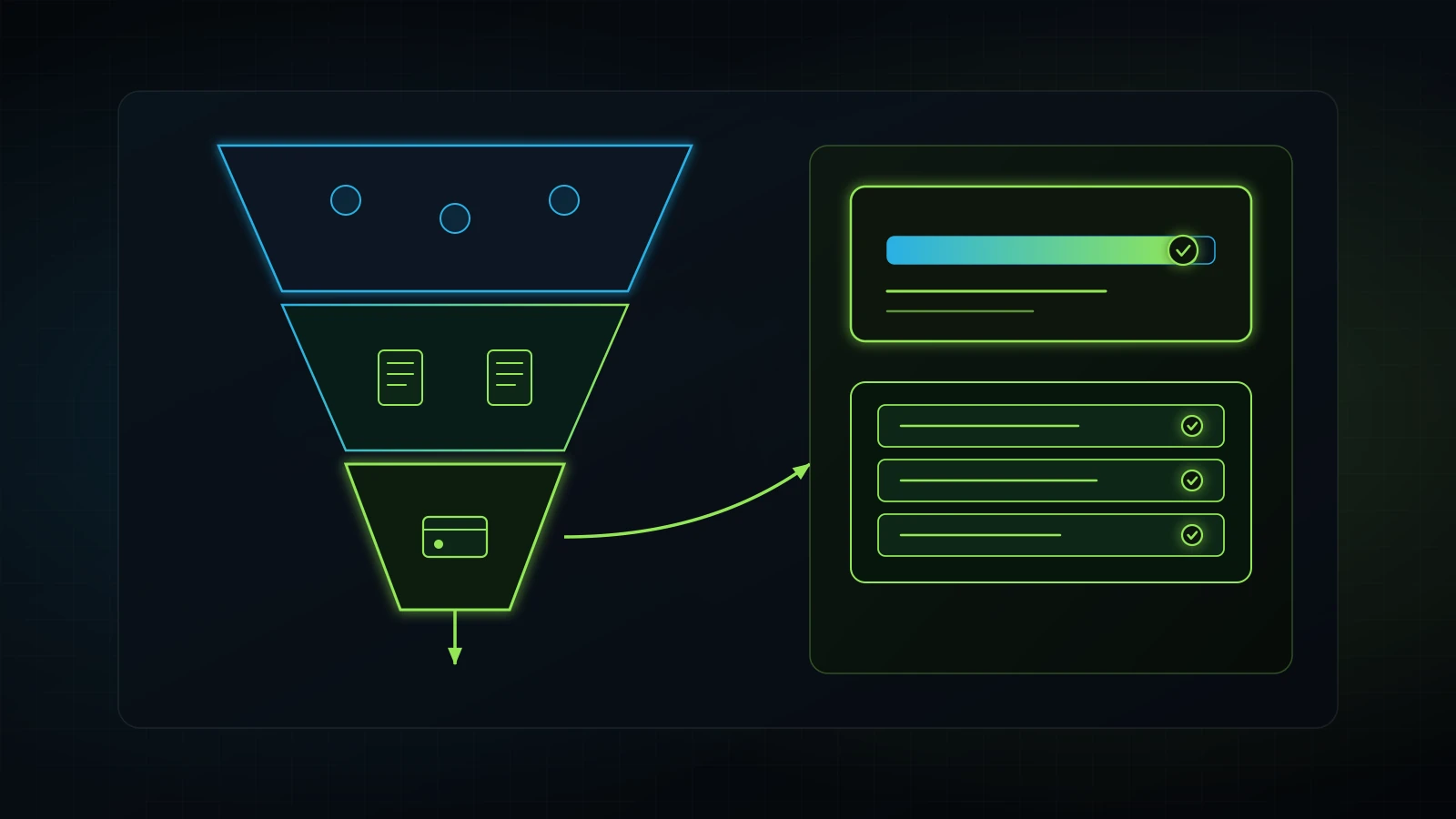
The Micro-Commitment Intake Strategy
Requiring clients to complete a short digital health history or consultation survey before their visit dramatically cuts no-shows. In clinical operations across our client network, clients who complete pre-visit digital intake forms demonstrate attendance rates above 94% (Integral Technologists Field Data, 2026).
+-------------------------------------------------------------------------------+
|                       INTAKE COMPLETION ATTENDANCE RATIOS                     |
+-------------------------------+-----------------------+-----------------------+
| Client Category               | Completed Intake Form | No-Show / Ghost Rate  |
+-------------------------------+-----------------------+-----------------------+
| Unverified Online Booking     | No (0% complete)      | 22% - 28% no-show     |
| Partial Submission            | Incomplete (50%)      | 11% - 15% no-show     |
| Verified Digital Intake       | Yes (100% complete)   | Under 4% no-show      |
+-------------------------------+-----------------------+-----------------------+
Why does this work?
- Psychological investment: Taking four minutes to answer medical history questions or upload photo IDs creates personal investment in the outcome.
- Clinical qualification: Clients willing to provide health histories are genuinely interested in receiving treatment. Casual price-shoppers abandon the funnel during intake, saving your clinical providers from holding dead calendar space.
- Smooth lobby arrival: Eliminating the dreaded paper clipboard in the waiting room allows patients to walk straight from reception into the treatment room, keeping appointments running on time. To structure client documentation effectively, see our client onboarding checklist.
Implementing a Professional Card-on-File Policy
If your service business charges over $150 per appointment, securing a payment card on file during initial scheduling is mandatory.
Many practice owners hesitate to request payment information during booking, fearing lower conversion rates. However, booking volume means nothing if 25% of attendees ghost. In our experience with aesthetic medical practices, requiring a modest reservation deposit ($50 to $100 applied directly to treatment costs) filters out non-serious inquiries and instantly drops no-show rates to near zero.
Frame the requirement around fairness and clinical suite preparation:
Quiet-Luxury Card-on-File Scripting:
"To ensure dedicated time with our clinical team and keep our treatment suites properly prepared, we request a card on file to hold your reservation.

Nothing is billed today. Your deposit is credited 100% toward your treatment. We simply ask for 24 hours notice if your schedule changes so we can release the room to a patient on our waitlist."
This phrasing establishes mutual respect: you promise dedicated provider attention, and the client promises timely arrival.
The Human-as-Backup Exception Protocol: When Automation Escalates to Staff
Apply Checkpoint 18 of our operational doctrine: let automated CRM workflows handle 80% of routine confirmations, but route unconfirmed appointments to human staff for warm telephone triage 18 hours before service delivery.
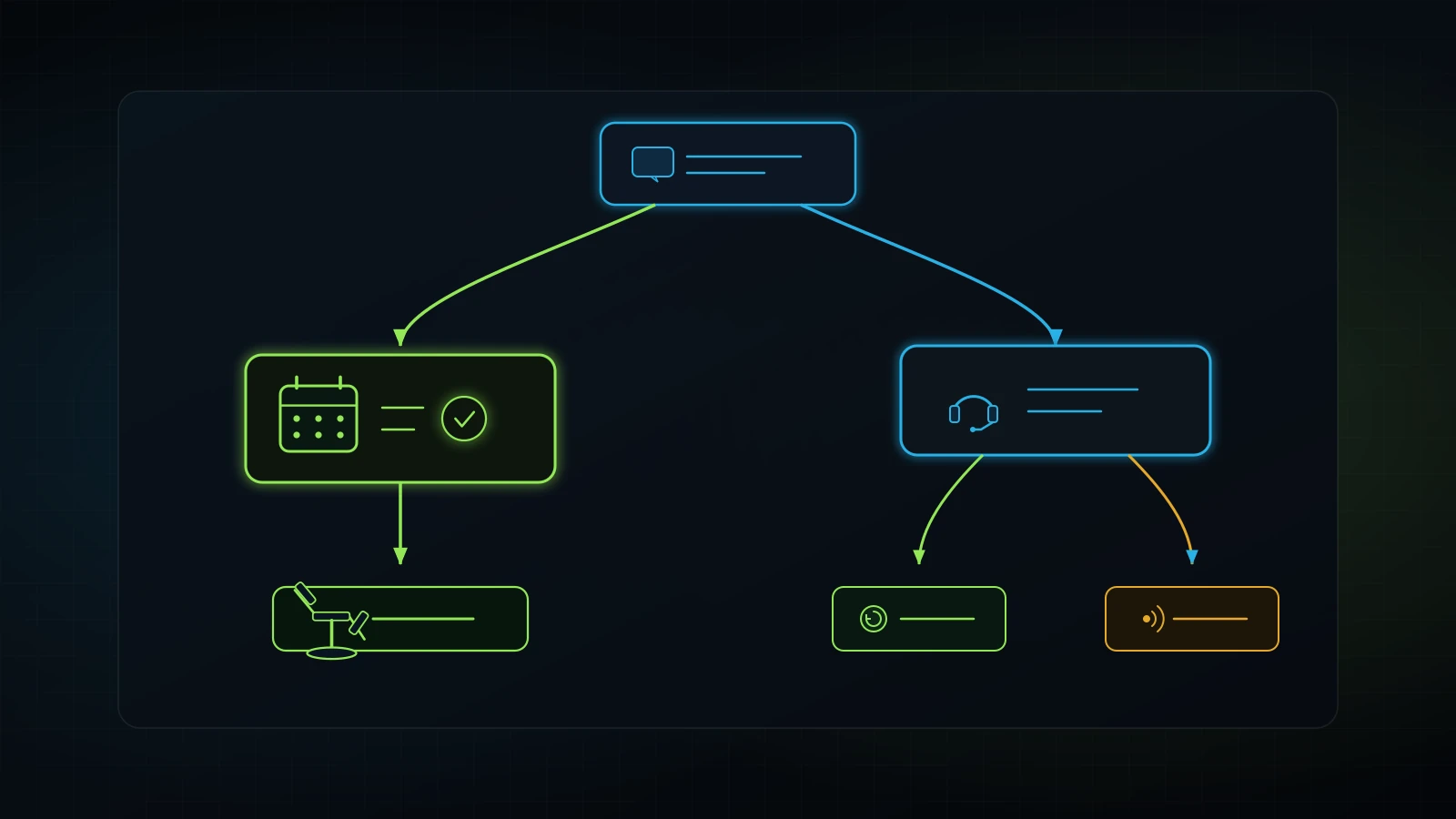
Automation alone cannot eliminate no-shows. An automated message can be overlooked, silenced by cellular focus modes, or blocked by carrier spam filters. When an appointment remains unconfirmed 18 hours prior to arrival, human intervention must step in.
+-------------------------------------------------------------------------------+
|                       OPERATIONAL EXCEPTION PIPELINE                          |
+-------------------------------------------------------------------------------+
| Hour -24: Automated Touch 2 SMS dispatched ("Reply C to confirm").            |
|                                                                               |
| Hour -18: Did client reply "C"?                                               |
|           [YES] -> Tag `Status: Confirmed`. Calendar turns green. Complete.   |
|           [NO]  -> CRM triggers automated iT-Kanban / desk escalation task:   |
|                    "Call unconfirmed client {{contact.name}} for tomorrow".  |
|                                                                               |
| Hour -16: Coordinator places 60-second warm triage phone call.                |
|           [REACHED] -> Confirm verbal arrival or execute gentle reschedule.   |
|           [VOICEMAIL] -> Leave script. Flag slot as "High Risk of No-Show".  |
|                                                                               |
| Hour -4:  Still zero response? Open slot to automated waitlist backfill broadcast.|
+-------------------------------------------------------------------------------+
The 60-Second Phone Escalation Script
When front-desk staff call an unconfirmed appointment, the tone must be helpful and conversational, never accusatory:
Warm Triage Phone Script:
"Hi Sarah, this is Jessica from Dr. J's office calling! I am preparing our clinical schedules for tomorrow afternoon and wanted to ensure you received our text message regarding your 2:00 PM appointment.

We have your suite reserved, but I wanted to make sure that time still fits your schedule comfortably. Give us a quick call or text back at this number so we can confirm everything for Dr. J!"
If the client answers and explains that a sudden work conflict arose, the coordinator immediately reschedules them and frees up the calendar slot. That empty slot can now be offered to emergency walk-ins or waitlist patients, salvaging thousands in clinical revenue. For broader team accountability principles, explore our guide on how to hold employees accountable.
Writing a Professional Appointment No Show Policy Without Alienating Clients
Draft an appointment no show policy that establishes clear boundaries, protects your operational capacity, and communicates respect rather than punishment.
A punitive, hostile policy statement (such as “NO EXCEPTIONS: You will be charged $200 if you miss your visit”) frightens prospective patients and repels high-value clients. Your policy should feel like a fair agreement between professionals.
Standard Clinic Policy Template (Copy & Adapt):

APPOINTMENT RESCHEDULING & CANCELLATION COURTESY POLICY

At [Practice Name], our physicians and clinical specialists dedicate individualized treatment time, clinical equipment, and medical staff to each scheduled consultation. When a reservation is missed or cancelled without notice, another client seeking care is prevented from receiving treatment.

1. 24-Hour Rescheduling Courtesy: We understand that personal schedules fluctuate. We request at least 24 hours advance notice if you need to reschedule or adjust your appointment time.

2. Card on File & Reservation Deposits: All specialty consultations and clinical treatment rooms require a valid credit card on file or a booking deposit at the time of scheduling. Deposits are applied 100% toward your completed service invoice.

3. Late Cancellations & Missed Visits: Appointments cancelled with less than 24 hours notice or missed entirely without notice may incur a missed visit fee equal to [e.g., $75 / 50% of scheduled service value].

4. Compassionate Waiver: We recognize that true medical emergencies, severe illness, and unavoidable family crises occur. Please communicate with our team as soon as possible, and emergency waivers will be reviewed with empathy.
Three Rules for Policy Enforcement
- Display the policy before booking: Place the policy terms directly beneath the booking calendar and require a checkbox acknowledgment. Never hide policy fees in fine print.
- First-time grace protocol: When an established, loyal client misses an appointment for the first time, forgive the fee gracefully. Send a message stating: “We missed you today, David! We know life gets hectic, so we waived our standard cancellation fee for you this time. Let’s get you rescheduled for next week.” This turns a potential conflict into an incredible client retention moment.
- Firm boundaries for repeat offenders: If a client misses two appointments consecutively without notice, remove self-service online booking privileges. Require full pre-payment before reserving future calendar time.
How to Handle No Show Clients When They Do Miss an Appointment
Master how to handle no show clients through structured post-incident recovery protocols that diagnose client reasons, salvage relationships, and recover lost bookings.
When a client fails to appear 15 minutes past their scheduled start time, clinical staff must initiate the recovery protocol immediately:
+-------------------------------------------------------------------------------+
|                       NO-SHOW RECOVERY TIMELINE                               |
+-------------------+-------------------+-------------------+-------------------+
| Window            | Channel           | Message Style     | Goal              |
+-------------------+-------------------+-------------------+-------------------+
| Minute +15        | Personal SMS      | Compassionate     | Check safety,     |
|                   |                   | check-in          | open dialogue     |
+-------------------+-------------------+-------------------+-------------------+
| Hour +2           | Automated Email   | Helpful           | Self-service      |
|                   |                   | rebooking         | reschedule link   |
+-------------------+-------------------+-------------------+-------------------+
| Day +3            | CRM Task          | Final phone /     | Account status    |
|                   |                   | email touch       | resolution        |
+-------------------+-------------------+-------------------+-------------------+
Minute +15: The Compassionate SMS Check-In
Never send a robotic invoice or angry text. Send a warm welfare check:
Minute +15 SMS Script:
"Hi {{contact.first_name}}, this is Jessica from {{location.name}}. We noticed you weren't able to make your {{appointment.start_time}} visit today and wanted to make sure you're doing okay!

Whenever you are settled, please text us back or call us so we can help you reschedule."
This message disarms defensive reactions. If the client was stuck in traffic, dealing with a sick child, or overwhelmed at work, they appreciate the empathy and reply immediately.
Hour +2: The Automated Rebooking Pathway
If the client does not respond to the text, send an automated email two hours later containing a direct rescheduling link:
Hour +2 Email Subject: Rescheduling your visit with {{location.name}}

"Hi {{contact.first_name}},

We missed seeing you today for your scheduled consultation. We know how unpredictable life can get, and we want to ensure you still receive the care and attention you need.

You can easily select a new date and time that fits your upcoming week using our priority booking calendar here: [Insert Self-Service Calendar Link]

If an emergency arose, please let us know so our team can assist you.

Warmly,
The {{location.name}} Team"
By presenting a simple path to return, you recover roughly 30% of same-day no-shows without awkward confrontations (Integral Technologists Field Observations, 2026). For automated text systems that capture leads even during missed calls, see our missed call text back guide.
The 5-Step Implementation Checklist for Clinic Operations
Review this operational summary checklist to ensure your clinic infrastructure is fully hardened against appointment drop-offs.
+-------------------------------------------------------------------------------+
|                 NO-SHOW REDUCTION OPERATIONAL AUDIT CHECKLIST                 |
+----+--------------------------------------------------------------+-----------+
| No.| Core Operational Requirement                                 | Status    |
+----+--------------------------------------------------------------+-----------+
| 1  | 2-Way SMS automated reminder sequence active in CRM           | [ ] Ready |
| 2  | Digital intake paperwork required prior to calendar arrival   | [ ] Ready |
| 3  | Card on file or reservation deposit enforced at booking      | [ ] Ready |
| 4  | 18-Hour unconfirmed appointment desk escalation active       | [ ] Ready |
| 5  | Instant waitlist backfill broadcast automation configured    | [ ] Ready |
| 6  | Professional courtesy policy visible on web booking forms    | [ ] Ready |
| 7  | Minute +15 compassionate recovery SMS automated              | [ ] Ready |
+----+--------------------------------------------------------------+-----------+
When all seven operational gears mesh, calendar predictability rises, staff stress disappears, and clinic operating margins expand permanently.
Frequently Asked Questions About Reducing No Show Appointments
What is the most effective way to reduce no-show appointments in a clinic?
The most effective way to reduce no-show appointments is combining an automated two-way SMS reminder cadence with pre-visit intake friction. Sending an automated text 24 hours prior to service asking patients to “Reply C to confirm” delivers open rates exceeding 95% (DataForSEO, 2026). Requiring digital intake form completion or a modest card deposit before arrival filters out uncommitted inquiries and brings attendance rates above 94% (Integral Technologists Field Data, 2026).
What is an acceptable appointment no-show rate for service businesses?
An acceptable no-show rate for well-managed service clinics and medical spas is under 5%. Across broader outpatient healthcare, dermatology, and general consultation firms, industry averages typically sit between 15% and 20% when practices rely solely on passive reminder emails (MGMA, 2024; PMC, 2013). Implementing two-way SMS and card-on-file policies consistently compresses no-show rates below the 5% threshold.
Should I charge a fee for missed appointments?
Yes, charging a missed appointment fee is standard industry practice, provided the policy is disclosed transparently before booking and enforced with empathy. A fee between $50 and $100 (or 50% of the scheduled service value) compensates your practice for lost room overhead. Always offer a first-time grace waiver for loyal clients who experience genuine family or medical emergencies.
How do automated appointment reminders compare to phone calls?
Automated SMS appointment reminders handle 80% of routine calendar confirmations with near-zero labor cost, freeing front-desk staff from spending hours dialing numbers. However, phone calls remain essential as an escalation backup. When an automated SMS remains unconfirmed 18 hours prior to an appointment, staff should place a warm 60-second personal call to verify arrival or free up the slot.
Does double-booking help prevent revenue loss from no-shows?
Double-booking is a flawed operational tactic that damages patient retention. While double-booking attempts to hedge against empty chairs, it inevitably results in days where both clients arrive simultaneously. This produces crowded waiting rooms, rushed provider care, staff burnout, and negative online reviews. Fixing calendar adherence through two-way confirmations and deposits eliminates the need for double-booking.
How far in advance should appointment reminders be sent?
The optimal appointment reminder cadence utilizes three distinct touchpoints: an instant confirmation upon booking with calendar sync and digital intake links, a two-way conversational confirmation text 24 hours prior requiring a “C” reply, and a wayfinding dispatch text two hours before arrival with address, parking, and suite directions.
How do I handle a client who no-shows repeatedly?
For clients who miss two or more appointments consecutively without notice, remove self-service online scheduling access. Inform the client politely that future visits require non-refundable 100% pre-payment at the time of booking. This protects your clinical calendar while giving the client an opportunity to receive treatment if they are willing to commit financially.
References
- Molfenter, T. “Reducing Appointment No-Shows: Going from Theory to Practice.” Substance Use & Misuse / PubMed Central (PMC), 2013. PMC3962267. https://pmc.ncbi.nlm.nih.gov/articles/PMC3962267/
- Medical Group Management Association (MGMA). “Benchmarking Patient No-Show Rates and Revenue Cycle Performance in Outpatient Specialty Clinics.” MGMA Research Report, 2024. https://www.mgma.com/data/benchmarking
- DataForSEO Labs. “Keyword Difficulty, CPC, and Search Volume Analytics for Appointment Operations and CRM Automation.” Pulled live 2026-11-10. https://dataforseo.com/
- U.S. Bureau of Labor Statistics (BLS). “Occupational Employment and Wage Statistics: Medical Assistants and Healthcare Support Workers.” U.S. Department of Labor, 2024. https://www.bls.gov/oes/
- American Medical Association (AMA). “Optimizing Practice Operations: Reducing Missed Appointments and Managing Clinic Capacity.” AMA Practice Management Guidelines, 2023. https://www.ama-assn.org/practice-management
- Campaign Monitor. “Ultimate Email and SMS Marketing Benchmarks for Healthcare and Professional Services.” Published 2024. https://www.campaignmonitor.com/resources/guides/benchmarks/
Internal Links
- Advisory Services for Service Businesses
- Missed Call Text Back Automation Guide
- Medical Spa CRM and Booking Architecture
- Service Business Revenue Leaks and Margin Recovery
- Automated Lead Follow Up Systems
- AI Receptionist for Small Business Setup
- GoHighLevel vs HubSpot for Service Firms
- Hiring a GoHighLevel Consultant for Workflow Audits
- Client Onboarding Checklist and Process Template
- Business Process Automation Consultant
- Business Process Documentation for Small Business
- How to Hold Employees Accountable Without Micromanaging
