
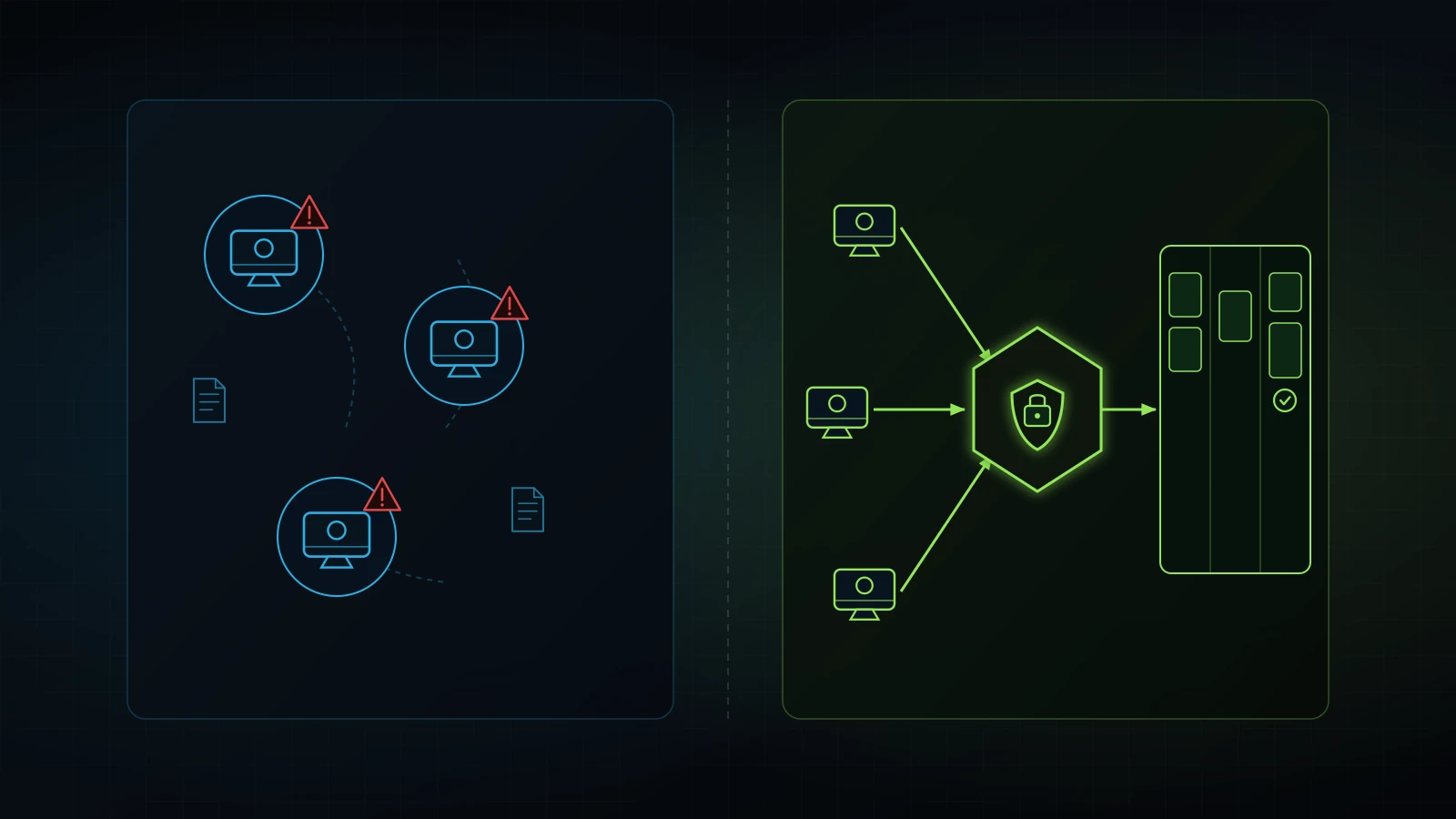
Passing one personal ChatGPT Plus login around Slack is an operational and security liability.
Use these four operator checkpoints before rolling out ChatGPT Team across your staff.
Yes, ChatGPT Team is worth it for any small business where two or more people use artificial intelligence for client deliverables, internal operations, or company communications. At $25 per user per month billed annually ($300 per seat per year) or $30 per user per month billed monthly (with a mandatory 2-seat minimum according to OpenAI Pricing Documentation in 2026), ChatGPT Team solves the four operational liabilities that break consumer AI accounts: password sharing, data privacy exposure, disconnected standard operating procedures, and abrupt employee offboarding.
If you operate as a strictly solo founder with zero employees, contractors, or virtual assistants, you do not need ChatGPT Team. A single $20 per month personal subscription to ChatGPT Plus delivers all the individual reasoning capacity you require. But the moment you hire your first team member or assign customer-facing tasks to an assistant, staying on personal accounts creates operational chaos. Employees either paste sensitive client records into personal accounts where OpenAI retains training rights by default, or you pass a shared login around a group chat, triggering multi-factor verification locks and wiping out task accountability.
Over a decade of practical experience helping founders exit the operator trap, I have watched businesses spend thousands of dollars on complex enterprise software suites while ignoring simple collaboration infrastructure. Across my own three active businesses today, we keep our operational software stack lean and disciplined. In my firsthand experience, our core AI tool spend stays under roughly $100 per month across three businesses (a founder-reported figure covering our primary subscriptions and targeted API credits like DataForSEO, excluding team payroll, hosting, and agency labor). The secret to high operational output is not buying massive enterprise contracts. It is giving your team shared, governed workspaces connected to documented operating instructions and a clear task board.
This guide provides the exact operational numbers behind is chatgpt team worth it, compares chatgpt team vs plus across security and cost, explains how shared Custom GPTs eliminate operational drift, and hands you a five-step deployment roadmap to roll out ChatGPT Team across your staff without wasting a single dollar. If you are evaluating solo personal tiers first, read our breakdown on is ChatGPT Plus worth it for business and our analysis on is ChatGPT Pro worth it for business.
The 60-Second Verdict: When to Upgrade to ChatGPT Team (And When to Stay on Plus)
Buy ChatGPT Team the day your company expands beyond one person using AI. At a minimum commitment of $50 per month on annual billing or $60 per month on monthly billing for two seats, ChatGPT Team pays for itself if each team member saves just fifteen minutes of administrative friction per week.
+-------------------------------------------------------------------------------+
|                       CHATGPT TIER DECISION MATRIX                            |
+-------------------+--------------------+------------------+-------------------+
| Operating Context | Recommended Tier   | Monthly Cost     | Primary Driver    |
+-------------------+--------------------+------------------+-------------------+
| Solo Operator     | ChatGPT Plus       | $20 / month      | Zero staff,       |
| (1 user only)     |                    | (single seat)    | individual chats  |
+-------------------+--------------------+------------------+-------------------+
| Founder + 1 to 20 | ChatGPT Team       | $25 - $30 / seat | Client privacy,   |
| Staff / VAs       |                    | (min 2 seats)    | shared GPT tools  |
+-------------------+--------------------+------------------+-------------------+
| Solo Developer or | ChatGPT Pro        | $100 - $200 / mo | Extreme compute,  |
| Quant Researcher  |                    | (single seat)    | raw coding limits |
+-------------------+--------------------+------------------+-------------------+
| Enterprise Firm   | ChatGPT Enterprise | Custom Contract  | Single Sign-On,   |
| (100+ seats)      |                    | ($60+ / seat)    | domain capture    |
+-------------------+--------------------+------------------+-------------------+
Skip ChatGPT Team only under three specific conditions:
- You work entirely alone: If nobody else touches your client files, proposals, or communications, a single $20 ChatGPT Plus account gives you identical underlying model intelligence.
- Your team never handles proprietary client information: If your staff only uses AI to brainstorm public social media hooks or generic blog outlines, data privacy firewalls matter less. However, the moment an employee pastes an intake form, invoice, medical note, or customer email into a prompt, you need contractual privacy protections.
- You have not documented a single business process: Buying software seats for employees who have no clear job descriptions or instructions simply creates automated confusion. As I learned running agency operations, systems must precede software. Outcome mil gaya? Turn it into a system before expanding subscriptions.
If you have at least two people working together and you handle real customer data, ChatGPT Team is the correct operational foundation.
ChatGPT Team Pricing and Seat Math in 2026: What It Actually Costs
OpenAI prices ChatGPT Team with two simple billing options: $25 per user per month billed annually ($300 upfront per seat per year) or $30 per user per month billed monthly (OpenAI Pricing Documentation, 2026). The platform enforces a strict minimum of two seats, meaning your floor cost is either $50 per month on an annual agreement or $60 per month on a month-to-month plan.
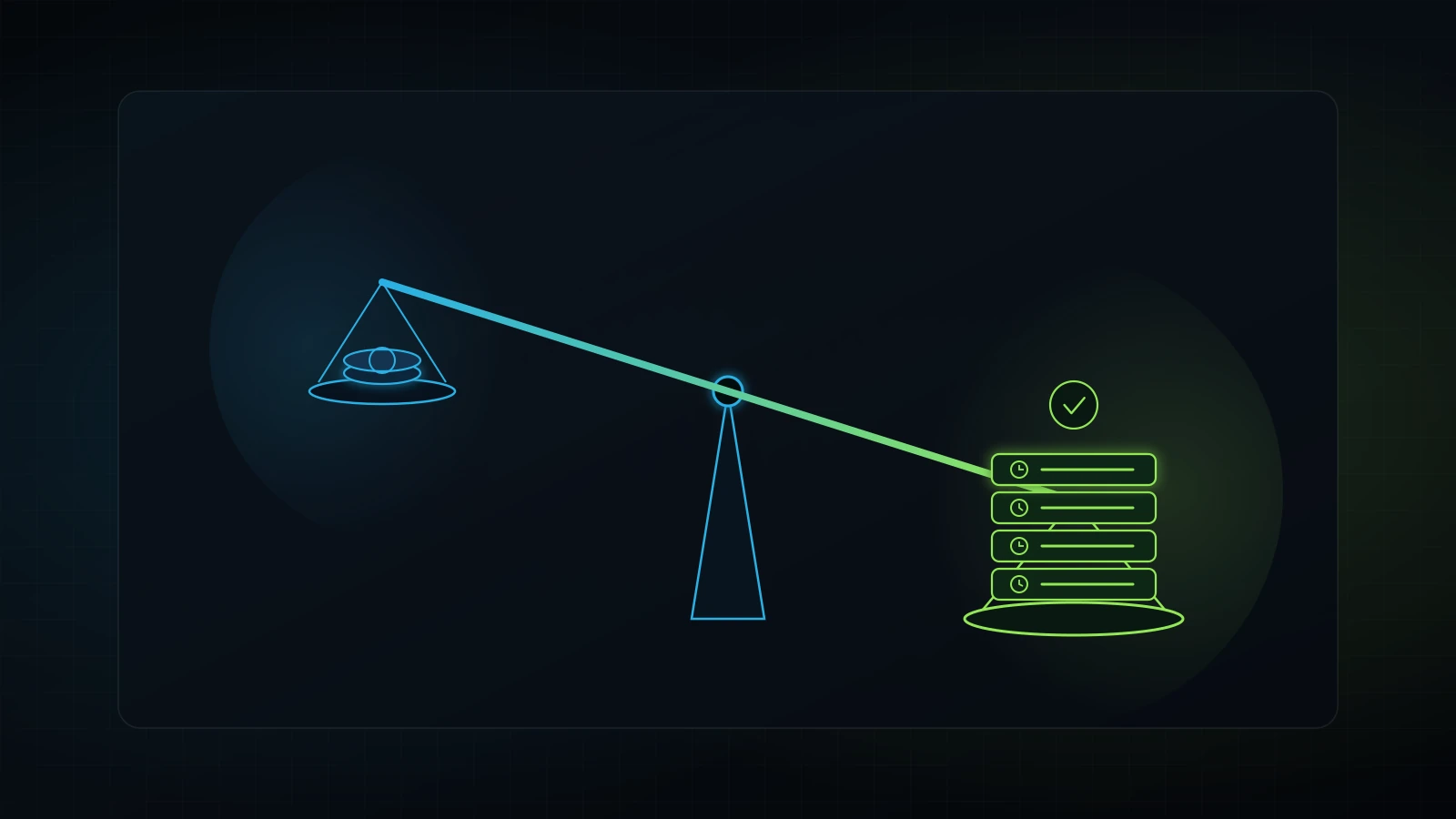
To evaluate whether this spend makes financial sense, compare the monthly investment against standard employee compensation. In an illustrative service business paying an administrative assistant or marketing coordinator $25 per hour, one hour of labor costs the business roughly $0.42 per minute.
Illustrative Seat Break-Even Math:
Monthly Seat Investment: $25.00
Staff Hourly Rate: $25.00 / hour ($0.42 / minute)
Time Required to Break Even: 60 minutes per month
Weekly Efficiency Target: 15 minutes per week
If a shared Custom GPT or faster research workflow saves that employee fifteen minutes every five business days, the seat pays for itself completely. Any additional time saved directly expands your company’s operating margin.
| Team Size | Monthly Billing ($30/seat) | Annual Billing ($25/seat) | Total Annual Cost | Break-Even Labor Saved (at $25/hr) |
|---|---|---|---|---|
| 2 Seats (Minimum) | $60 / month | $50 / month | $600 / year | 2.0 hours / month total |
| 3 Seats | $90 / month | $75 / month | $900 / year | 3.0 hours / month total |
| 5 Seats | $150 / month | $125 / month | $1,500 / year | 5.0 hours / month total |
| 10 Seats | $300 / month | $250 / month | $3,000 / year | 10.0 hours / month total |
| 15 Seats | $450 / month | $375 / month | $4,500 / year | 15.0 hours / month total |
Source: OpenAI Pricing Documentation (2026); illustrative wage modeling based on US Bureau of Labor Statistics service industry benchmarks (US BLS, 2026).
Monthly billing versus annual commitment
Choose monthly billing ($30 per seat) during your first ninety days. While annual billing saves $60 per seat per year, locking your company into annual contracts before establishing clear usage patterns is a common operational mistake.
In my agency advisory work, I frequently audit client software stacks where founders pay for annual software seats that employees abandoned months ago (see our guide on how to audit your tech stack). Start with monthly billing for two to three pilot seats. Once your team integrates shared workspace tools into daily production and logs consistent usage on your task board, switch to annual billing to lock in the 17 percent discount according to OpenAI billing terms (OpenAI, 2026).
The Real Privacy Divide: Why Plus Leaks Client Data and Team Protects It
Contractual data privacy is the single most important distinction between consumer ChatGPT Plus and commercial ChatGPT Team. Most founders assume that paying $20 per month for ChatGPT Plus provides business-grade privacy. It does not.
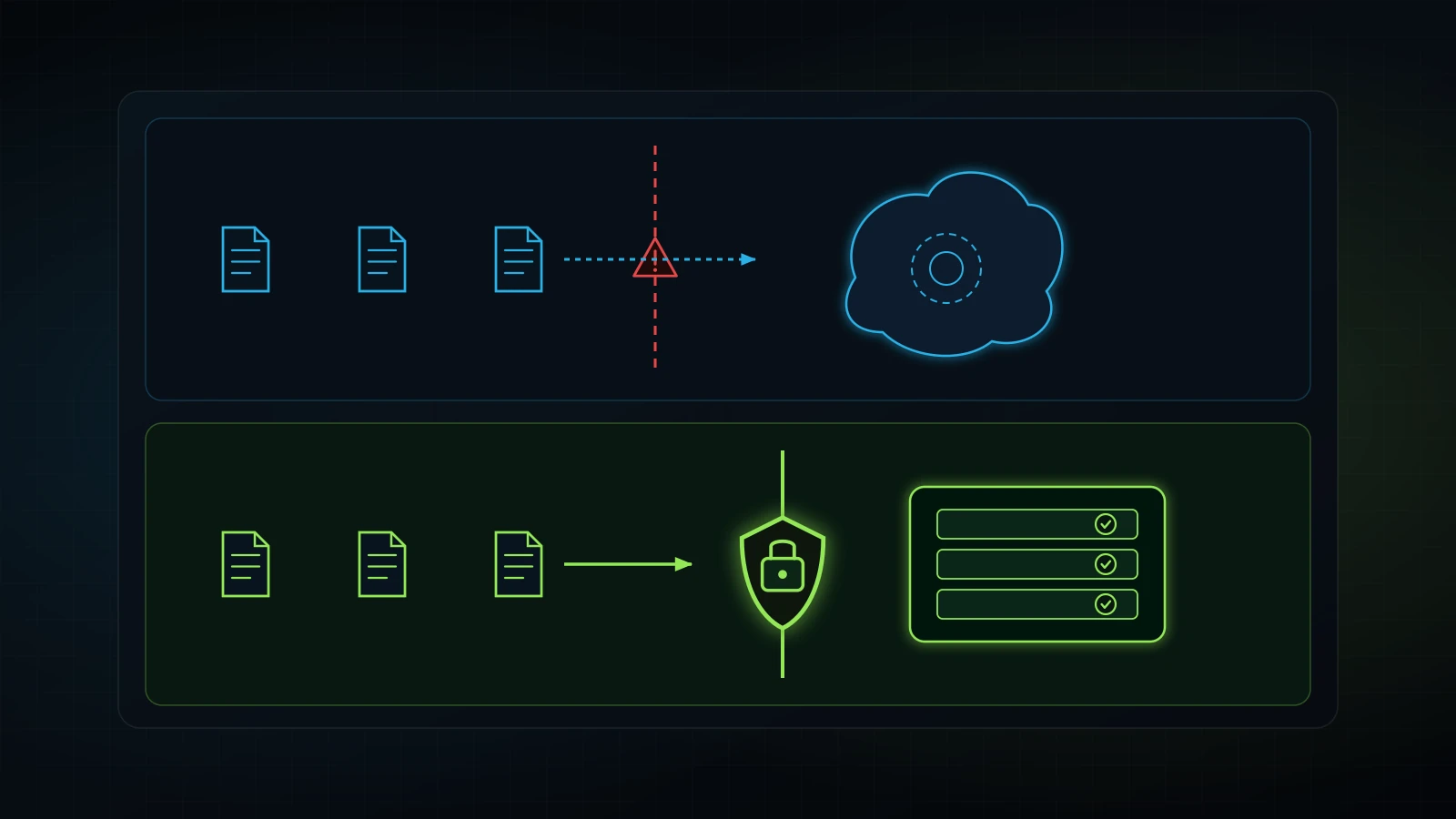
Under OpenAI’s standard consumer terms of service covering Free and Plus accounts, user inputs and generated outputs are used to train future foundation models unless the user explicitly opens settings and opts out (OpenAI Business Privacy Policy, 2026). If an employee disables chat history in a personal Plus account to prevent model training, their entire conversation history disappears, making ongoing project tracking impossible.
+-------------------------------------------------------------------------------+
|                      DATA PRIVACY AND GOVERNANCE MATRIX                       |
+--------------------------+-----------------------+----------------------------+
| Security Feature         | ChatGPT Plus ($20/mo) | ChatGPT Team ($25-$30/mo)  |
+--------------------------+-----------------------+----------------------------+
| Model Training on Data   | Opt-out required;     | Excluded by default;       |
|                          | training ON by default| NO model training ever     |
+--------------------------+-----------------------+----------------------------+
| Workspace Admin Console  | No                    | Yes (centralized billing)  |
+--------------------------+-----------------------+----------------------------+
| Shared Team GPTs         | No (public/link only) | Yes (internal team only)   |
+--------------------------+-----------------------+----------------------------+
| Shared Team Projects     | No (personal only)    | Yes (collaborative spaces) |
+--------------------------+-----------------------+----------------------------+
| Instant Seat Deprovision | No (must change pwd)  | Yes (one-click admin wipe) |
+--------------------------+-----------------------+----------------------------+
| Centralized Corporate CC | No (individual cards) | Yes (single invoice)       |
+--------------------------+-----------------------+----------------------------+
When you deploy ChatGPT Team, OpenAI’s Business Privacy commitments take effect automatically:
- Zero training on customer business data: OpenAI does not use your workspace prompts, uploaded spreadsheets, PDFs, or generated responses to train GPT foundation models (OpenAI Business Privacy Policy, 2026).
- Data ownership retained by the business: Your company owns all customer inputs and workspace outputs.
- Access control isolation: Data submitted inside your Team workspace is logically segregated from other organizations and consumer accounts.
- Compliance alignment: Provides the audit trail and data protection required for non-disclosure agreements, customer confidentiality clauses, and regulatory standards.
If you operate a medical spa handling patient intake patterns, an accounting practice reviewing profit-and-loss statements, an agency handling proprietary ad data, or a legal consultancy reviewing contracts, running staff on personal Plus accounts creates serious liability. A single confidential client document absorbed into a public model training pool can compromise client trust. The privacy shield alone justifies the $5 to $10 monthly seat difference.
Shared Custom GPTs and Workspaces: Turning SOPs into Internal Tools
The true operational power of ChatGPT Team lies in shared workspace infrastructure. On personal Plus accounts, custom GPTs can only be kept completely private to one user or shared publicly via web links. There is no middle ground for a private company library.
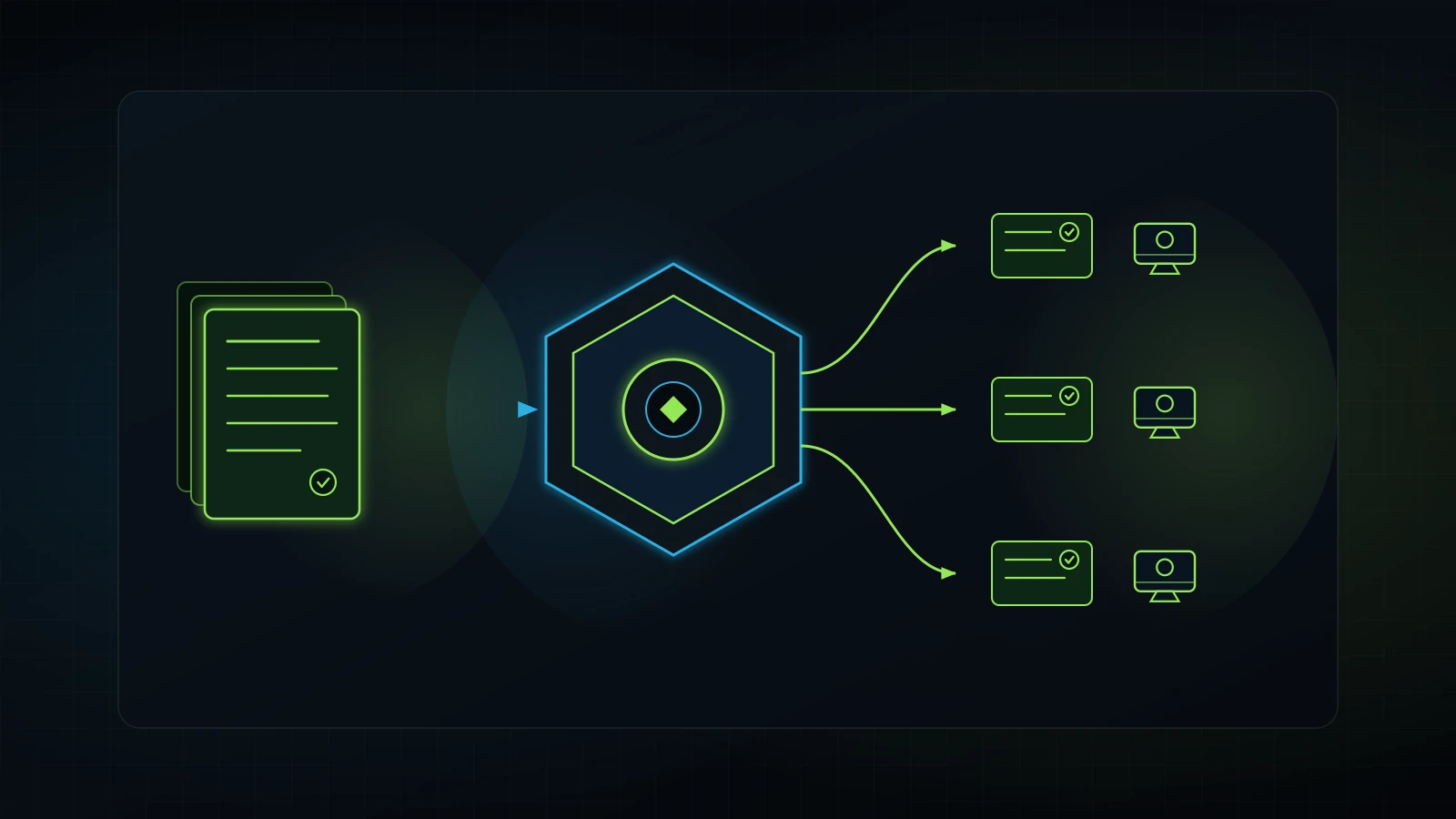
In ChatGPT Team, your organization receives an internal workspace GPT directory. You can build specialized tools embedded with your company standard operating procedures, brand guidelines, and pricing logic, and publish them exclusively to your staff.
In our agency operations, we learned that without documented systems, work happens in thin air (“Systems ke baghair kaam hawa mein hota hai”). When a new team member joins, they should not have to guess how to write a client email, structure an ad audit, or format a reporting summary. You turn the proven workflow into a shared Custom GPT.
Three internal GPTs every service business should build
Every growing service firm should create three foundational tools inside their Team workspace:
- The Client Communication and Tone Bot: Upload your brand guidelines, past successful emails, and tone constraints. Frontline staff draft their client responses through this tool, ensuring that messages maintain professional standards without the founder needing to review every sentence.
- The Intake and Audit Standardizer: When new customer leads or audit requests arrive, staff upload raw notes into this workspace tool. The custom GPT parses the data against your standard audit checklist (similar to our frameworks for digital marketing agency audits and Google Ads audits) and outputs a clean, uniform diagnostic summary.
- The SOP Assistant: Upload your operational standard operating procedures (see our blueprint on business process documentation for small business). When an assistant forgets the exact seven-step protocol for uploading an ad or tagging a contact in your CRM, they query the internal SOP bot instead of interrupting you or their manager.
When your team uses shared workspace GPTs, every deliverable follows your proven company standards. This eliminates operational drift and protects your brand reputation.
The Hidden Operational Hazards of Password Sharing on ChatGPT Plus
Many founders attempt to avoid paying for multiple AI seats by purchasing a single $20 ChatGPT Plus subscription and sharing the username and password with three or four staff members. While this appears to save $30 to $80 each month, it introduces severe operational failure modes.
1. Two-factor authentication lockout loops
OpenAI actively monitors concurrent logins and session anomalies. When staff members in different physical locations or remote time zones log in simultaneously, the system triggers security verification codes sent to the founder’s mobile phone or email.
Instead of working productively, employees stop and message the business owner: “Can you send me the six-digit code?” The founder becomes an unpaid authentication bottleneck, defeating the entire purpose of operational delegation.
2. Confidentiality leaks across departments
Inside a shared personal account, every conversation appears in the unified left sidebar. An administrative assistant preparing marketing outlines can view sensitive conversations between the founder and corporate legal counsel, payroll calculations, or executive performance evaluations.
Maintaining proper organizational boundaries requires separate accounts. A shared password destroys departmental privacy.
3. The nightmare of employee offboarding
When an employee or independent contractor leaves your company, revoking access on a shared account requires changing the master password, updating the master email, and redistributing new credentials to all remaining staff.
If a departing worker retains the password for even twenty-four hours, they can download your proprietary chat history, client strategy notes, and custom prompts. In ChatGPT Team, offboarding takes five seconds: the workspace admin opens the team console, clicks “Remove Member”, and the departing worker immediately loses access to all company projects, GPTs, and confidential data.
4. Zero task accountability
When three people work inside one shared login, identifying who produced a specific deliverable is impossible. If an inaccurate figure enters a client proposal or an inappropriate prompt triggers a system error, management cannot trace the source.
As detailed in our framework on how to hold employees accountable, accountability requires clear ownership. Individual workspace seats assign every action to a verified user email, establishing clear professional standards.
ChatGPT Team vs ChatGPT Pro vs ChatGPT Enterprise: The 2026 Comparison
Choosing the correct AI software tier requires matching your organizational structure against the platform features. Below is the complete operational comparison of OpenAI’s core tiers in 2026.
| Operating Dimension | ChatGPT Plus | ChatGPT Team | ChatGPT Pro | ChatGPT Enterprise |
|---|---|---|---|---|
| Target User | Solo founders and individuals | Teams of 2 to 100 employees | Solo coders and researchers | Corporations (100+ seats) |
| Pricing | $20 / user / month | $25 / user / mo (annual) or $30 / mo (monthly) | $100, $200, or $500 / user / month | Custom annual contract ($60+ / seat typical) |
| Minimum Seat Commitment | 1 seat | 2 seats | 1 seat | Typically 50 to 100 seats |
| Model Training on Data | Opt-out required; defaults ON | Excluded from training by default | Excluded on Pro Business; Opt-out on personal | Excluded by default with formal BAA options |
| Workspace Admin Controls | None | Role-based (Admin, Member) | None (single personal login) | Enterprise SSO, SCIM, domain capture |
| Shared Custom GPTs | No (public or private only) | Yes (internal team directory) | No (personal tools only) | Yes (workspace and department roles) |
| Shared Project Spaces | Personal projects only | Shared team projects | Personal projects only | Advanced enterprise workspaces |
| Message Allowances | Standard caps on advanced models | Higher caps on reasoning and GPT-4o | Unlimited / highest compute modes | Dedicated high-throughput access |
| Billing Model | Individual credit card | Centralized corporate invoice | Individual credit card | Custom enterprise invoicing |
Source: OpenAI Platform Documentation and Help Center Guidelines (2026).
When ChatGPT Pro makes sense instead of Team
ChatGPT Pro ($100 to $200 per month for standard tiers, up to $500 per month for maximum compute) is built for solo power users who require massive raw compute. If you have an in-house software developer writing complex codebases or a quantitative data analyst running hundreds of deep research queries daily, that individual may need Pro.
However, buying ChatGPT Pro for an entire team of non-technical service workers is financial waste. A small business gets vastly more practical value spending $100 a month on four collaborative Team seats than spending $100 on one isolated Pro seat.
Why small businesses should avoid ChatGPT Enterprise
Enterprise software sales representatives often attempt to convince small companies that they need ChatGPT Enterprise for true security. For businesses with fewer than one hundred employees, ChatGPT Enterprise is overkill.
Enterprise contracts require lengthy sales negotiations, annual minimum commitments running into tens of thousands of dollars, and complex IT setup. ChatGPT Team provides identical core data privacy protections (no training on business data), shared GPT directories, and admin offboarding at a predictable, self-serve price of $25 to $30 per seat.
The 5-Step Rollout Framework: How to Deploy ChatGPT Team Without Wasting Seats
Rolling out new software without a structured protocol leads to low adoption and wasted monthly subscriptions. In our advisory practice, we use a structured five-step framework to deploy ChatGPT Team cleanly across small service companies.
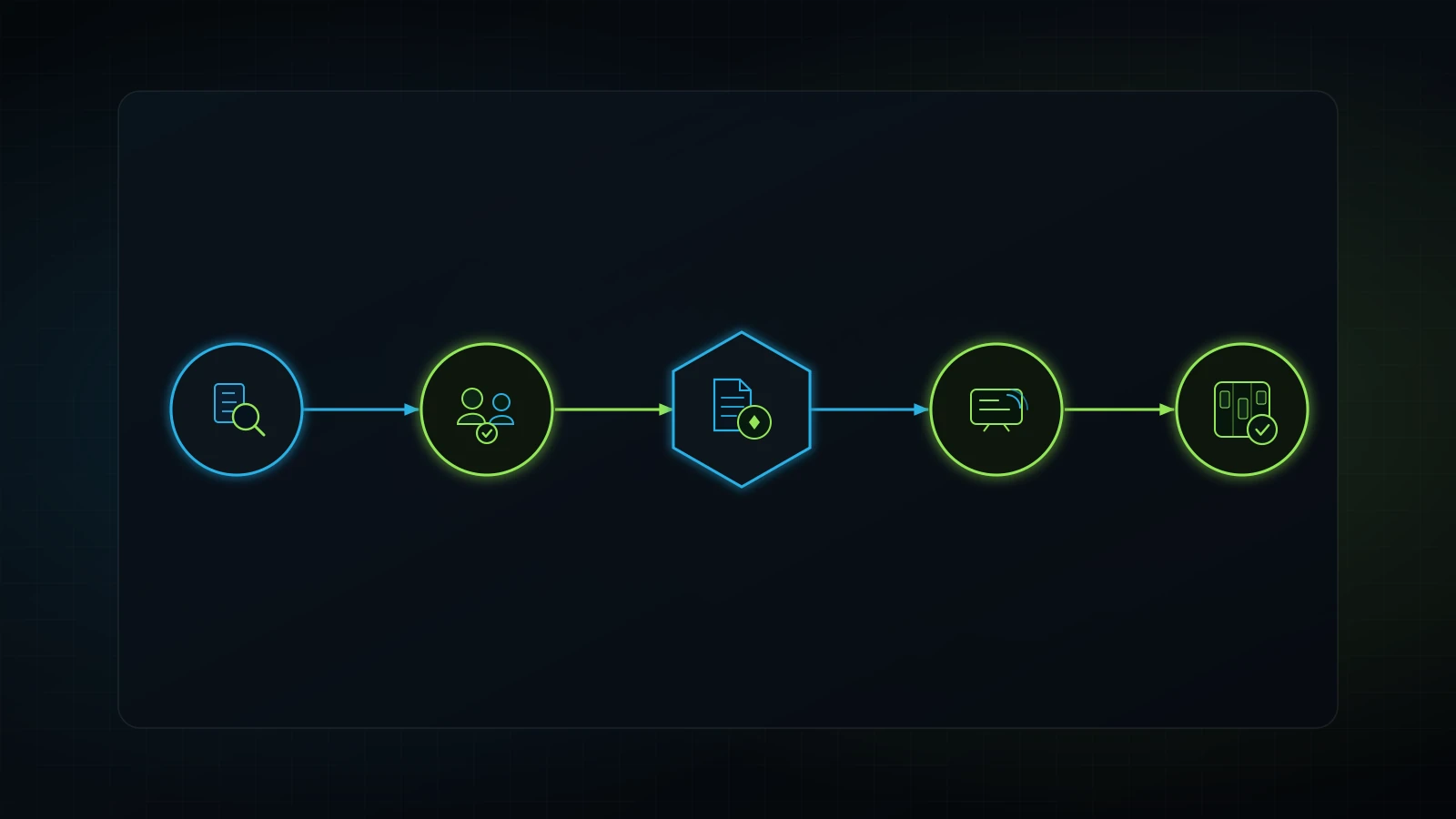
+-------------------------------------------------------------------------------+
|                       5-STEP TEAM ROLLOUT ROADMAP                             |
|                                                                               |
|  [Step 1: Audit]  --> [Step 2: Provision] --> [Step 3: Encode]               |
|   Identify real        Buy 2 to 3 pilot        Convert top SOPs               |
|   workflow tasks       seats on monthly        into shared GPTs               |
|                                                                               |
|                                 |                                             |
|                                 v                                             |
|                                                                               |
|                       [Step 4: Train]     --> [Step 5: Review]                |
|                        Standardize inputs      Track weekly ROI on            |
|                        and clear rules         Kanban task board              |
+-------------------------------------------------------------------------------+
Step 1: Audit real operational friction points
Before entering your credit card, identify the three daily tasks that consume the most administrative time across your staff. Do employees spend hours writing initial client email drafts? Do they struggle to format audit reports? Do they lose time searching through messy Google Drive folders for operational procedures?
Select tasks with measurable outputs. Avoid vague goals like “using AI to be more productive.” Target specific deliverables such as reducing client onboarding email drafting from thirty minutes to five minutes (see our walkthrough on client onboarding checklists).
Step 2: Provision the minimum required seats on monthly billing
Open OpenAI’s pricing portal and purchase the minimum two seats on monthly billing ($60 per month total). Assign the first seat to yourself (as Workspace Admin) and the second seat to your primary operational assistant, department manager, or lead deliverable specialist.
Avoid buying seats for your entire company on day one. Software adoption succeeds when proven by an internal champion before company-wide distribution (see our framework on AI training for employees).
Step 3: Encode your core operating procedures into shared GPTs
Do not ask your staff member to “start prompting.” Empty chat windows produce erratic outputs. Build two shared workspace GPTs before handing over the seat:
- Create one custom GPT containing your core service delivery checklist.
- Create a second custom GPT containing your company tone and communication rules.
Test both tools yourself using past client scenarios. Ensure that the outputs match the quality you expect before expecting staff to rely on them.
Step 4: Run a structured two-week staff pilot
Have your pilot team member complete specific daily deliverables using the shared workspace tools for fourteen days. Require them to follow two operational rules:
- Never accept the first output without verifying facts, figures, and client specifics.
- If an internal GPT produces an incorrect answer, log the discrepancy so management can refine the tool’s underlying instructions.
Establish a clear feedback channel where the employee can report friction or suggest prompt improvements.
Step 5: Connect output to your task management board and review ROI
In my operations, we manage staff accountability through structured task boards like iT-Kanban. Every task arrives with explicit instructions, standard formatting requirements, and clear completion deadlines.
At the end of thirty days, review the results: Did the pilot employee deliver higher output with fewer mistakes? Did they save at least fifteen to thirty minutes per day? If the answer is yes, retain the seat, switch to annual billing to capture the discount, and selectively invite additional staff members who have documented workflows ready to execute. If a seat sits idle, deprovision it immediately.
Real-World Case Breakdown: How an Illustrative 6-Person Service Firm Evaluated ChatGPT Team
To see how these principles operate in practice, consider an illustrative case model based on typical operational restructurings across digital service agencies and clinics.
An illustrative six-person digital marketing agency was running into severe operational friction. The founder paid for one ChatGPT Plus subscription ($20 per month) and shared the login with two account managers and a copywriter. Meanwhile, two remote virtual assistants used free personal accounts.
Illustrative Agency Operating Comparison:

Initial Disorganized State:
- 1 Shared Plus Account: $20 / month
- 2 Free Personal Accounts: $0 / month
- Weekly 2FA Lockouts: 4 to 6 interruptions per week
- Client Data Risk: Patient/client lead records pasted into personal accounts
- Lost Billable Time: ~3.5 hours per week across the team in administrative friction
- Net Monthly Friction Cost: $350+ (calculated at $25/hr average labor)

Optimized ChatGPT Team Deployment:
- 4 Governed Team Seats: $100 / month (annual billing)
- Shared Internal GPTs: Account Audit Bot, Lead Follow-Up Assistant, Client Tone Editor
- Weekly 2FA Lockouts: Zero
- Client Data Risk: Contractually eliminated (zero training on workspace data)
- Recovered Billable Time: 8.0 hours per week across the team
- Net Monthly Benefit: $700+ in recovered productive capacity for a $100 investment
The agency faced three chronic bottlenecks:
- Daily authentication delays: The founder received multi-factor verification text messages four to six times a week while in client meetings, interrupting strategic work.
- Quality inconsistencies: Deliverables produced by the copywriter looked entirely different from those created by the account managers because each person used separate prompt styles without shared instructions.
- Severe data risk: When auditing medical aesthetic client accounts, staff frequently pasted customer contact lists and intake feedback into free accounts that fed public model training pools.
The founder restructured the company’s AI stack using our five-step roadmap:
- Deprovisioned the shared login and canceled the personal Plus account.
- Purchased four ChatGPT Team seats on annual billing ($100 per month total) for the core delivery team, leaving non-delivery staff on standard tools.
- Built two private workspace GPTs: an audit analysis assistant that parsed ad metrics against proven agency benchmarks, and a client tone editor.
- Integrated the outputs into their daily task board, requiring staff to attach the completed AI audit sheet to client tickets before review.
Within thirty days, authentication interruptions dropped to zero. More importantly, client audit turnaround times fell from four hours to seventy-five minutes while maintaining rigorous brand consistency. The $100 monthly investment returned over eight hours of senior specialist capacity each week, proving that structured workspace governance generates real financial return.
Frequently Asked Questions About ChatGPT Team
Is ChatGPT Team worth it for a small business?
Yes, ChatGPT Team is worth the investment for any small business with two or more employees using AI. At $25 per user per month billed annually or $30 per month billed monthly, it eliminates password sharing, ensures that proprietary client records are excluded from public model training, provides shared internal GPT tools, and allows one-click access revocation when staff members depart.
Can I buy just one seat on ChatGPT Team?
No, OpenAI enforces a mandatory minimum of two seats for ChatGPT Team. If you purchase the plan on annual billing, your minimum cost is $50 per month ($600 billed upfront per year). On monthly billing, your minimum cost is $60 per month. If you are a strictly solo operator with zero staff or assistants, you should purchase an individual ChatGPT Plus subscription for $20 per month instead.
Does OpenAI train its models on ChatGPT Team data?
No, OpenAI explicitly excludes data submitted inside ChatGPT Team workspaces from training its foundation models by default. Your team’s prompts, uploaded documents, spreadsheets, and generated outputs remain private to your organization. In contrast, personal Free and Plus accounts use user inputs for model training unless users manually opt out, which disables chat history.
What is the difference between ChatGPT Team and ChatGPT Plus?
ChatGPT Plus is an individual personal subscription costing $20 per month for one user. It lacks administrative controls, centralized corporate billing, and internal tool sharing. ChatGPT Team costs $25 to $30 per user per month (minimum two seats) and includes a centralized admin dashboard, contractual data privacy guarantees, shared workspace project folders, and an internal directory for custom GPTs accessible only to your employees.
Can employees see each other’s chats in ChatGPT Team?
By default, employees cannot see each other’s private conversation histories inside ChatGPT Team. Individual chats remain private to the user who created them unless that user explicitly shares a conversation link or collaborates within a shared Project workspace. Administrators can manage seat assignments and security settings, but they do not have a live window into an employee’s private drafting chats.
Is ChatGPT Team better than ChatGPT Pro?
For a collaborative business, ChatGPT Team is significantly better than ChatGPT Pro. ChatGPT Pro is an individual power-user tier priced at $100 to $200 per month (and up to $500 per month for top compute) designed for solo coders and intensive researchers needing massive raw token capacity. Spending $100 per month on four governed Team seats delivers far higher organizational value for a service company than spending $100 on a single isolated Pro login.
How easy is it to remove an employee from ChatGPT Team?
Removing an employee takes seconds. A workspace administrator logs into the admin console, selects the team member’s name, and clicks “Remove from Workspace.” The former employee’s access to all company projects, internal custom GPTs, and workspace chats is revoked instantly, preventing intellectual property theft and eliminating the security nightmare of changing shared passwords.
